The User Interface Introduction of Exporting Panorama Videos
The Exporting Panorama video feature is simple and can be found in the Render panel.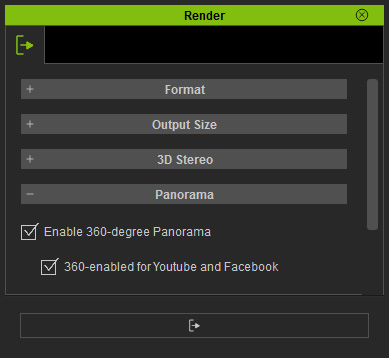
- Enable 360-degree Panorama:
- Activate this box if you want to export a Panorama Video.
- For supported VR devices, please refer to the Viewing Panorama Videos section for more information.
- The format for Panorama Videos on the device can be MP4, AVI, or WMV.
- 360-enabled for Youtube and Facebook:
- Activate this box to include the Google 360 Video Metadata to the exported video.
- This box must be activated when you plan to play the video on Youtube or Facebook.
- The format for Panorama on Youtube or Facebook is MP4 only.
