MD Behavior - Data Settings (New in version 8.5)
Under Data Settings of the MD Behavior panel
(Ctrl + F6), the blending times for the idle, perform,
transition and interaction motions, along with Zone Tolerance
can be adjusted.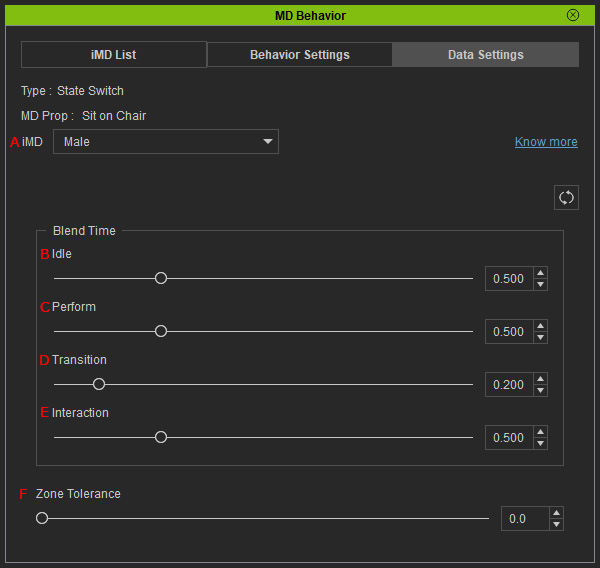
- iMD: You can choose the iMD data for adjustment from the drop-down list.
- Idle: The seconds for blending to the character's idle motion (0.5 by default).
- Perform: The seconds for blending to the perform motion (0.5 by default).
- Transition:
- Interaction:
- Zone Tolerance: The precision for the character to stand on the position point for performing behavior motions. The larger the value,
the less its precision.
Zone Tolerance = 0.0
Zone Tolerance = 1.0
