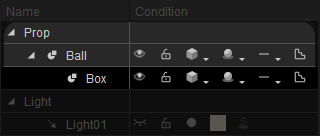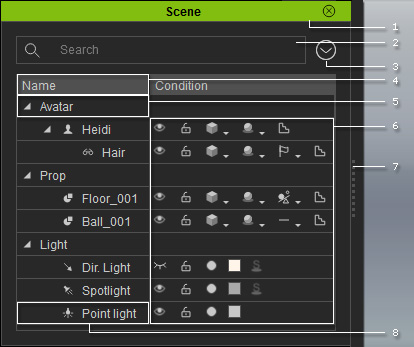
The Scene Manager displays all the objects and actors included in the current project. You may select multiple items, show/hide the objects altogether, lock them from being selected in the working area, or even adjust the render state.
|
1 |
Dock/Undock |
Double-click on the caption to dock the panel to the docking place, or undock the panel and make it float above the main program. |
||||||||||||||||||||||||||||||||||||||||||||||
|
2 |
Search |
Type full or partial names of objects in the search field to search for desired objects. |
||||||||||||||||||||||||||||||||||||||||||||||
|
3 |
Menu Button |
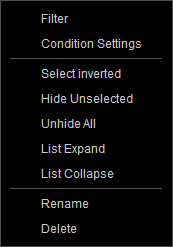
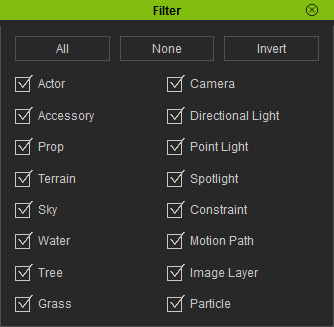
Click this button to show the menu for manipulating the Scene Manager, including:
Use the Filter to show/hide specific categories.
This is an easy way to keep the Scene Manager clean.
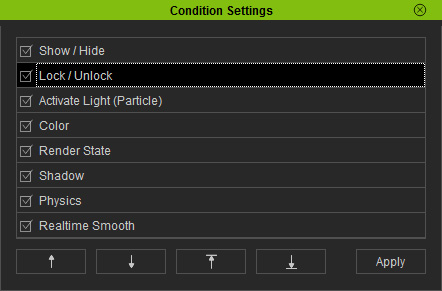
Invoke the Condition Settings dialog box to
show/hide the object status icons, or change the display order of these icons. Invert current selection, hide unselected objects or show all objects in the scene. Collapse/expand all categories. Rename or delete the selected objects. |
||||||||||||||||||||||||||||||||||||||||||||||
|
4 |
Sort |
Click the Name caption, to re-order the object by their alpha-numeric order. |
||||||||||||||||||||||||||||||||||||||||||||||
|
5 |
Category Name |
Click on the triangle button beside the category name to collapse/expand the category. Click on the category name to expand the category and select all the items under this category. |
||||||||||||||||||||||||||||||||||||||||||||||
|
6 |
Object Status Icons |
Multi-select object rows in different categories, and you can simultaneously change the following object status items:
|
||||||||||||||||||||||||||||||||||||||||||||||
|
7 |
Resize |
Drag the border to resize the pane of the Scene Manager. |
||||||||||||||||||||||||||||||||||||||||||||||
|
8 |
Object Name |
Double-click on the object name to enter the name-editing mode. You may rename all the items as you wish. |
|
Note: |
|
Some items such as water, trees, grass, particle emitters, and terrains cannot be selected or are difficult to be selected from within the 3D viewer. Use the Scene Manager panel instead to easily select them. The Scene Manger will also show the parent/child node structure of a 3D object, so you can use this behavior to select the child node directly.
The object status on each icon item will be saved to iClone project files. |
 : Show
 : Hide
 : Lock
 : Unlock
 : Normal
 : Smooth
 : Wireframe
 : Bounding
 : Wireframe on Shaded
 : X-Ray
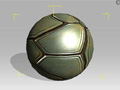
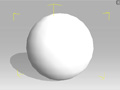
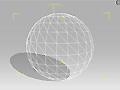
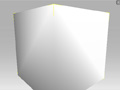
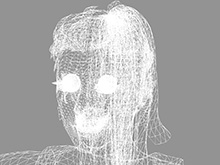
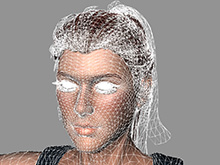

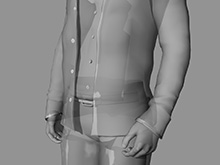
 : All Shadows
 : Cast Only
 : Receive Only
 : No Shadows
 : None
 : Rigid Body
 : Soft Cloth
 : Original
 : Smooth
 : De-activate
 : Activate
 : Color
 : Activate Shadow
 : No Shadows