 tool. Drag the mask left
and right or up and down to match the mask to the angle of the face in the photo.
tool. Drag the mask left
and right or up and down to match the mask to the angle of the face in the photo.
The face you have imported may not be facing directly forward. In this
case, adjust the angle of the face slightly using the Roll X-Z
tool. Drag the mask left
and right or up and down to match the mask to the angle of the face in the photo.
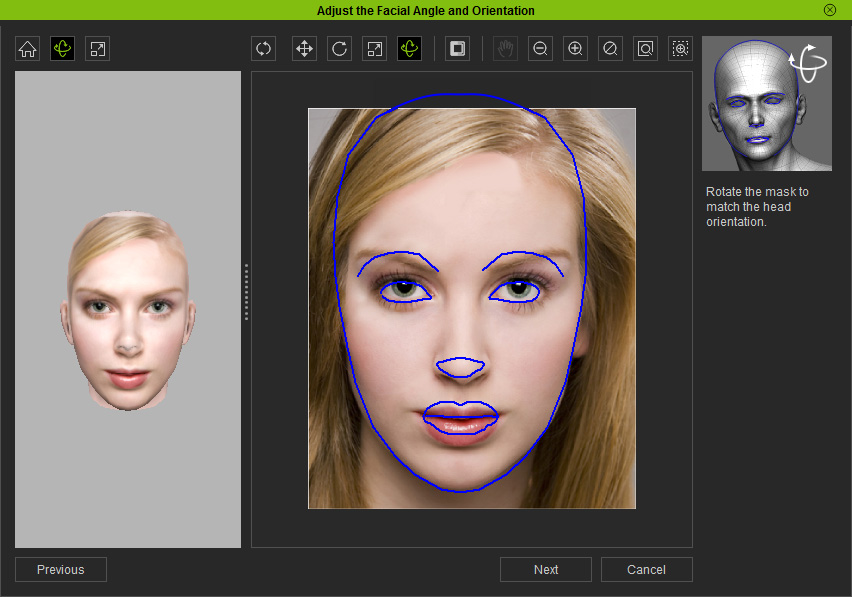
The other tools above the 3D view port are:
 Reset: reset the position and angle of the 3D contour.
 Move: move the 3D contour.
 Rotate X-Y: roll the 3D contour.
 Scale: adjust the scale of the 3D contour.
|
Tip:
|
Click the Next button to proceed to the next stage, Adjusting feature points and contours.