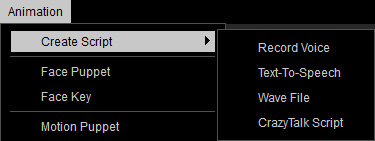
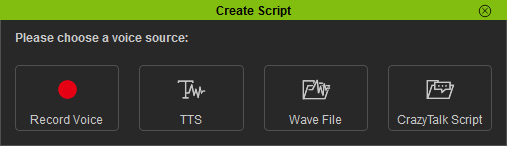
- Record Voice: Use this command to directly record a voice to create a voice script for the character.
- Text-To-Speech: Use this command to convert desired text into a voice script for the character.
- Wave File: Use this command to load an audio file (*.wav, *.mp3) as the voice script for the character.
- CrazyTalk Script: Use this command to load a CrazyTalk script file (*.cts, *.clp, *.rlTalk) as the voice script for the character.
|
Note: |
|
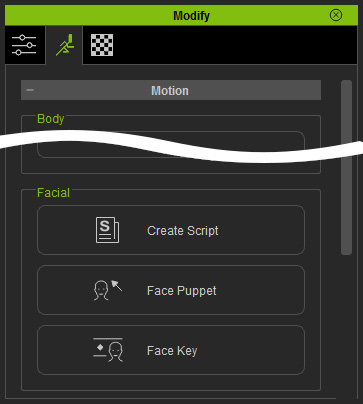
You may also open the panel by selecting the character and then
execute the Animation menu:
Animation >> Create Script command. |