
Solo feature selection region allows you to select individual/multiple features and create expressions all at once.
Click the Face Puppet
 button.
Click the Clear Selection
 button to
clear any selections that might have been done accidently.
button to
clear any selections that might have been done accidently.
Pick the desired facial features from the Solo Feature Selection pane.
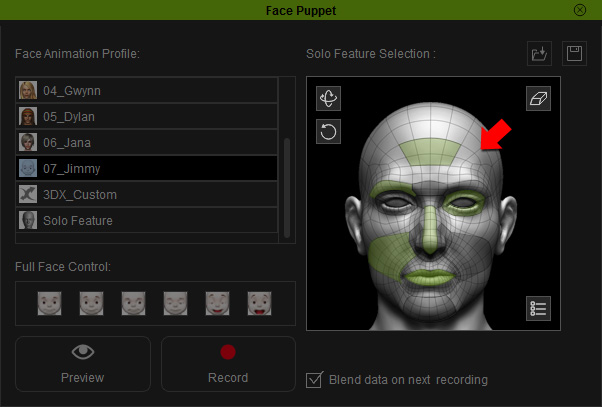
|
Note: |
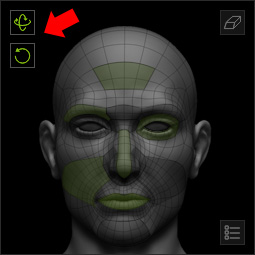
|
Click the Preview
 button and press the Space bar to start previewing.
Move your mouse to puppeteer your model. Press the Space bar again to stop previewing.
Click the Record
 button
and press the Space bar to start recording the motion
as puppeteered by your mouse.
button
and press the Space bar to start recording the motion
as puppeteered by your mouse.
Once the recording stops, a clip will be added into the Expression Track automatically.