Once you have applied any iAcc, which is embedded with human centric scripts to the actor or applied any human centric script-embedded iProp into the scene,
the actor can control the actions of the objects or instantly reflect the performance embedded in the objects from the right-click menu.
The right-click menu changes depending on what is attached to the actor. Once you have applied an iAcc (accessory) to the actor, you may see the difference
in the actor's right-click menu.
iAcc to Actor
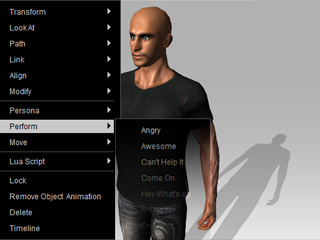
Let's see what happens to the right-click menu before we drag anything to the actor.
Notice in the perform section, the actor only holds fewer motions.
Drag an iAcc to the actor.
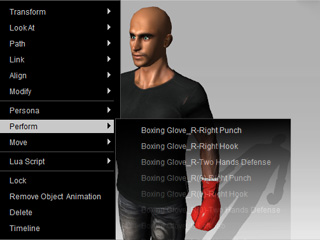
Right-click on the actor again to see the difference.
The actor's performance has increased by adding the actions embedded in the Boxing Gloves.
Actor to iProp
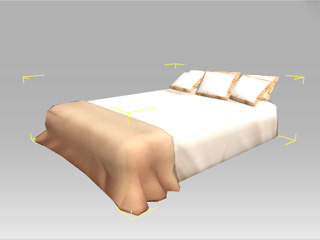
Add a bed to the scene.
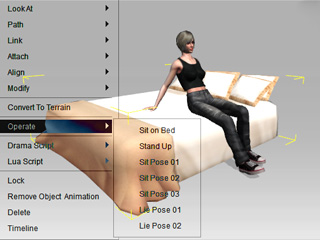
Click the desired actor for controlling the actions.
Right-click on the bed, and select a command for the actor to perform with.