Pick the prop in the project.
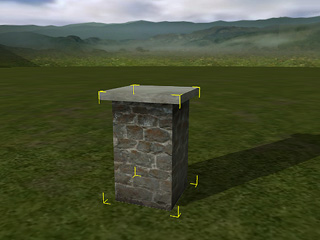
We will take a Prop as example to describe the method of modifying texture settings of the eight channels.
Pick the prop in the project.
In the prop's modify panel, switch to the Material tab and scroll to the Texture Settings section. Select one of the texture channels and click the Launch button to open the texture image with your predefined image editor.
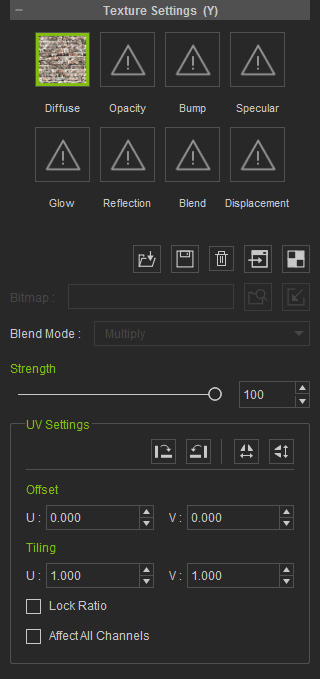
You may set your favorite image editing software as the default texture editor in the Preference panel.
The Strength slider defines the display weight of the channel as it is mapped to the object.
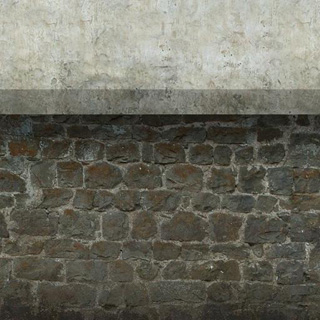
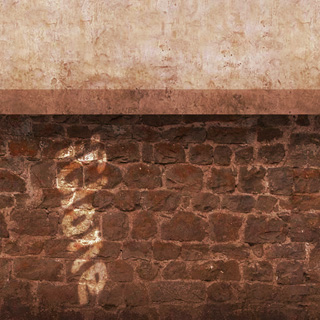
Modify the image in the texture editor. Remember to Save the image after you finish adjusting the image.
|
|
|
Before Editing |
After Editing |
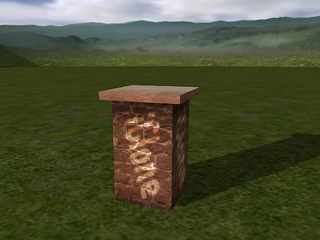
Go back to iClone. The prop will update its texture automatically.
|
Note: |
|
|
 : You can select an image file directly to
replace the texture by clicking the Load
button.
: You can select an image file directly to
replace the texture by clicking the Load
button.
 : If you want to keep the texture for further use
on another object, click the
: If you want to keep the texture for further use
on another object, click the  :
If you want to remove the texture, click the Delete button.
:
If you want to remove the texture, click the Delete button.
 : Press the UV
button to launch the image editing software opening the UV image of the
selected object; you can paint the texture based on the UV position.
: Press the UV
button to launch the image editing software opening the UV image of the
selected object; you can paint the texture based on the UV position.