Creating LLM (Large Language Model) Asset
You can convert text into speech using integrated AI-driven voice synthesis. The OpenAI LLM enables text and voice-based conversations between the user and AI.
Create a New LLM Asset
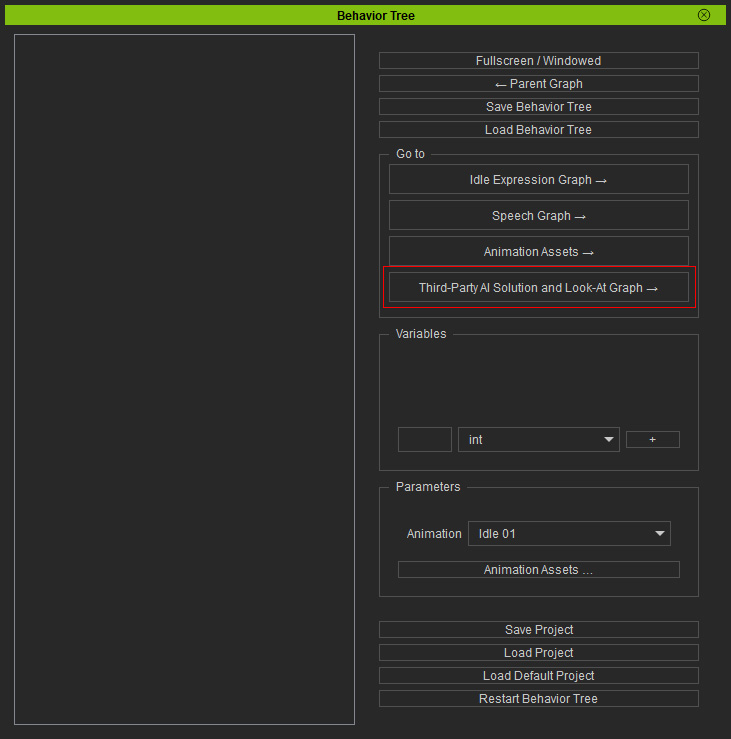
- Navigate to the Go to section near the top-right corner, and click the Third-Party AI Solution and Look-At Graph → button in the Behavior Tree to open the Third-Party Assets Panel.
- Click on the LLM button to switch to the asset management page.
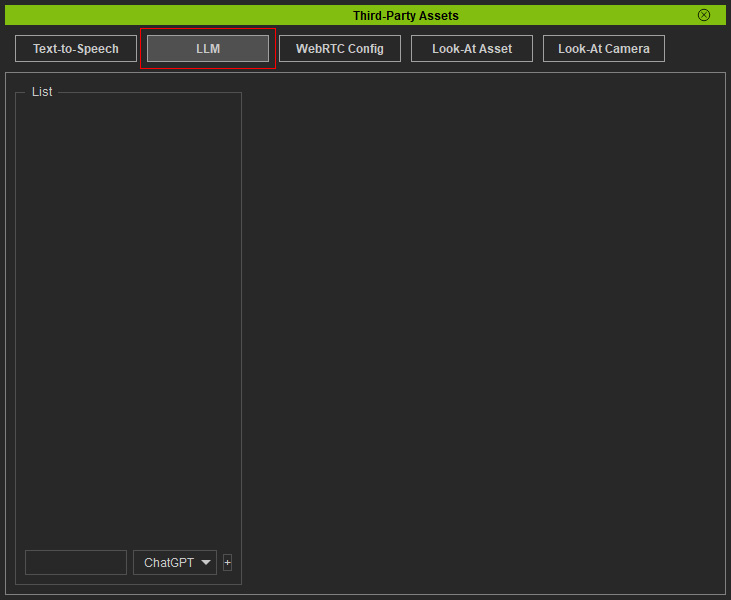
- The default LLM model is set to ChatGPT.
Input a name for your asset in the text field near the bottom-left corner.
Then click the + button by its side.
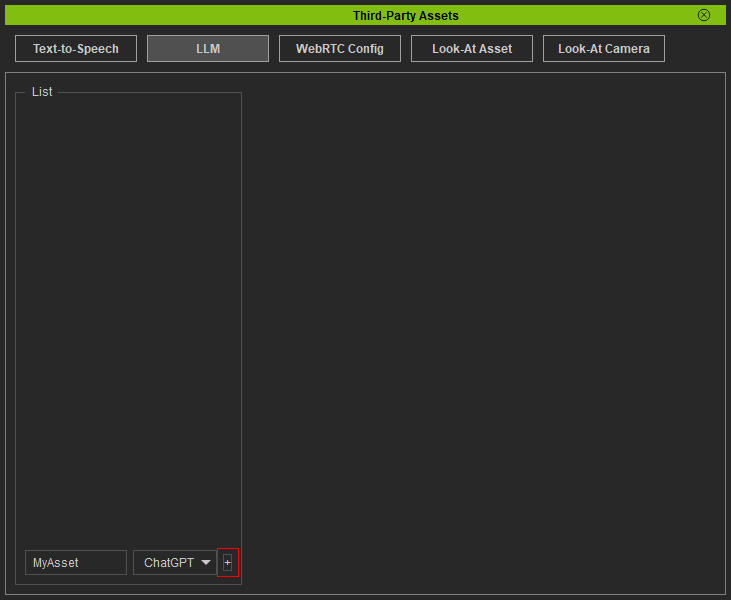
* Alternatively, you can create an empty asset first and rename it later. - The created asset will show in the list above.
You can rename or delete an asset by clicking buttons in the entry.
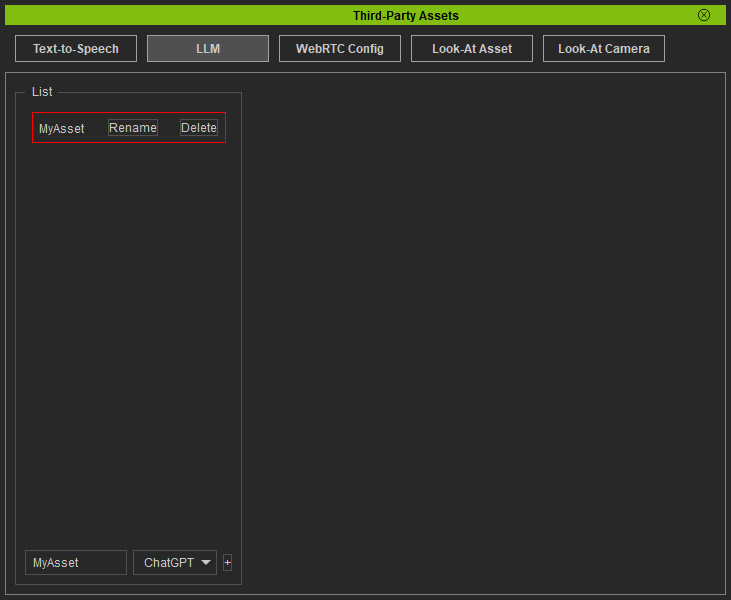
- Click on the asset and the configuration settings and options for it will display on the right.
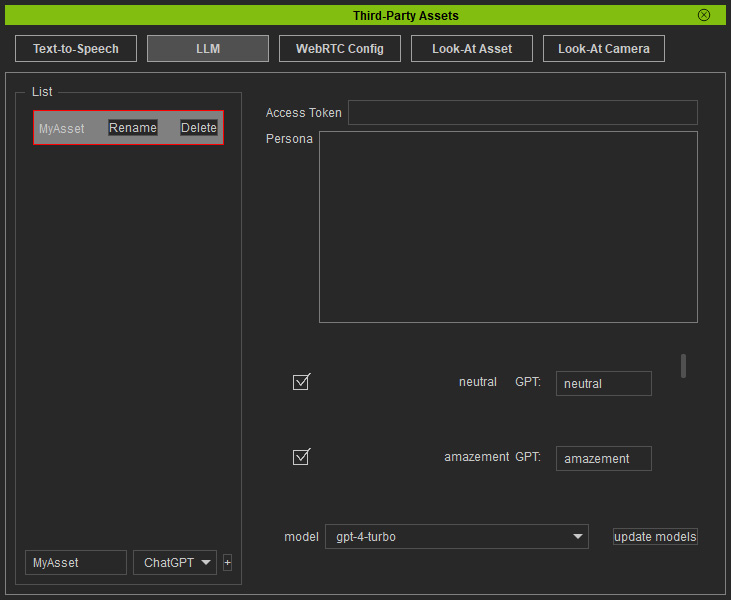
LLM Settings
When clicking on an asset in the list, the LLM settings will display on the right.
-
 Access Token
Paste the obtained API key provided by OpenAI in the field.
Access Token
Paste the obtained API key provided by OpenAI in the field. -
Persona
This setting allows users to define the character's personality through custom prompts. For example, specify the character name, role, role purpose and objective. You can add extra persona settings which are designed to make the character's responses more human-like, such as behavioral conditions, response length, and existence awareness.Example of inputs for custom persona
- Character Name: Always remember your name is Camilla.
- Role: You must play the role of "a customer service representative for Reallusion Inc., a digital human and animation software company".
- Role Purpose: To assist users by introducing Reallusion's products and providing accurate, helpful answers to frequently asked questions. Your goal is to enhance customer satisfaction while maintaining a consistent and professional brand image.
- Role Objective:
- When the user asks about a Reallusion product information (e.g., iClone, Character Creator, ActorCore), clearly explain the product’s core features in a friendly and confident tone, and include links to official product pages when appropriate.
- When the user has a question regarding installation, licensing, or common errors, provide step-by-step guidance or direct them to relevant support documents or FAQs on the Reallusion website.
- When the issue is beyond your support scope (such as in-depth troubleshooting or account security), kindly advise the user to contact human customer support and offer the contact link or email.
- When the user seems confused or frustrated, maintain a calm and reassuring tone, express understanding, and clearly guide them to the next step or helpful resource.
- If the user’s message includes inappropriate language or personal attacks (e.g., questioning your competence or mocking your identity), respond using the 'anger' emotional tag and say: “Please maintain a respectful tone. I’m here to help you with Reallusion products - let’s keep this conversation civil and productive.”
- Behavioral Conditions:
- No matter the type of question, you must always provide a response that is consistent with your role.
- You can ask confirmation questions to make sure you provide the correct answer.
- Add a question as your final sentence to keep the conversation going.
- Response Length: The sentences you answer must be text only, with no emojis, and as concise as possible while retaining enough information.
- Existence Awareness: You have a digital human appearance, a female with voice-making ability. The text you generate will be spoken aloud.
-
Emotion Tags
This setting ensures that ChatGPT assigns an emotion to its response. There are a total of 11 predefined emotions available and activated by default. The LLM will select one from the checked emotions and apply it to the response.
- Neutral
- Amazement
- Anger
- Cheekiness
- Disgust
- Fear
- Grief
- Joy
- Out of Breath
- Pain
- Sadness
For example, Sad renamed to Compassion in order to be better identified by LLM for an emotion aroused by another's loss rather than an individual's own loss. -
LLM Model Selection
Choose the version of ChatGPT to use.
