Creating TTS (Text to Speech) Asset
The TTS technology converts AI-generated responses into speech, allowing avatars to speak with natural voices. The AI Assistant integrated with Microsoft Azure, Google, and ElevenLabs TTS allows you to process and generate text-based responses using advanced AI language models.
Create a New TTS Asset
- Navigate to the Go to section near the top-right corner, and click the Third-Party AI Solution and Look-At Graph → button in the Behavior Tree to open the Third-Party Assets Panel.
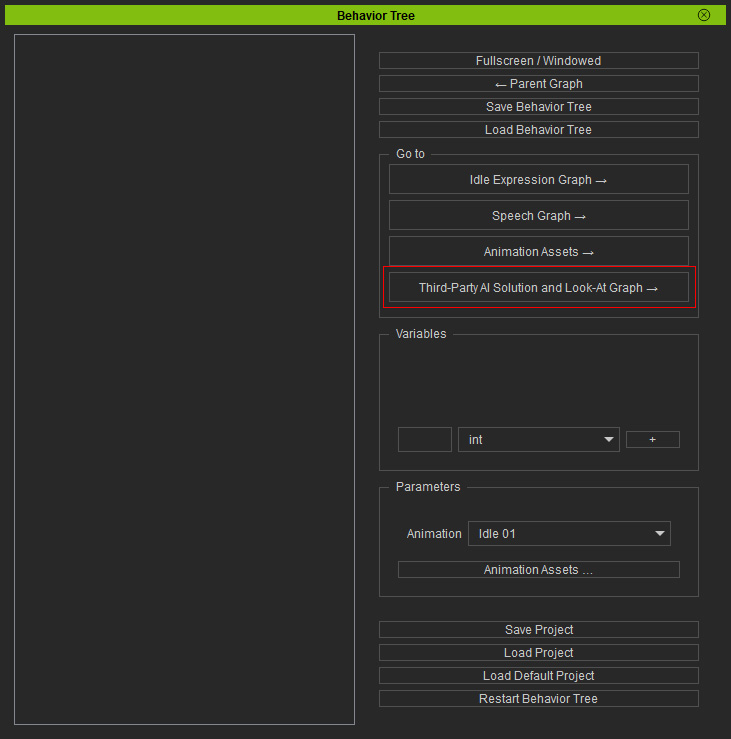
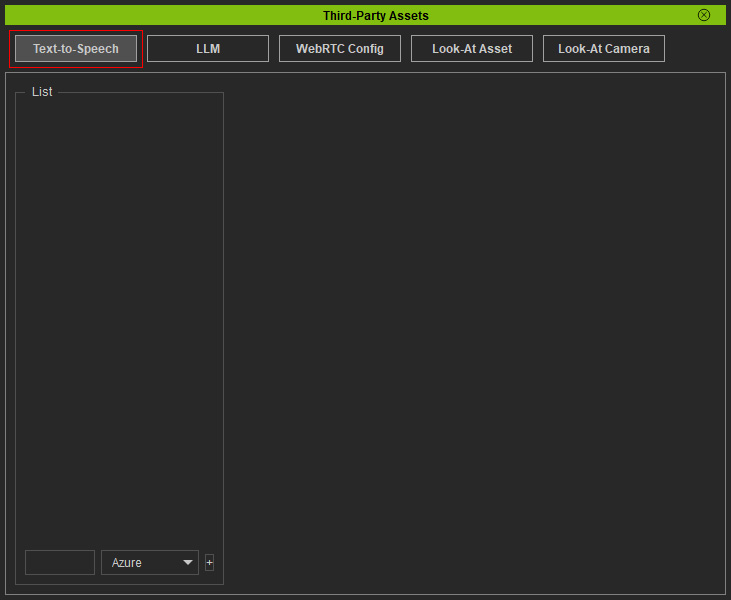
- Click on the Text-to-Speech button to switch to the asset management page.
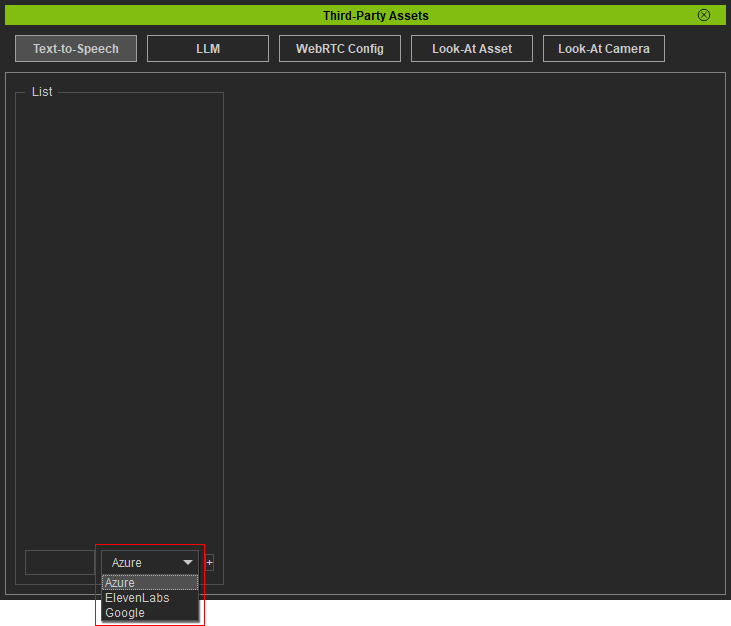
- Select the desired third-party tool from the drop-down list near the bottom-left corner.
Currently, the system supports three TTS tools.
Select Azure from the options for example.
- Input a name for the asset.
Click the + button by the side to create a new Azure TTS asset.
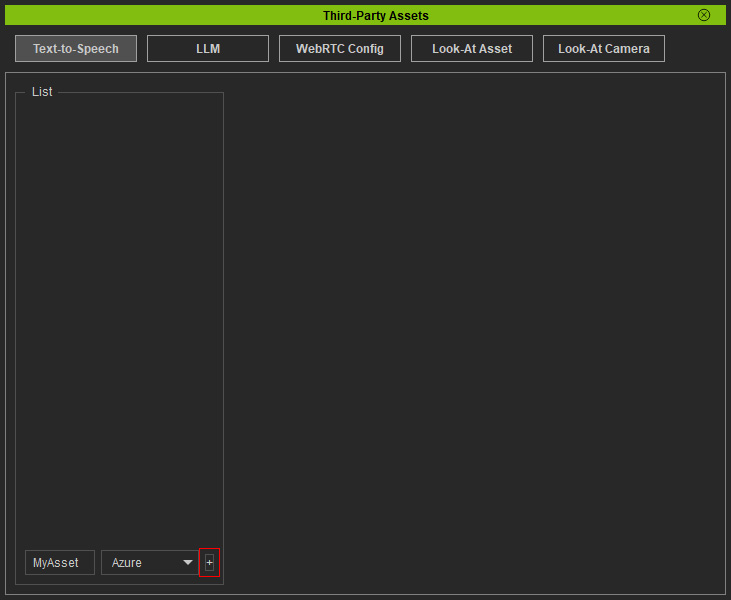
* Alternatively, you can create an empty asset first and rename it later. - The created asset will show in the list above.
You can rename or delete an asset by clicking buttons in the entry.
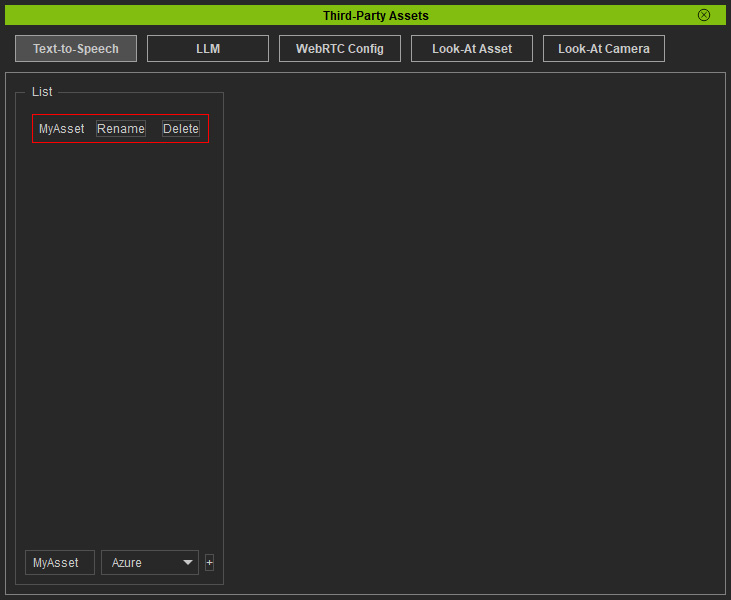
- Click on your asset.
The configuration settings and options for the asset will display on the right.
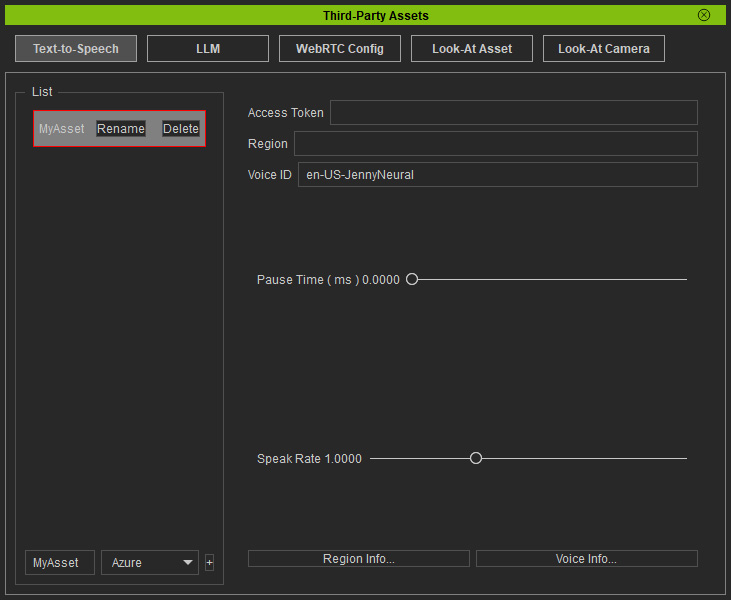
TTS Settings
 Microsoft Azure
-
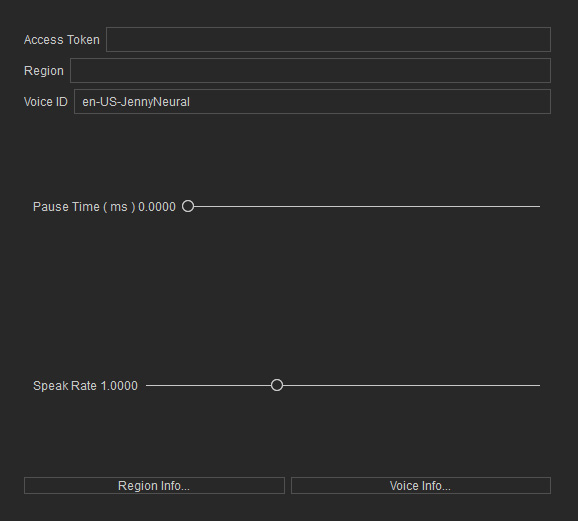
Access Token
Input the API Key provided by Azure.
-
Voice ID
Choose the voice for this asset. Azure provides a wide range of voice options. Click the Voice Info... button near the bottom to visit the service website and find an appropriate Voice ID listed in the "Text to Speech" column.
For example, "ja-JP-NanamiNeural" is the correct format for a character speaks Japanese.
Google
-
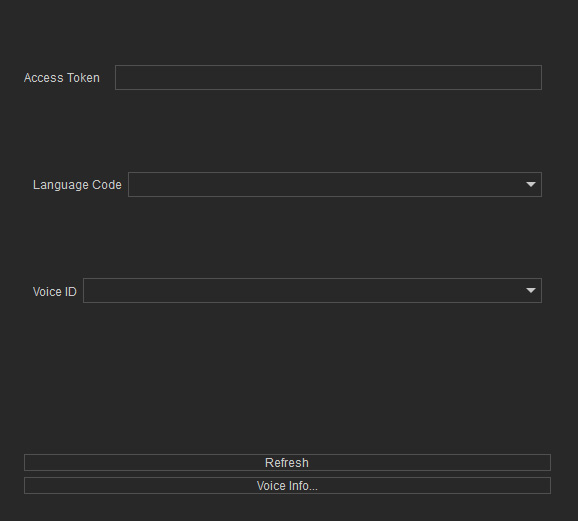
Access Token
Input the API Key provided by Google TTS.
-
Language Code
Select the language or region for Google TTS. Available options:
- EN-US (English)
- JA-JP (Japanese)
- CMN-TW (Traditional Chinese)
-
Voice ID
Choose the voice for this asset. Google TTS provides a wide range of voice options. Click the Voice Info... button near the bottom to visit the service website and find an appropriate Voice ID listed in the "Voice name" column.
For example, "cmn-TW-Standard-A" is the correct format for a character speaks Mandarin Chinese.
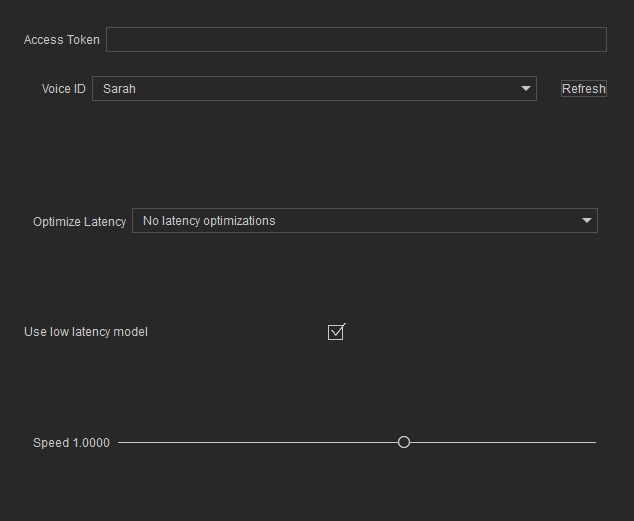
ElevenLabs
-
Access Token
Paste the obtained API Key provided by ElevenLabs in the field.
-
Voice ID
Choose the voice for this asset.
-
Optimize Latency
Select between quality priority and performance priority:
- Lower latency means faster processing but lower quality.
- Higher latency means better quality but longer processing time.
