Random Face Generation
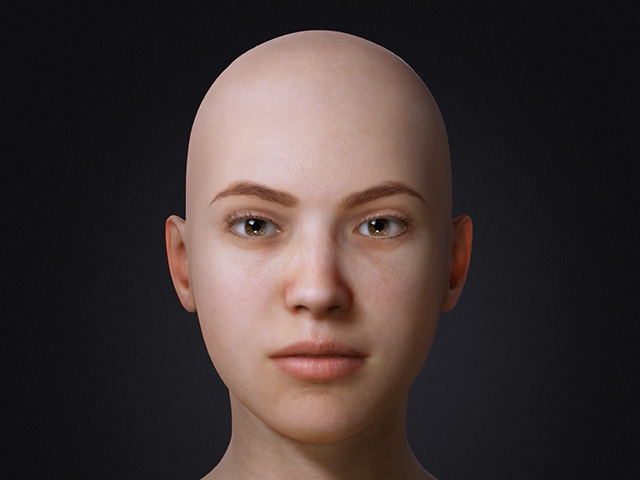
ActorMIXER Pro provides feature for generate random face with one single click. Not only the shape of the character is swapped, the skin texture can also be changed automatically.
- Apply a character.
- Open the Random Face Settings panel.
- Click the Random Face Settings button on the ActorMIXER toolbar.

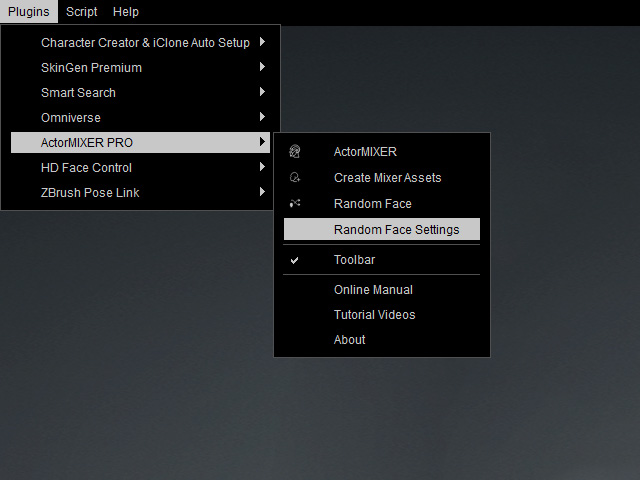
- Go to Plugins > ActorMIXER Pro > Random Face Settings.
- Click the Random Face Settings button on the ActorMIXER toolbar.
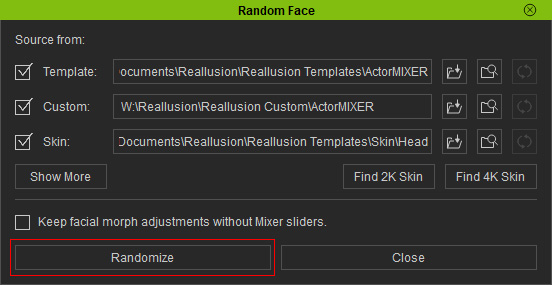
- The Random Face panel appears.
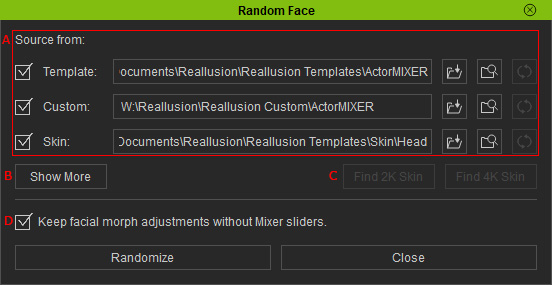
- Source from: It is highly recommended set the source folders to the ActorMIXER CORE Library folders (or your custom folders with Mixer Assets).
- Show More: Displays the contents used for generating the character.
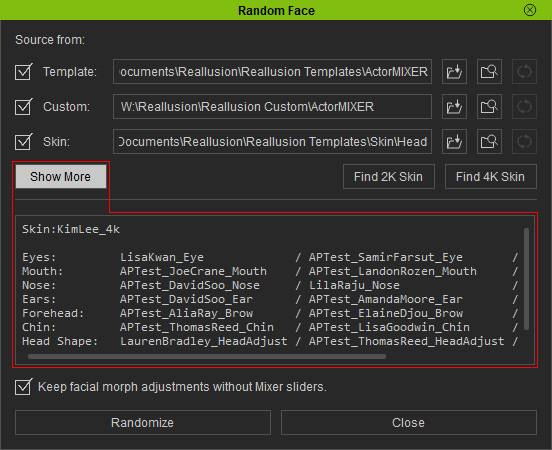
- Find 2K / 4K Skin: Finds the 2K or 4K skin template that is listed in the Show More box within its library.
- Keep facial morph adjustments without Mixer sliders: Activates for generating a random person while deactivates for generating a random family member.
- Start to randomize the character's face.
- Repetitively click the Randomize button on the Random Face Settings panel.
- Repetitively click the Random Face button on the toolbar.

The character's face and skin will be randomly generated for each click. - Repetitively click the Randomize button on the Random Face Settings panel.
