Saving Custom MIXER Assets
Use Set Path to specify a custom folder for saving generated MIXER Sliders, MIXER Presets, and Avatar Presets in the Content Manager.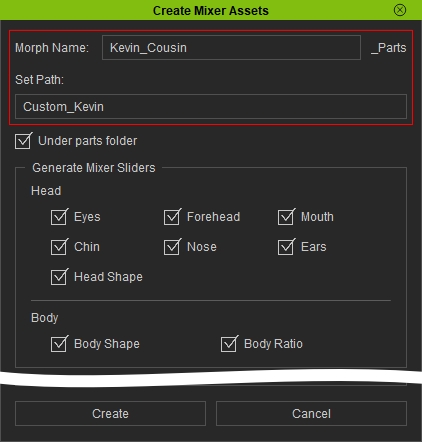
Enable Under Parts Folder when using Set Path. This creates the custom folder inside the corresponding part folder and saves the generated content there.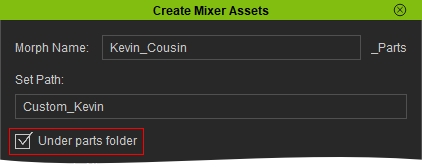
MIXER Sliders
Generated MIXER Sliders are saved in the custom folder under Actor > Morph:
Actor > Morph > [Custom Folder Name] > [Morph Name]
For example, if you enter Custom_Kevin in the Set Path field and Kevin_Cousin in the Morph Name field, an eyeball slider is saved as:
Actor > Morph > Custom_Kevin > Kevin_Cousin_eyeball.ccCustomSlider.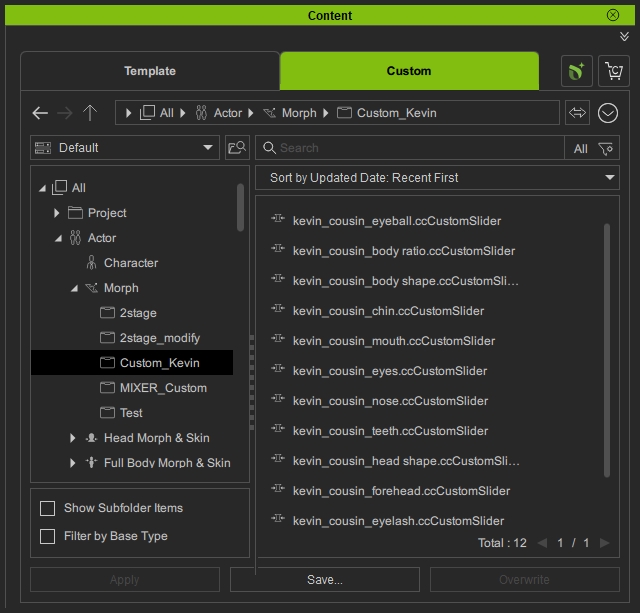
The corresponding file appears in the custom folder in File Explorer.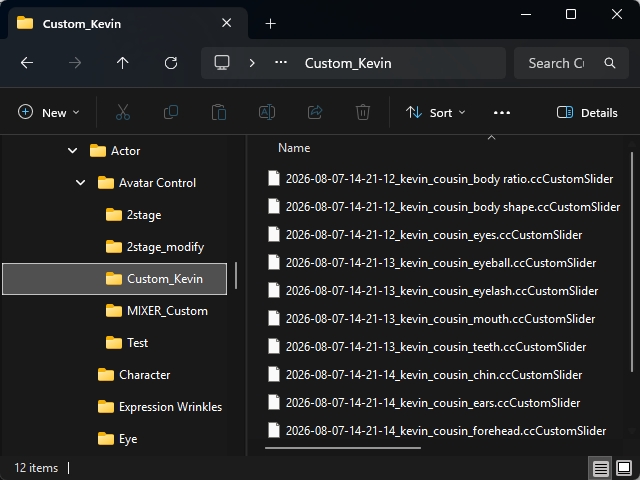
You can also click the gear button next to the slider and select Find File to locate it in File Explorer.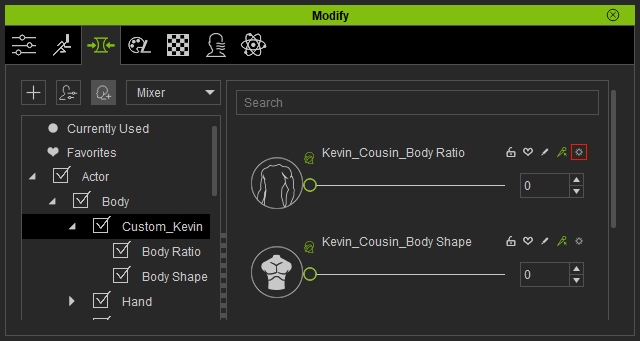
MIXER Presets
Generated MIXER Presets are saved in the custom folder inside the corresponding part folder under ActorMIXER:
ActorMIXER > [Part Name] > [Custom Folder Name] > [Morph Name]
For example, using Custom_Kevin as the custom folder name and Kevin_Cousin as the morph name saves a Body preset as:
ActorMIXER > Body > Custom_Kevin > Kevin_Cousin_Body.ccMixerPreset.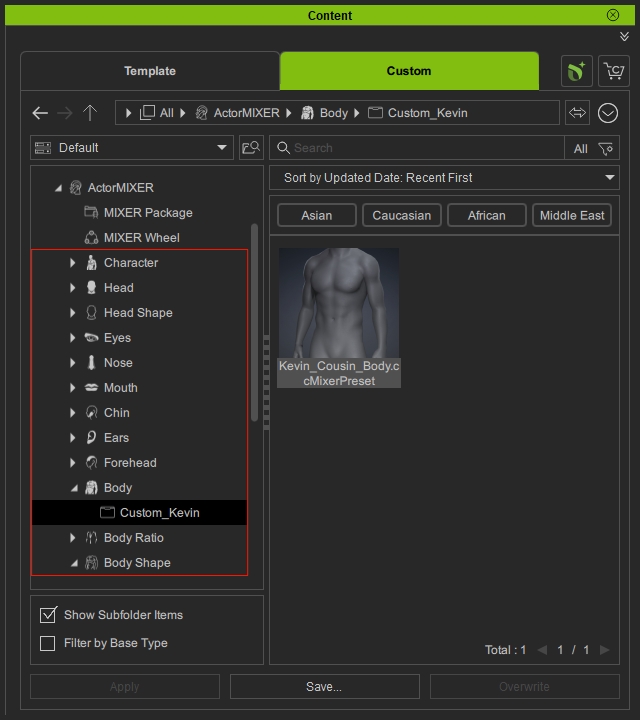
The corresponding file appears in the custom folder in File Explorer.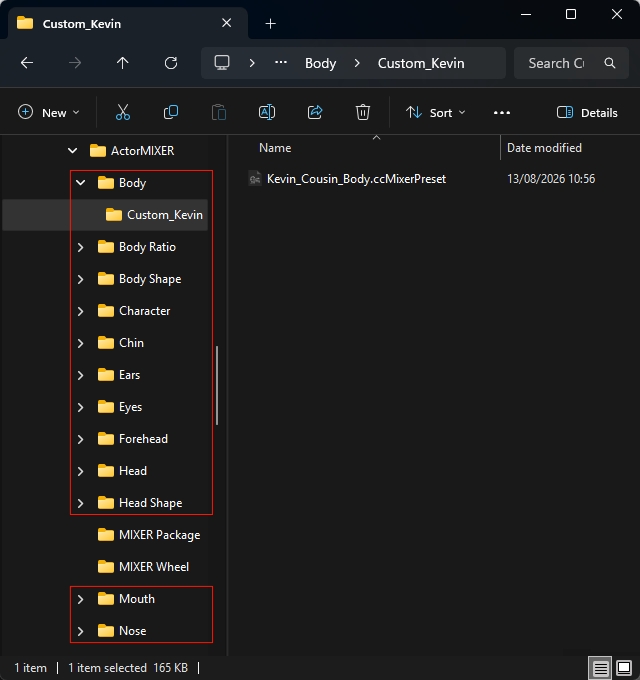
You can customize the thumbnails of your MIXER Presets to make them easier to identify in the Content Manager. Refer to Capturing Thumbnails for Mixer Presets for more information.
Avatar Presets
Generated Avatar Presets are saved in the custom folder inside the corresponding preset category under Actor:
Actor > [Preset Category] > [Custom Folder Name] > [Morph Name]
For example, using Custom_Kevin as the custom folder name and Kevin_Cousin as the morph name saves an Avatar Preset as:
Actor > Full Body Morph & Skin > Custom_Kevin > Kevin_Cousin.ccAvatarPreset.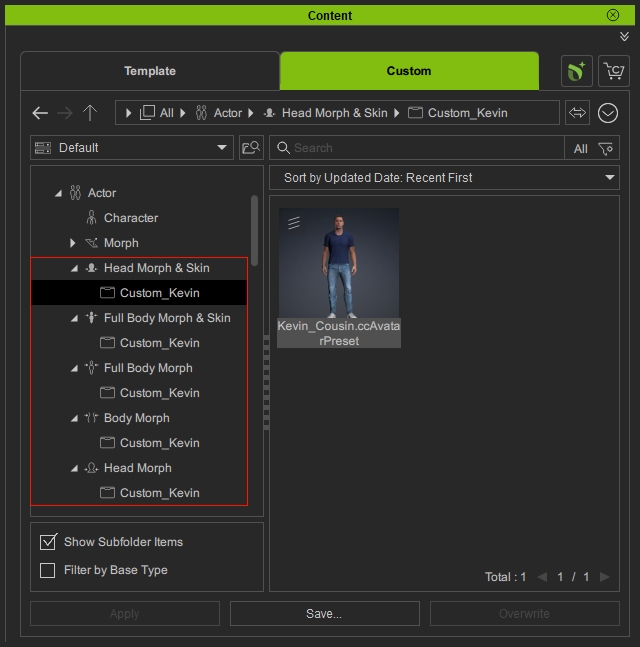
The corresponding file appears in the custom folder in File Explorer.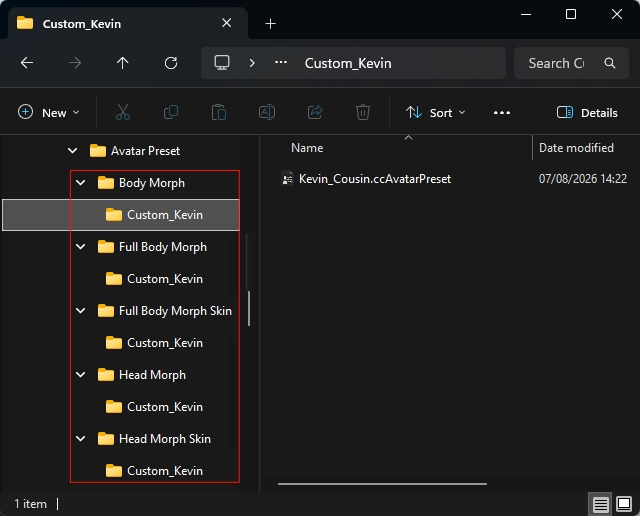
The actual save location depends on the asset type and the Set Path Name specified when using Set Path.
Using an Existing Folder Name
If you enter a folder name that already exists, a dialog asks whether to overwrite the existing files.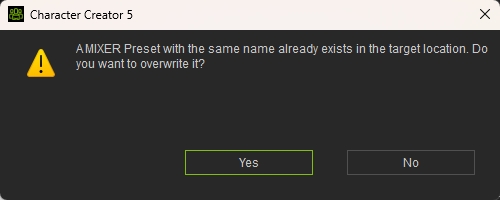
- Click Yes to overwrite the existing files.
- Click No to create new files with a serial number appended to the name, such as xxx_0, xxx_1, and so on.
