|
Controller X 1
|
|
-
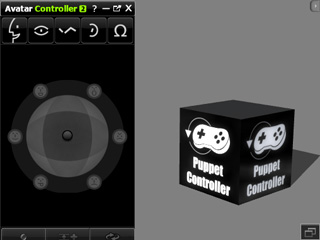
The Controller is used for puppeteering
accessories with defined animations set by the Builder.
-
You may find it in Set >> Prop >> Content Manager
>> Avatar Toolkit Vol. 2 library.
-
Apply the prop to instantly display the Controller Panel.
-
If the panel does not show, right click on the Puppet Controller
box and select Script >> Avatar Controller in the
right-click menu to show the panel.
-
You may access the controller prop in the path
(by default) below:
-
Windows XP:
C:\Documents and Settings\All Users\Documents\Reallusion\Template\iClone 5 Template\iClone Template\Props\Avatar Toolkit Vol.2
-
Windows Vista or above:
C:\Users\Public\Documents\Reallusion\Template\iClone 5 Template\iClone Template\Props\Avatar Toolkit Vol.2
|
|
|
|
Builder X 1
|
|
-
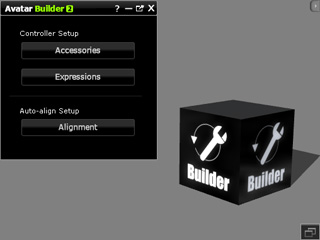
The Builder is used for setting puppeteering
and auto-aligning data to accessories.
-
It can also define full face expression data
for facial-feature-like accessories such as eyes
or ears.
-
You may find it in Set >> Prop >> Content Manager
>> Avatar Toolkit Vol. 2 library.
-
Apply the prop to instantly display the Builder Panel.
-
If the panel does not show, right click on the
Builder
box and select Script >> Avatar Builder in the
right-click menu to show the panel.
-
You may access the builder prop in the path
(by default) below:
-
Windows XP:
C:\Documents and Settings\All Users\Documents\Reallusion\Template\iClone 5 Template\iClone Template\Props\Avatar Toolkit Vol.2
-
Windows Vista or above:
C:\Users\Public\Documents\Reallusion\Template\iClone 5 Template\iClone Template\Props\Avatar Toolkit Vol.2
|
|
|
|
Dummy Character X 1
|
|
-
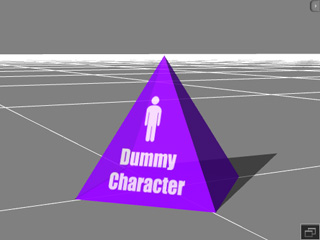
The Dummy Character is for
using an accessory as a base for other accessories.
-
You may find it in Actor >> Avatar >> Content Manager
>> Avatar Toolkit Vol. 2 library.
-
You may use this technique to apply accessory
bone and material animations to
puppeteering props
that is not currently supported by iClone.
-
You may access the builder prop in the path
(by default) below:
-
Windows XP:
C:\Documents and Settings\All Users\Documents\Reallusion\Template\iClone 5 Template\iClone Template\Character\Avatar Toolkit Vol.2
-
Windows Vista or above:
C:\Users\Public\Documents\Reallusion\Template\iClone 5 Template\iClone Template\Character\Avatar Toolkit Vol.2
|
|
|
|
Sample Project X 11
|
|
-
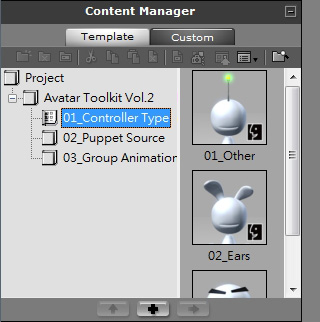
The Sample Projects are cases which show the different capabilities of Avatar Toolkit Vol.
2.
-
You may find it in Project >> Content Manager
>> Avatar Toolkit Vol. 2 library.
-
You may access the builder prop in the path
(by default) below:
-
Windows XP:
C:\Documents and Settings\All Users\Documents\Reallusion\Template\iClone 5 Template\iClone Template\Project\Avatar Toolkit Vol.2
-
Windows Vista or above:
C:\Users\Public\Documents\Reallusion\Template\iClone 5 Template\iClone Template\Project\Avatar Toolkit Vol.2
|