Manually Creating CC Control Rig - FBX
When you load a CC character FBX, you’ll be asked whether you want to automatically generate a Control Rig by Auto Setup plugin. You can choose to skip and create it manually later. This page will walk you through the quick steps for generating a Control Rig manually.
- When you import FBX character exported from iClone or Character Creator, you will encounter the inquiry dialog box. Deactivate the Include Control Rig to accelerate import procedure.

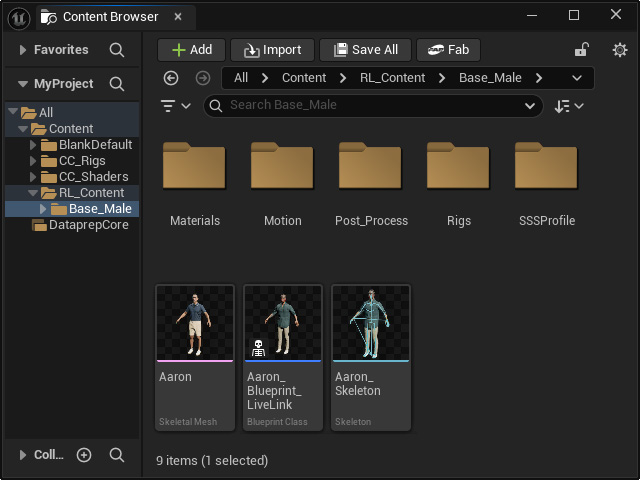
- After the character is imported, there will be no Control Rig blueprint available in the Content Browser (there are only Skeletal Mesh, Blueprint for Live Link and character's skeleton files).
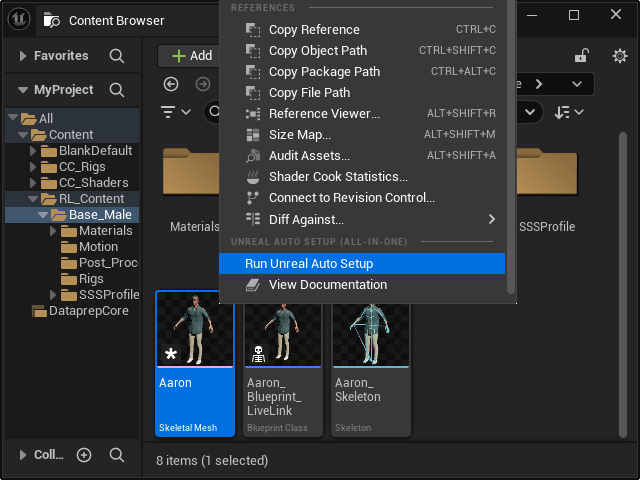
- Right-click on the Skeletal Mesh and execute the Run Unreal Auto Setup command from the context menu.
The CC_ControlRig blueprint will be created.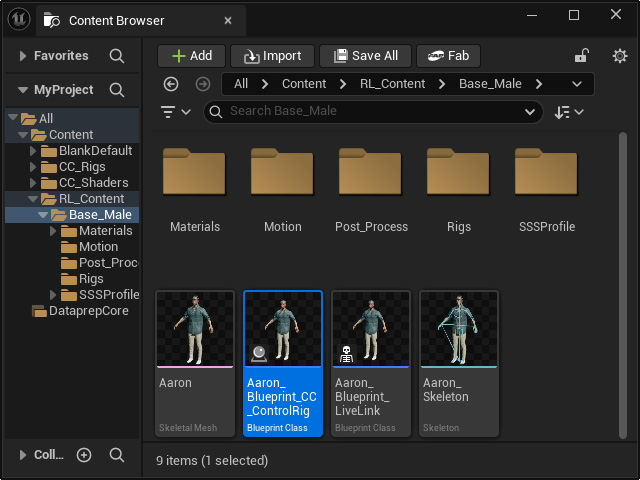
Open the Rigs folder, you will find all CC Control Rig associated items. - You can now commence with key-frame animations and animation layer editing.
