After you have installed the CrazyTalk Application Templates,
the built-in assets such as characters and motions will be
simultaneously imported into your installation folder.
The installed assets structures are:
Four Application Templates main folders
Slide, E-Mail, FAQ and Quiz.
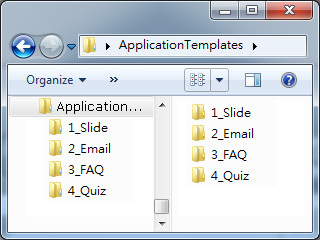
In each main folder you will find folders Data, js,
Images and an XXX.HTML file (please note that these folders or files may
be missing in accordance with the needs in each scenario).
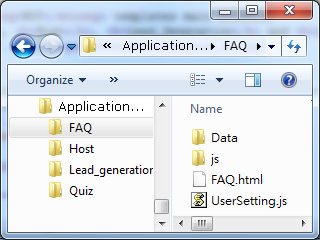
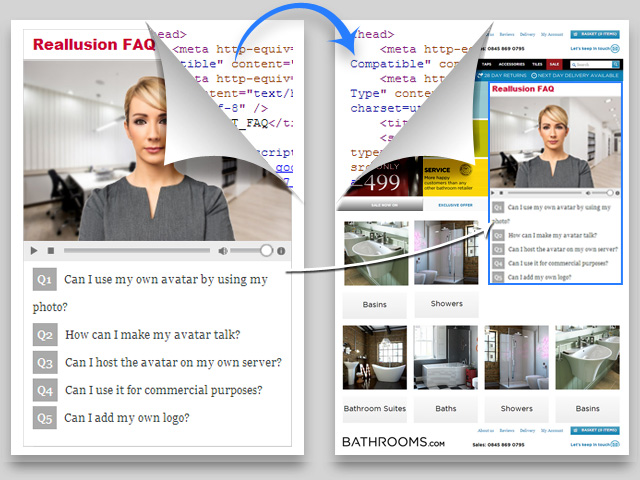
The Main HTML File
The XXX.HTML file can be used as the preview page
for observing the customizations
through coding the adjustable UserSetting.js
file (explained in previous section).
Once you are satisfied with the previewing results, then you are
able to copy the source code of the HTML file and
paste it into your custom web pages.
Note:
Please refer to the
Using Templates
section for more information about the
modifications to the
file.
HTML File and UserSetting.js
Edit the context in the
UserSetting.js file to customize
the appearance of the entire page and the
assets you desire to use for interaction.
Note:
Please refer to the
Using Templates
section for more information about the
modifications to the
file.
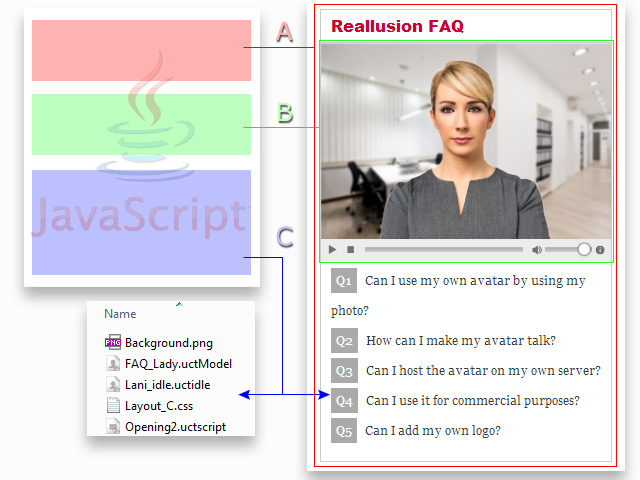
The connections between the UserSetting.js and the
XXX.HTML
files (explained in next section) are as show in the following illustration:
The General Settings
section determines the overall
appearance of the template, including
the font styles, the background colors
etc.
The Player Settings
section determines the look of the
player, the behavior of the character in
the player and the foreground images
overlaying on the player and so on.
This section defines the triggered
interactions between the controls on the
page and the assets behind the scene.
Contents in Folder "Data"
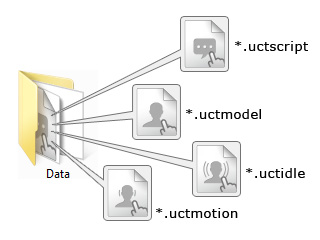
The Data folder contains every asset exported from the
CrazyTalk 7 Interactive Plug-in that will be needed to
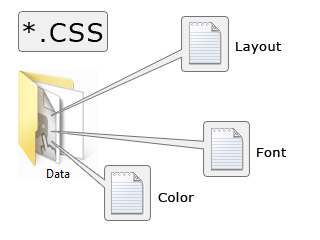
construct the web player, and CSS
files for the font styles.
The compatible assets are for actors (*.uctmodel),
idle motions (*.uctidle),
motions (*.uctmotion),
and scripts (*.uctscript).
The CSS files determine the font
styles, the background
colors for the texts and the
layouts for the texts
and the web player.
Note:
Please note that you are allowed to add more custom
CSS files in this
folder.
JavaScript Files in Folder "js"
The js folder contains a jquery.jscrollpane.min.js (Java Script) file.
You are not suggested to adjust the file unless you are a very trainned
java script programmer.