The Mapping Between Facial Profile Editor and Viseme Panel (in iClone)
The Facial Profile Editor in Character Creator can set the viseme data for a standard or Humanoid characters. When you use viseme in iClone, these settings can then be retrieved to create unique character lipsync animations.
The mappings between the Facial Profile Editor and the Viseme panels are shown in the following sections:
 Facial Profile Editor and Viseme panel in iClone
- Mappings for 8+7 Phoneme Pair set:
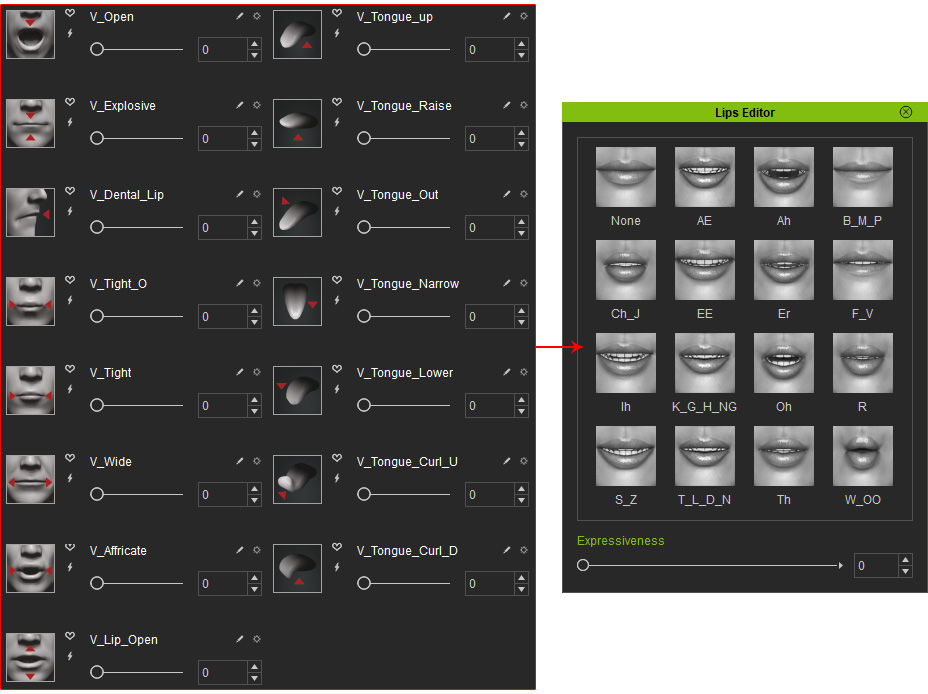
- Mappings for 1:1 Direct set:
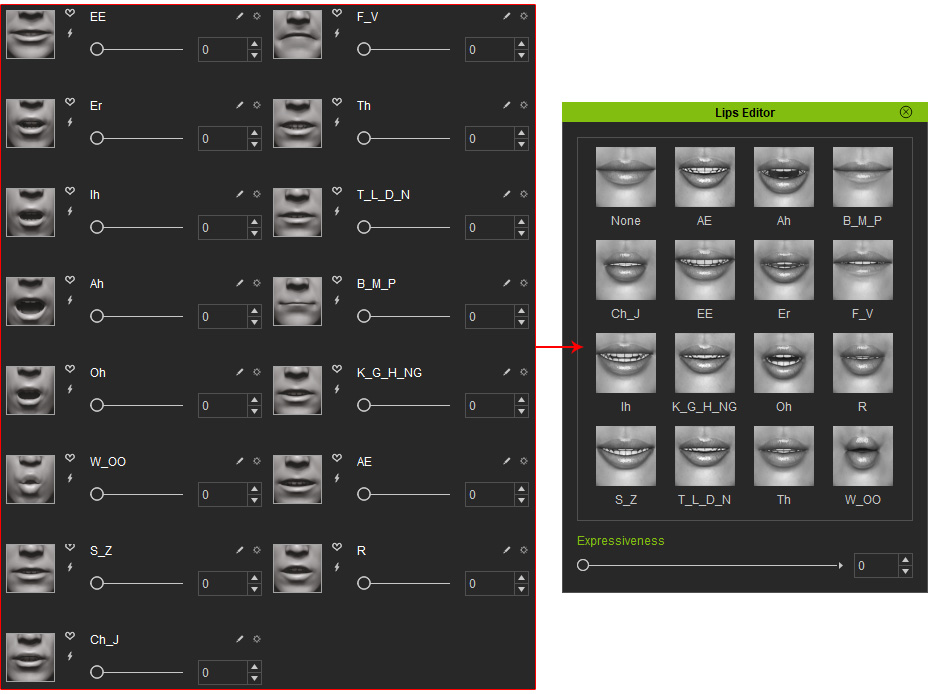
Creating Lip-sync - Viseme
The language-independent lip-sync function can be defined in the Viseme section to map all necessary mouth shapes. You are able to not only set the transformation values for the lip bones, but also the strength of the viseme blend shapes. After these values have been set, your character will have its own unique set of mouth talking shapes, otherwise known as "visemes". Please refer to the section below for more information:
