Using Patterns
You are able to have patterns printed on the fabric for repetitive designs.
-
Create a new project and apply cloth to the character.

-
Go to the Modify (panel) >> Texture
(tab).

-
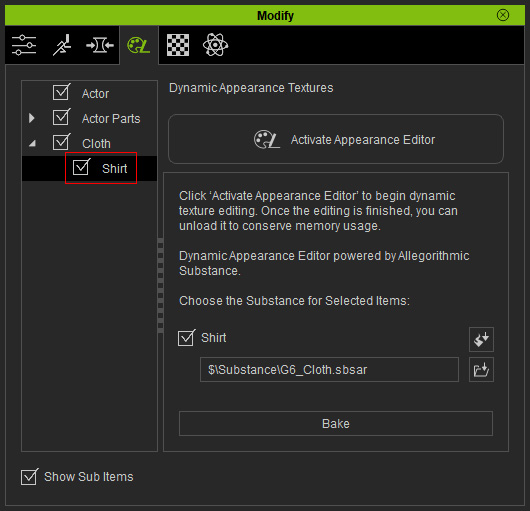
Select the Cloth >> Cloth Name in the tree view.
-
Click the Activate button at the top-right of the
panel to show the layers under the cloth.

 Note:
Note:Cloth may contain multiple substance materials composed of parameters and images, which can increase the loading time of your system. Therefore, the settings within the substances are by default, hidden. You need to click the Activate button in order to load the material and settings of the materials for further adjustments.
-
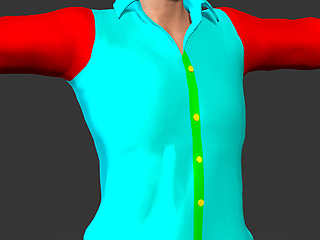
Make sure you check out the distribution of the materials applied on this cloth
before proceeding the following steps.
-
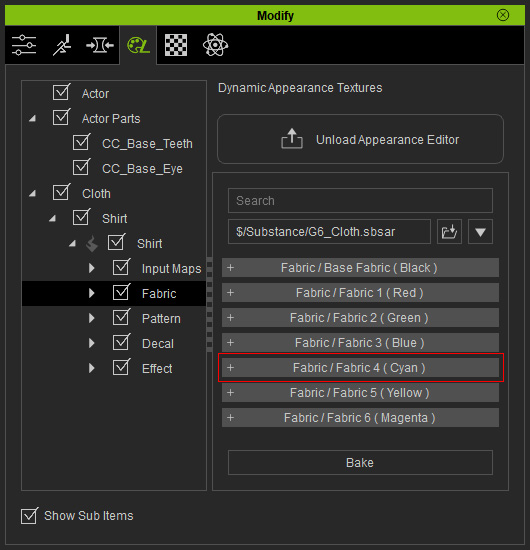
Open the certain Fabric section under the Fabric layer
(in this case, the Fabric 4 Cyan as an example).
-
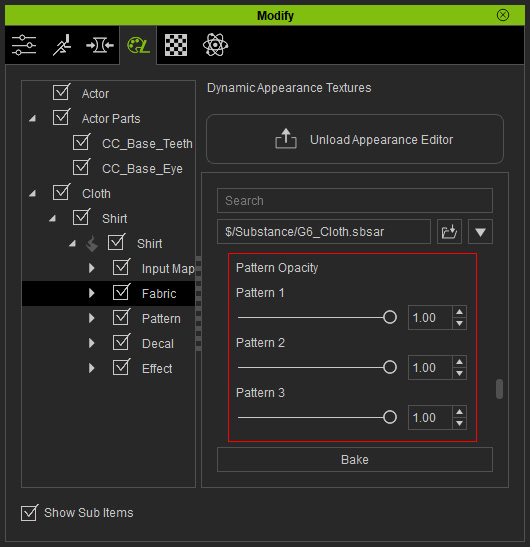
In this section, find the Pattern Opacity sliders and set the
values as shown below.
 Note:
Note:Please note that only the first pattern is displayed.
-
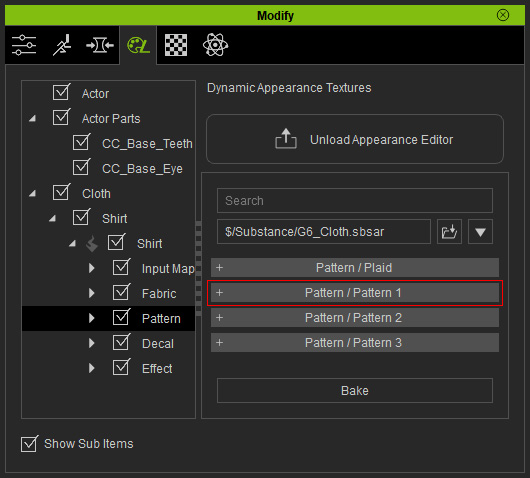
Go to the Pattern layer >> Pattern 1 section.
-
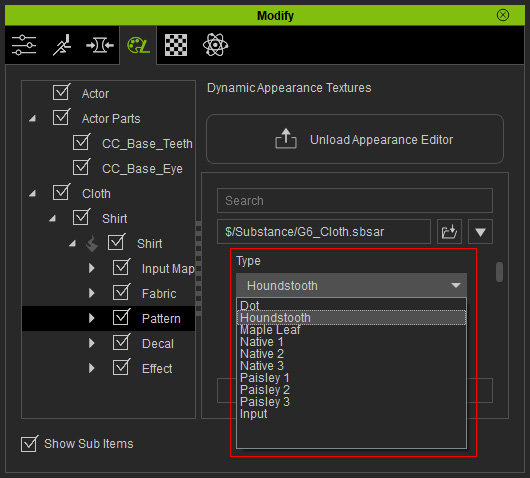
Set the Type drop-down list to Houndstooth.
The pattern will thus be shown on the cloth.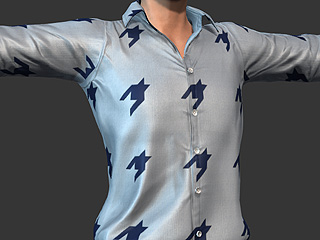
-
Adjust the settings for the patterns within this fabric section.
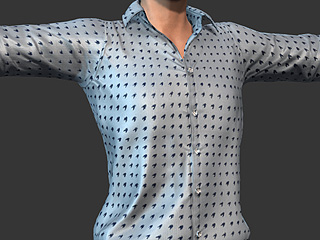
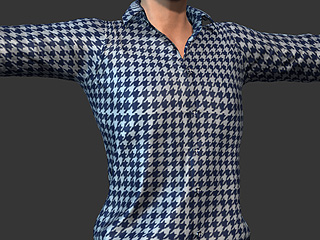
Density: To set the density of the patterns.
(1.00 --> 7.00)Scale W&H: To determine the size of each individual pattern shape.
(0.50 --> 1.30)
