Sculpting HD Character with ZBrush
Now that Character Creator supports high-resolution (Level 2) characters, you can not only sculpt fine details directly within the software but also send the model to external 3D editing tools like ZBrush for advanced sculpting. Once the detailing exceeds what Level 2 geometry can represent, those additional details can be captured and applied through texture maps.
- Apply a CC5+ character or a CC3+ character with highest subdivision level (level 2).

- Check out the character in wireframe mode, as you can see the surface is smooth.
This indicates that the skin details are produced by the Normal map.

Subdivision Level = 2
- Transfer the character through GoZ feature.
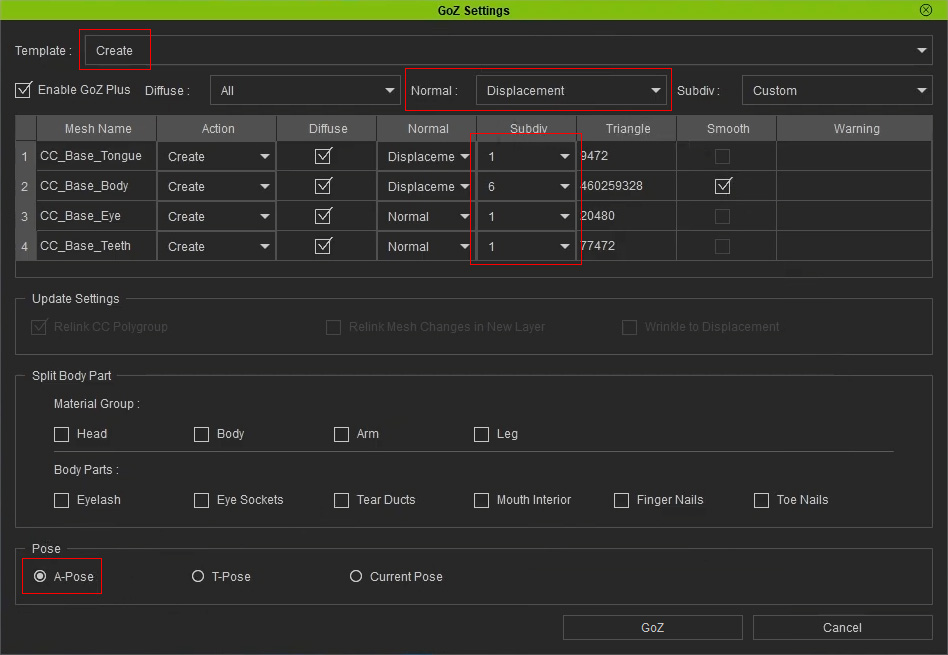
- Template: Choose Create to generate new meshes for importing to ZBrush.
- Normal: Set to Displacement because the bumpiness and skin details will be baked to this map in ZBrush.
- Subdiv: Set only the mesh for editing (in this case, the body) to highest subdivision level.
- Pose: Choose the A-Pose for ZBrush's compatibility.
- In ZBrush, the Layers panel currently only stores the Displacement (and or Normal) effect from Character Creator.
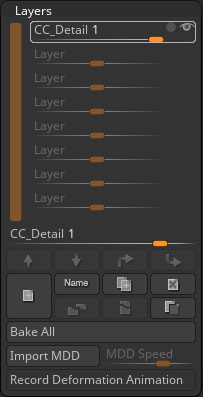
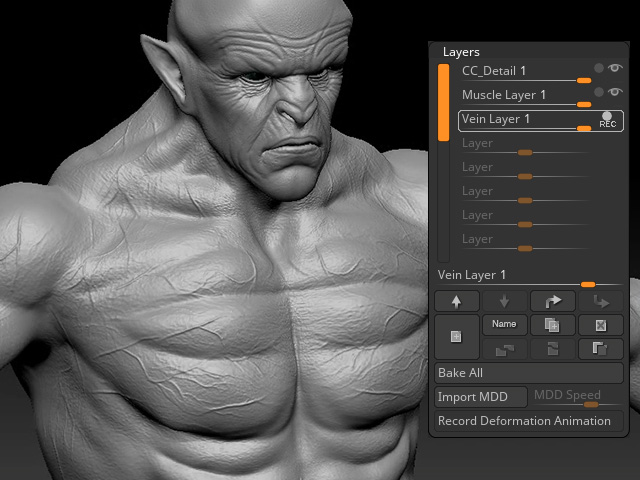
- Create a new layer for recording the mesh sculpting result.

- Create another layer for recording the fine details on the skin.
- Open the CC GoZ Plus panel. Activate the Lv2, Polypaint > Diffuse, Details > Normal, Details > Displacement and choose the Map Size to 8192 (8K).
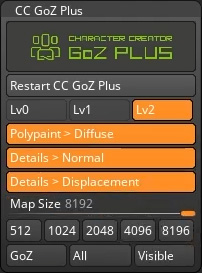
Click the All button to transfer the edited model and textures back to Character Creator (Base Color, Normal and Displacement channels). - Select the edited material on the Material List in the Modify panel.
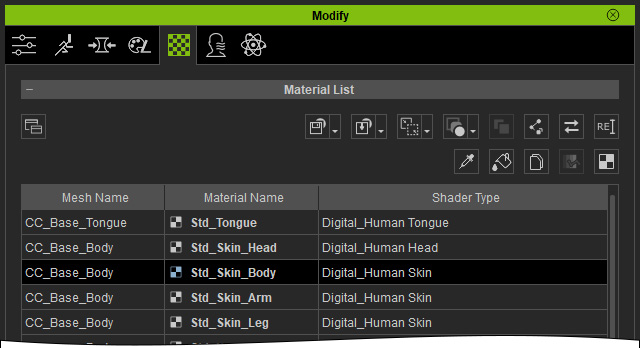
Check out the Base Color, Normal and Displacement channels in the Texture Settings section.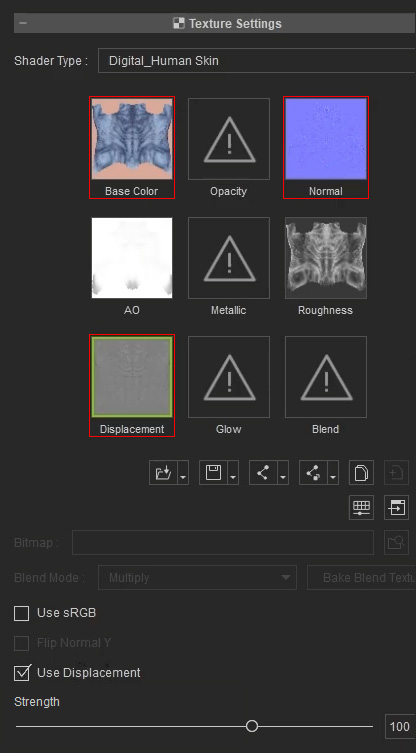
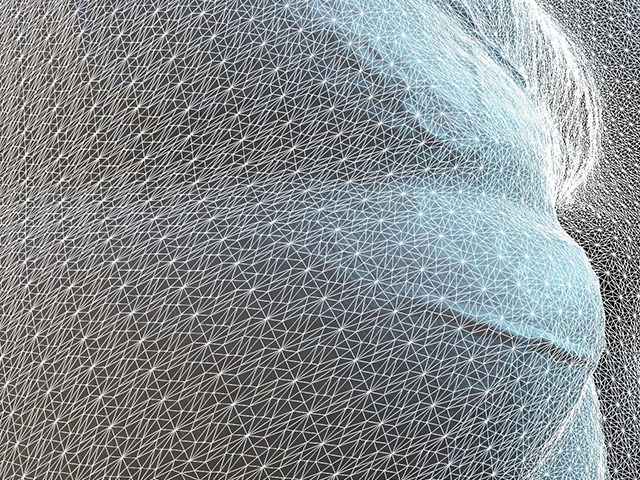
- Activate and deactivate the Use Displacement checkbox to view the result.
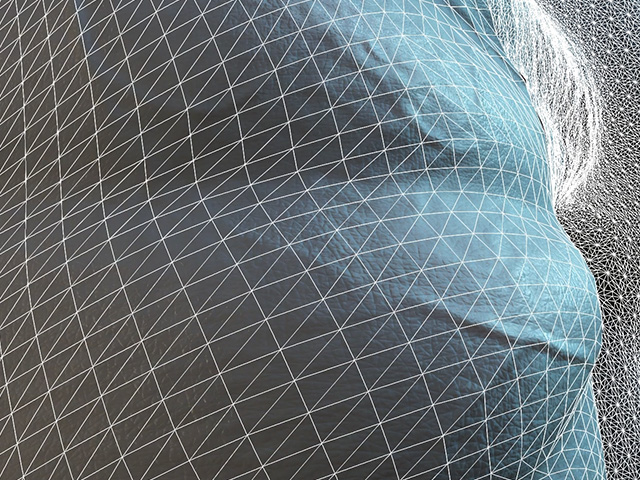
Use Displacement is off, the subdivision level 2 of the character only shows the subdivision level 3 result in ZBrush.
Use Displacement is on, the mesh details above level 3 created in ZBrush will be baked in the Displacement texture, which forces the model to subdivides more to show the details.
