Converting Default Expressions to Custom Morph Sliders
Character Creator provides a collection of default facial expressions for previewing and animating characters. These expressions can also be converted into custom morph sliders, allowing you to store expression presets directly on the character and reuse them across projects.
This workflow is useful when creating reusable facial controls, preparing characters for animation, or exporting expression morphs to external applications.
Before you begin, make sure the Keep Origin Pose (except Viseme) radio button is selected in the Facial Profile Editor section of the Preference panel.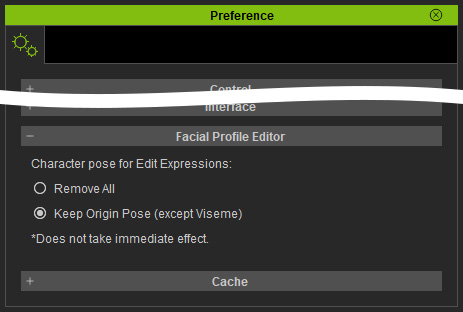
Step 1: Apply a Default Expression
- Apply a character.
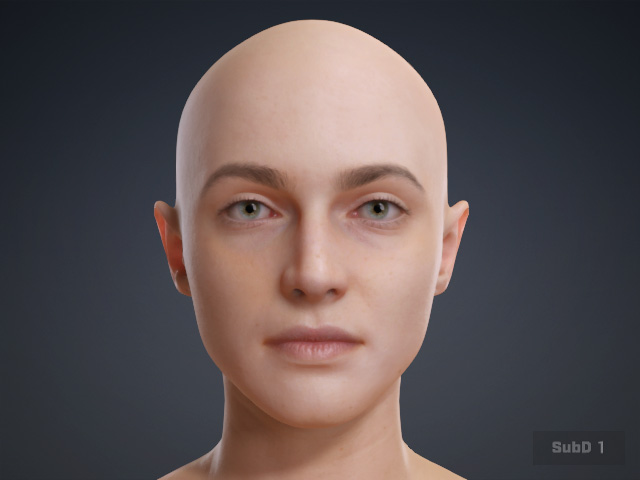
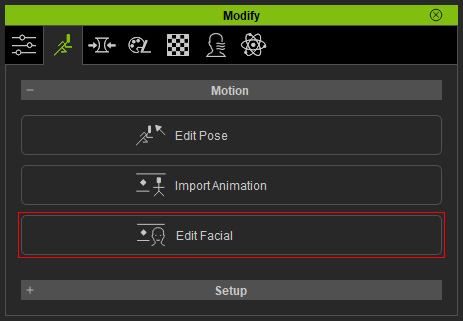
- Click the Motion > Edit Facial panel button to launch the Edit Facial panel.
- Browse through the desired default expressions in the Expression Styles.
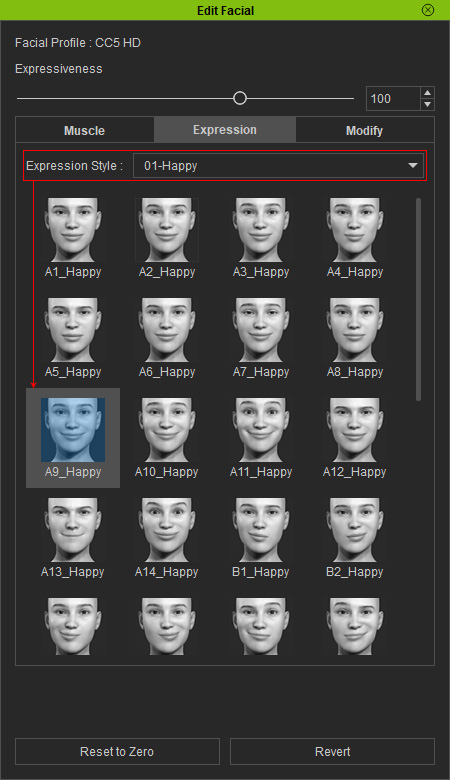
- Double-click to apply the desired expression to the character.
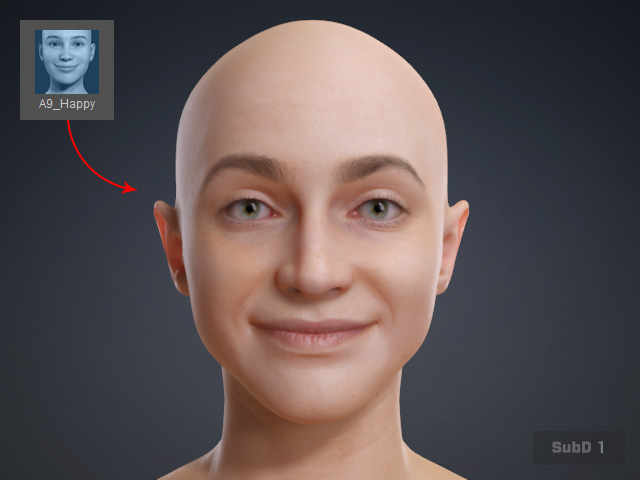
Step 2: Create a Custom Morph Slider
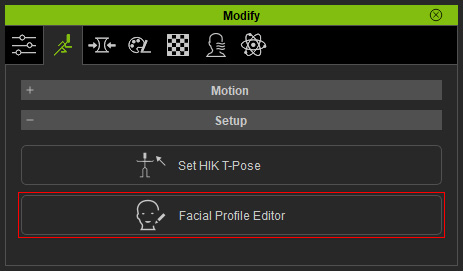
- Click the Facial Expression Editor button in the Setup section to launch the panel.
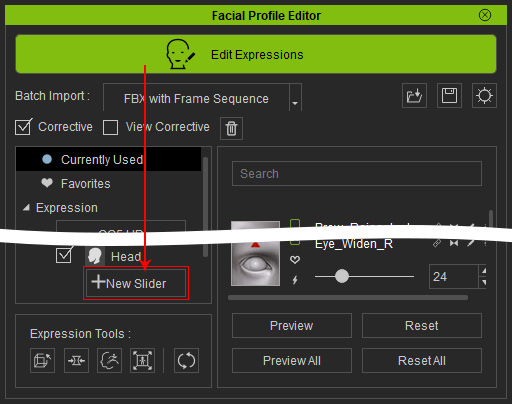
- In the Facial Expression Editor, click the Edit Expressions button and the New Slider button.
- Enter a Morph Name for the slider, click the OK button.
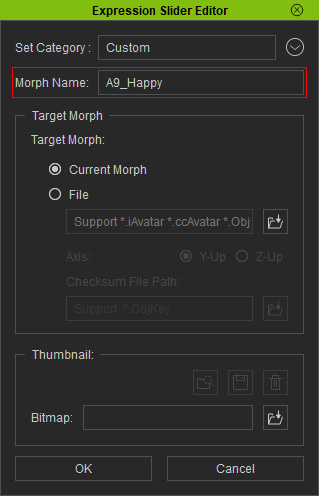
* Note that you can leave the other settings untouched. - The current facial expression will be stored as a custom morph slider in the Custom node.
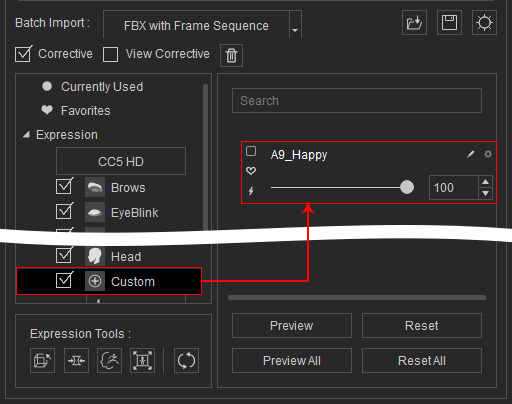
- Exit the Edit Expressions mode by clicking the button. You will see the custom morph slider appear in the Edit Facial > Modify > Custom node.
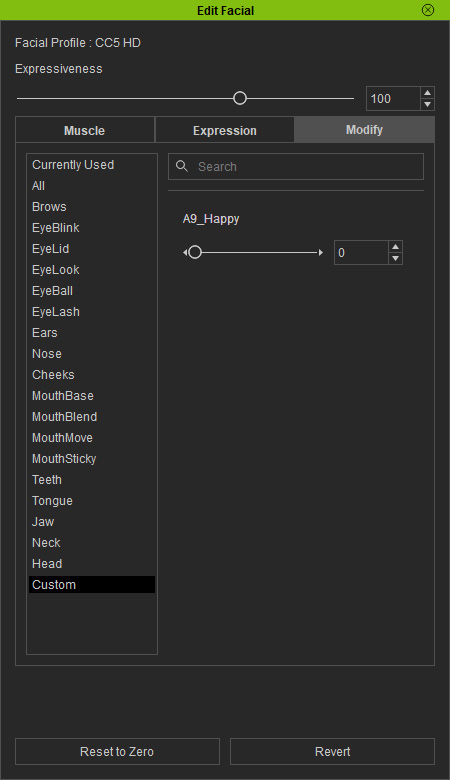
Drag the new morph slider to preview the converted result. - To convert multiple default expressions into morph sliders, each expression must be applied individually before creating its corresponding custom morph slider.
Step 3: Save the Character
- After all custom morph sliders have been created, save the character.
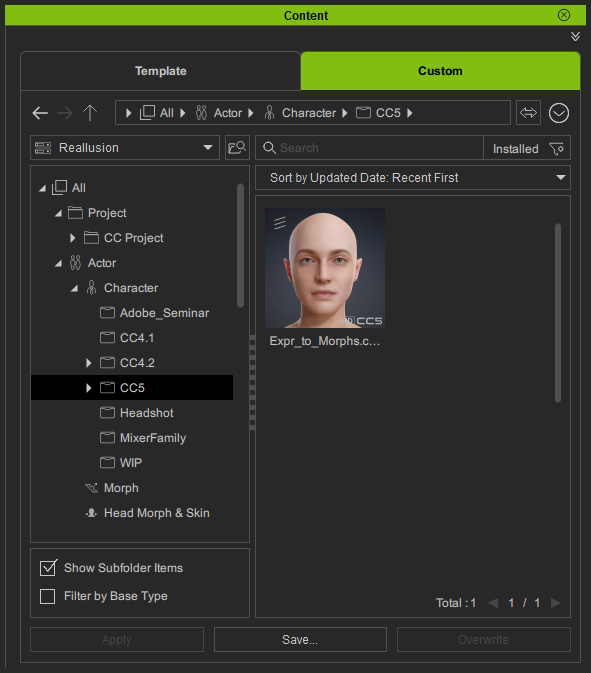
The custom sliders will now be embedded in the character asset and can be accessed whenever the character is loaded.
Applications
Custom morph sliders created from default expressions can be used for:
- Building reusable facial expression libraries.
- Creating animator-friendly facial controls.
- Preparing characters for animation production.
- Exporting facial morphs to compatible pipelines.
- Organizing frequently used expressions into dedicated sliders.
By converting default expressions into custom morph sliders, you can create a more efficient and flexible facial animation workflow.
