Creating Symmetrical Props with Mirror Duplicate (New for v5.2)
The Mirror Duplicate feature allows you to quickly create symmetrical props by generating a mirrored copy of an existing object. This is useful when building paired accessories or objects that share identical geometry on opposite sides.
Common examples include creating a pair of shoes from a single shoe, generating matching gloves, duplicating earrings, or building symmetrical vehicle and architectural components.
To Create Symmetrical Props
- Select the prop you want to duplicate.
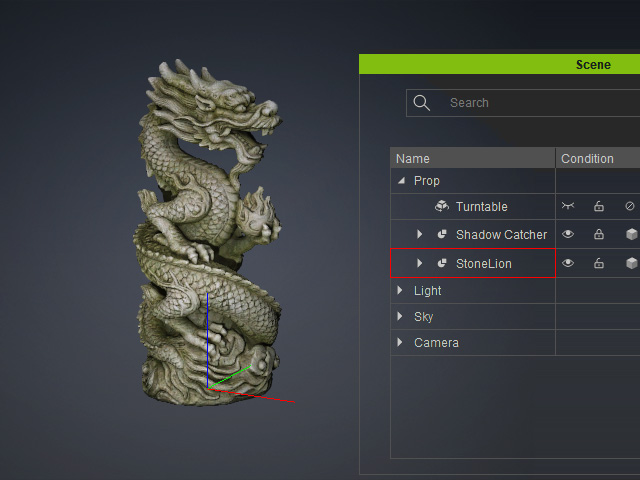
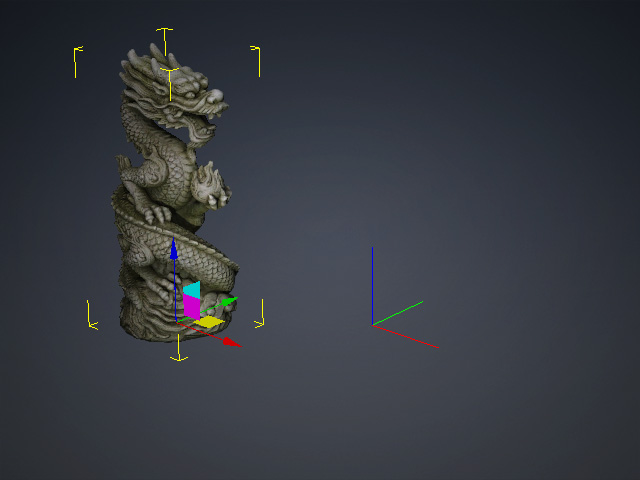
- Move the prop away from the center of the 3D world, along the X-axis in this example.
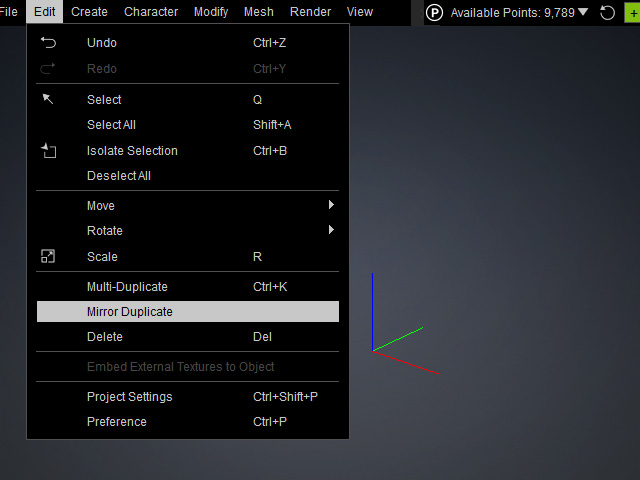
- Run Edit > Mirror Duplicate to open the panel.
- Choose the mirror axis (X, Y, or Z) according to your model orientation.
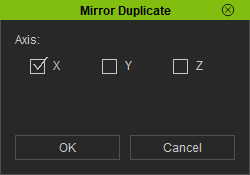
You will instantly see a preview of the mirror duplication result.- X: Create a mirrored copy of the prop at an equal distance along the world X-axis.
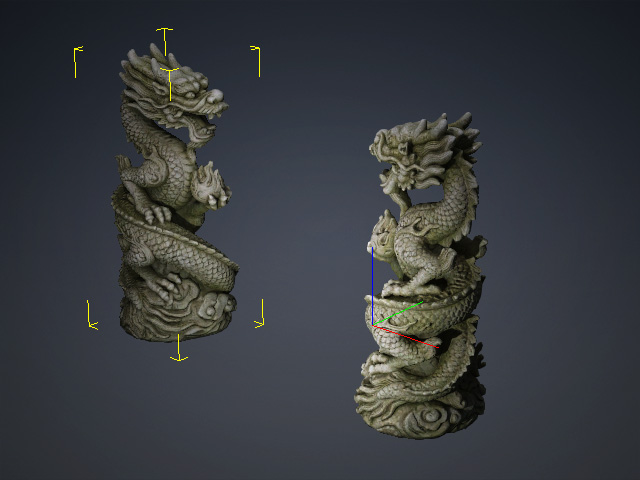
- Y: Create a mirrored copy of the prop at an equal distance along the world Y-axis.
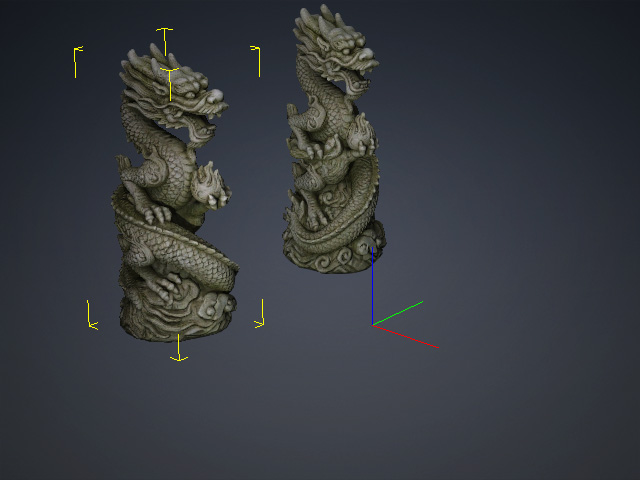
- Z: Create a mirrored copy of the prop at an equal distance along the world Z-axis.
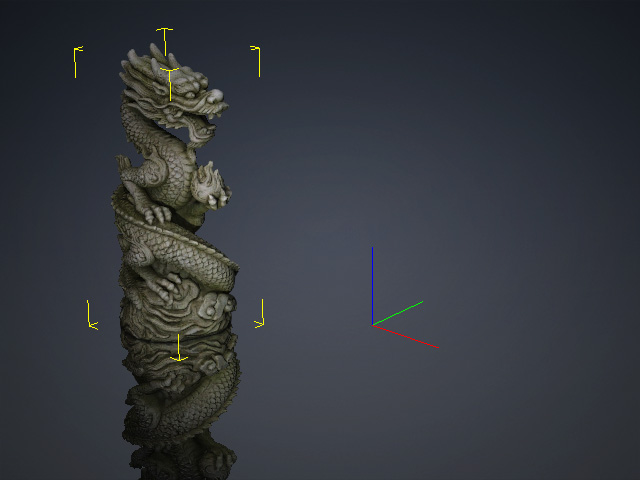
- You can select one or more checkboxes as needed to generate mirrored props (X + Y + Z, in this example).
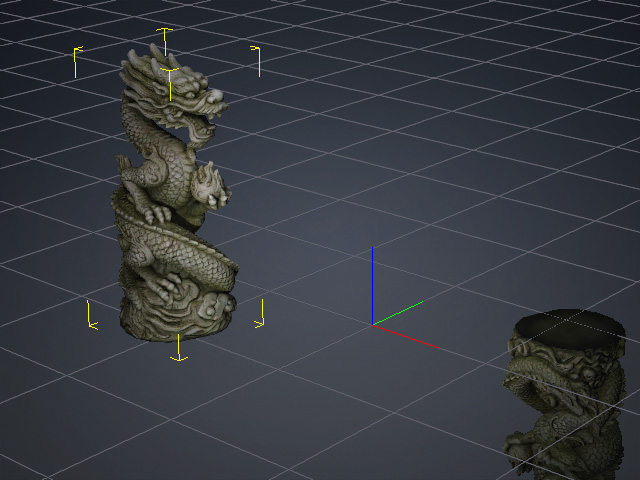
- X: Create a mirrored copy of the prop at an equal distance along the world X-axis.
- Click OK to create the mirrored copy. The duplicated prop will be positioned symmetrically across the selected axis while preserving the original object's appearance.
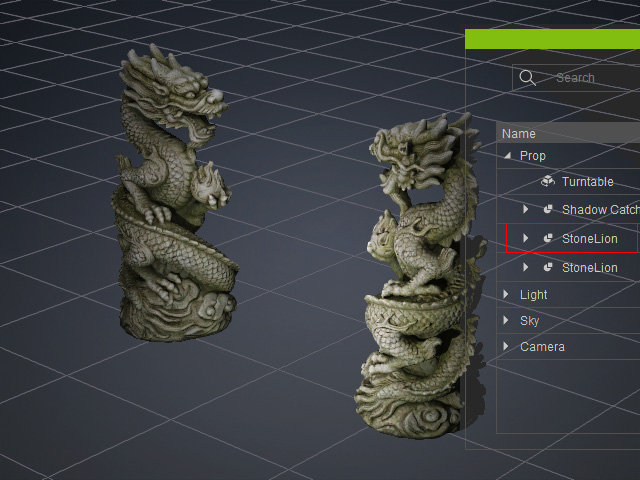
Generating Symmetrical Accessories or Clothing (Earrings, Shoes, Gloves, etc.)
To create symmetrical accessories or clothing starting from a prop, follow these steps:
- Generate a character and import a prop (e.g., a shoe) or generate a shoe with AI Mesh Generator.
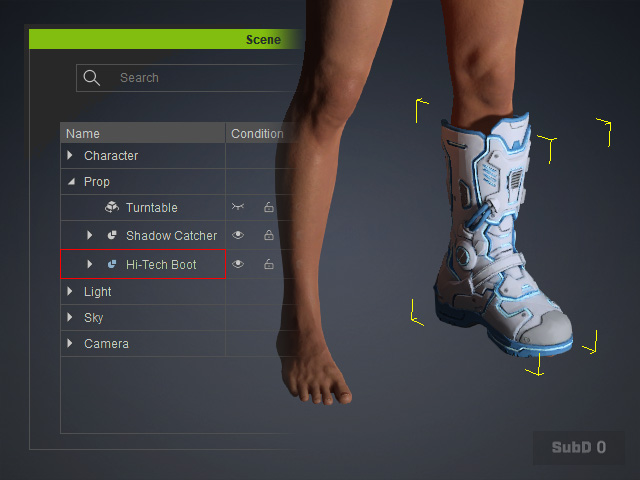
- In the Scene Manager, select the Mesh node under the root node.
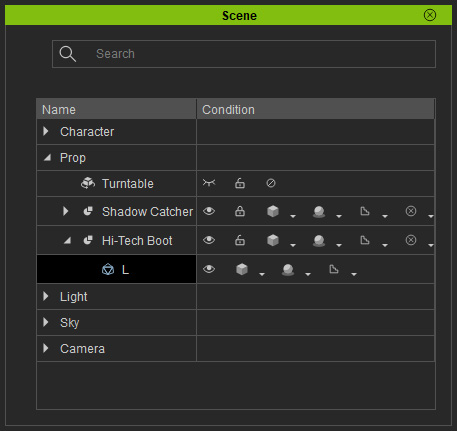
- Mirror and copy the corresponding half of the prop using the method described in the previous section.
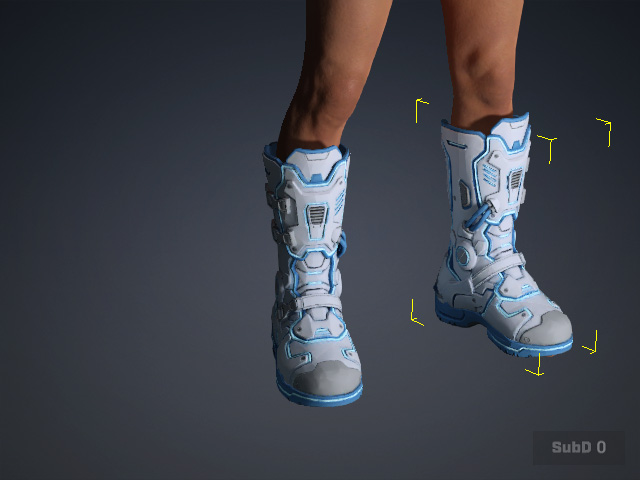
- A new Mesh node will appear under the root node in the Scene Manager.
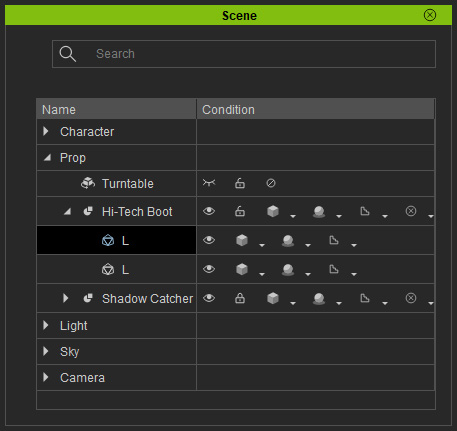
The mirrored Mesh Model will be visible in the 3D viewport.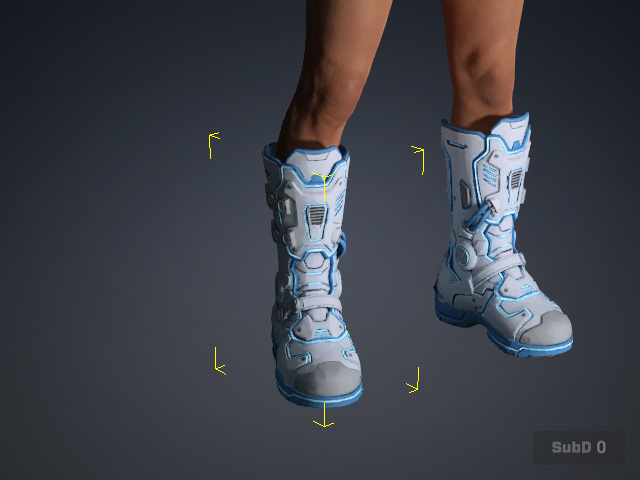
- You can rename the mirrored new mesh.
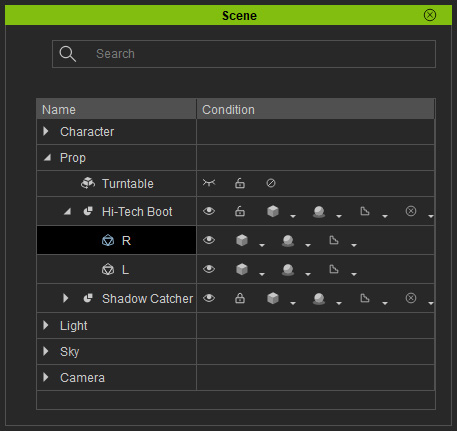
- Select the root node (Hi-Tech Boot, in this case) and attach it to the hip bone of the character. The prop will be convert to accessory automatically.
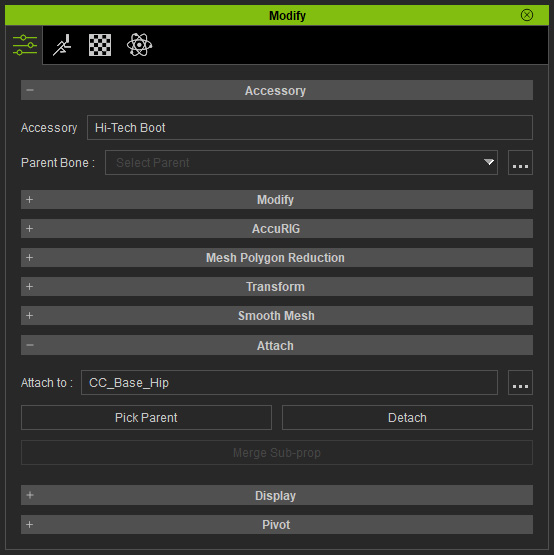
Note: If you are creating accessories then refer to the Creating Custom Accessories section for more information. - Utilize the Transfer Skin Weight to covert the accessories to clothes: Choose the ideal template and click the Apply button.
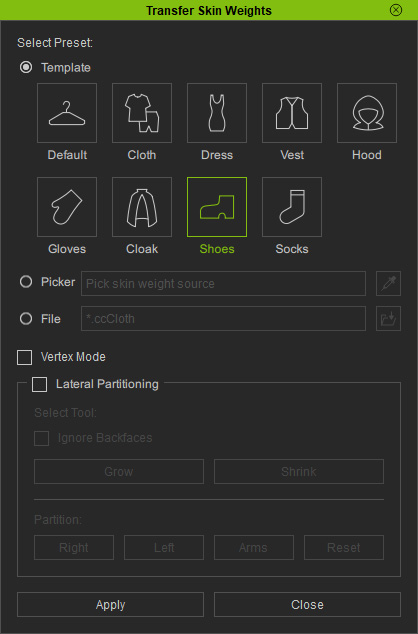
- Once complete, the prop converts into clothing, and its icon in the Scene Manager updates accordingly.
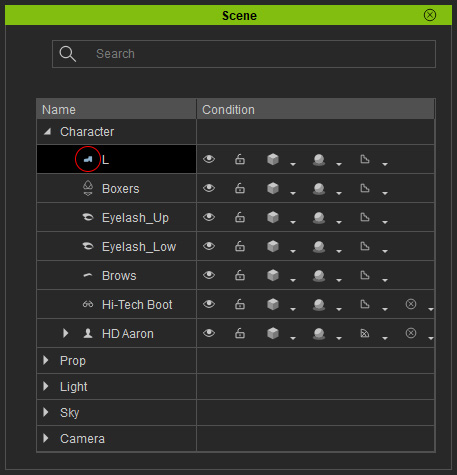
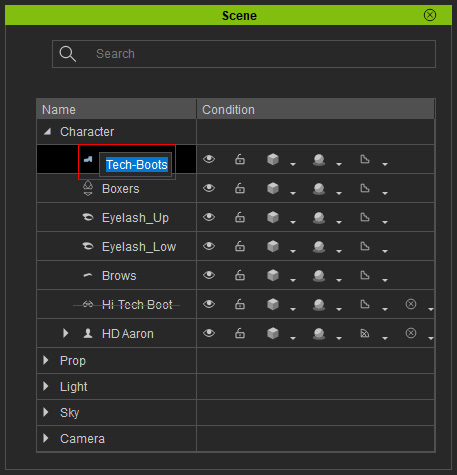
- Rename the converted clothes and delete the original empty node.
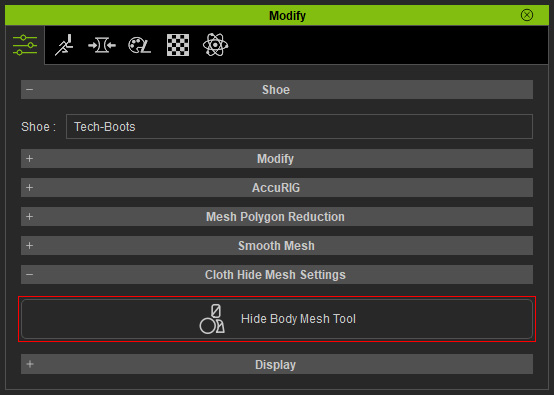
- Use the Hide Body Mesh tool to hide the faces beneath the clothing to prevent mesh penetration.
- Apply motion to the character and playback to view the result.
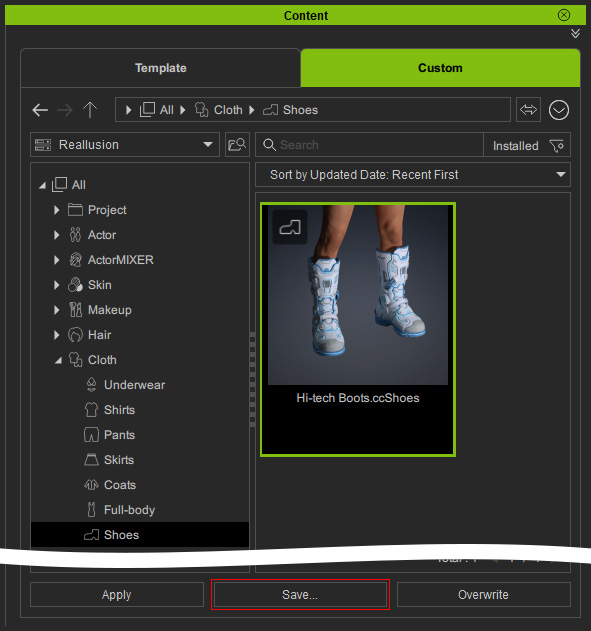
- Click Save in the Content Manager to save the item for future use on other characters.
Applications
Mirror Duplicate can be used to create:
- Pairs of shoes, gloves, and earrings
- Symmetrical armor and accessories
- Vehicle components such as mirrors and headlights
- Architectural ornaments and decorative elements
- Mechanical parts with mirrored structures
- Using Mirror Duplicate can significantly reduce modeling time and help maintain perfect symmetry throughout the design process.
