Calibrating Skin Weights (New for v3.1)
When you edit the skin weights for
the vertices with the Skin Weight Brush
or by manually input skin weight values,
you can use the Calibrate feature to pose the character in order to exam if the skin weights are appropriately assigned. In this section, the Skin Weight Brush is taken as an example,
however, keep in mind that this feature
applies to both Painting and Vertex Selection mode.
- Create a new project and load a custom model in OBJ format. By default, it is set as an accessory.

- Convert it into a piece of clothing with the Transfer Skin Weight feature.
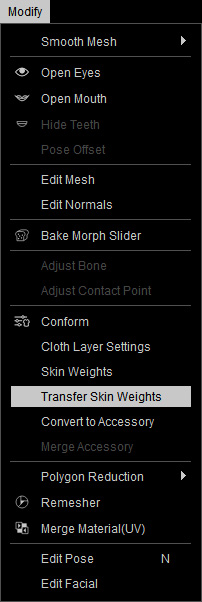
- Enter the skin-weight editig mode by clicking on the Modify panel >> Attribute tab >> Modify section >> Skin Weights button.

- Right-click to select a target bone, in this case the left thigh. You will see the skin weight colors that are influenced by this bone.

* In order to verify the skin weights, the character must strikes some poses. - Instead of leaving Skin Weights mode and using the Motion Editor to set character's pose, you can use the Calibrating methods, including Rotate Bone and Calibration.

- Rotate Bone (shortcut: E) : You will see the rotating gizmo shows on the pivot of the selected bone.

Rotate the bone to exam the skin-weights.
- Calibration: After you click this button, a miniature play panel shows.

Play back and the character will perform different pose for you to observe the result of the skin-weights. You are allowed to pause on a certain poses where the poke-through issue happens.
- Change to T-Pose: In order to temporarily set the character to T-pose for better observation or editing, activate this
checkbox.


Change to T-Pose: Deactivated
Change to T-Pose: Activated
- Rotate Bone (shortcut: E) : You will see the rotating gizmo shows on the pivot of the selected bone.
- You can then use the Skin Weight Brush
to paint on the surface, or use the
Vertex Selection mode to enter an
ideal values for the penetrating vertices.

You can follow the same steps to exam, adjust and fix the entire cloth. - Exit the Skin
Weight mode and the poke-through issues
will be fixed.

