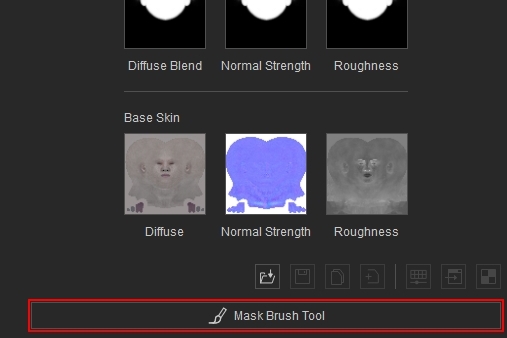
Blend Mask
The Blend Mask controls where the Photo Texture is applied on the head. White areas allow the Photo Texture to appear, while black areas block it, revealing the underlying Base Skin Texture and Skin Color. This blending contributes to the final Diffuse, Normal, and Roughness maps for the head material.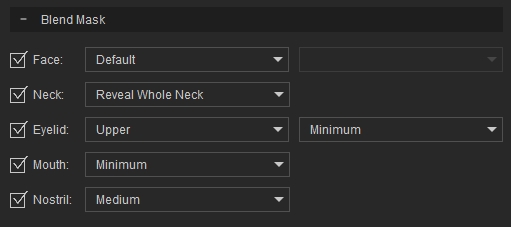
- The Face Mask and Neck Mask define the white areas that allow the Photo Texture to appear on the face and neck.
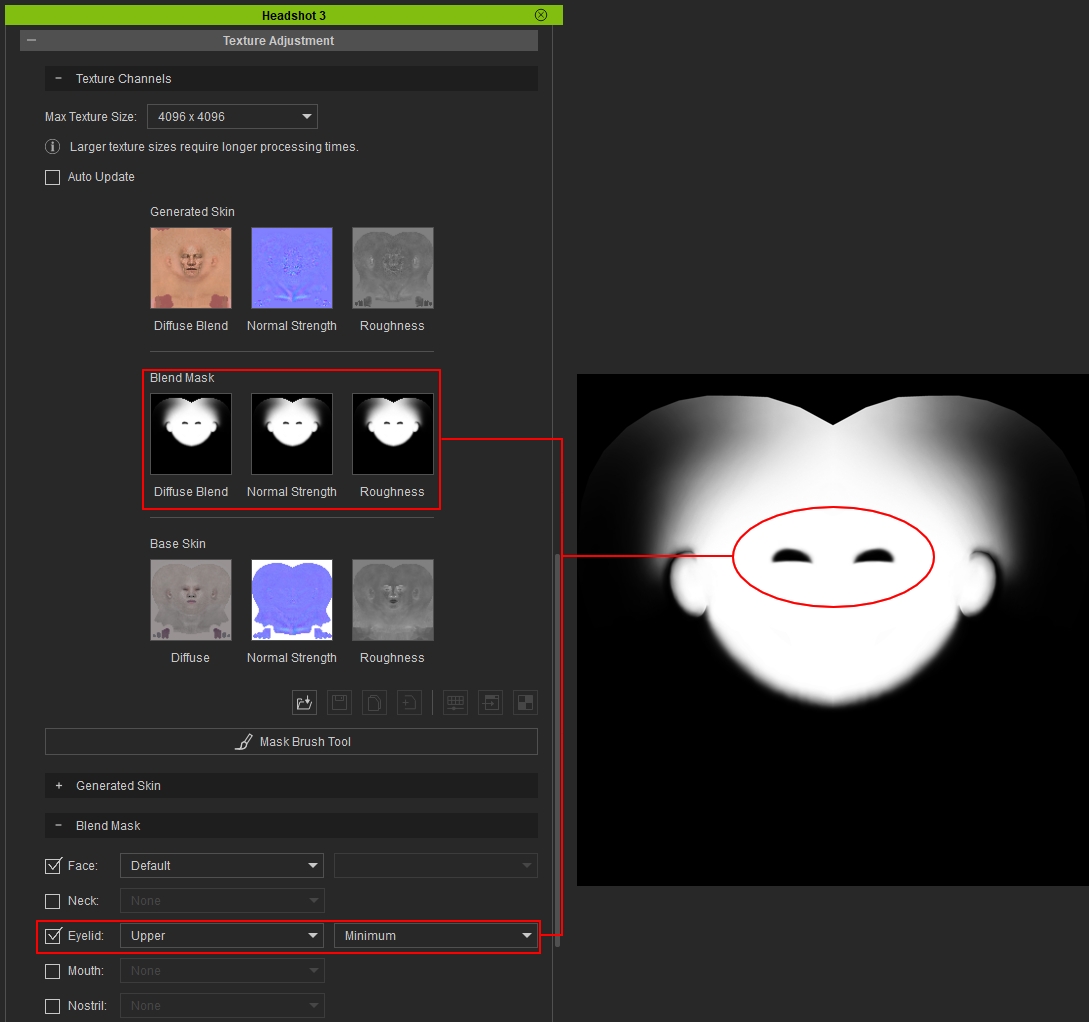
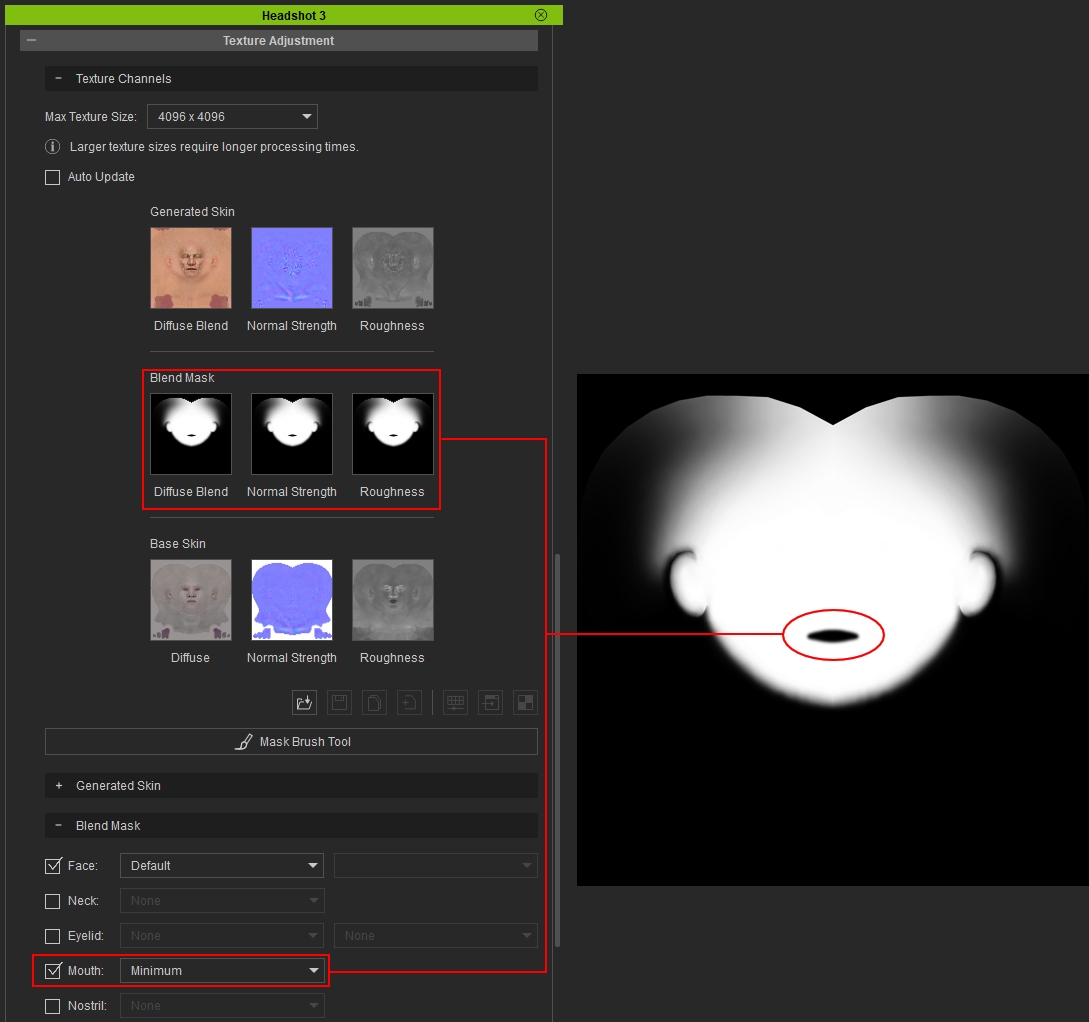
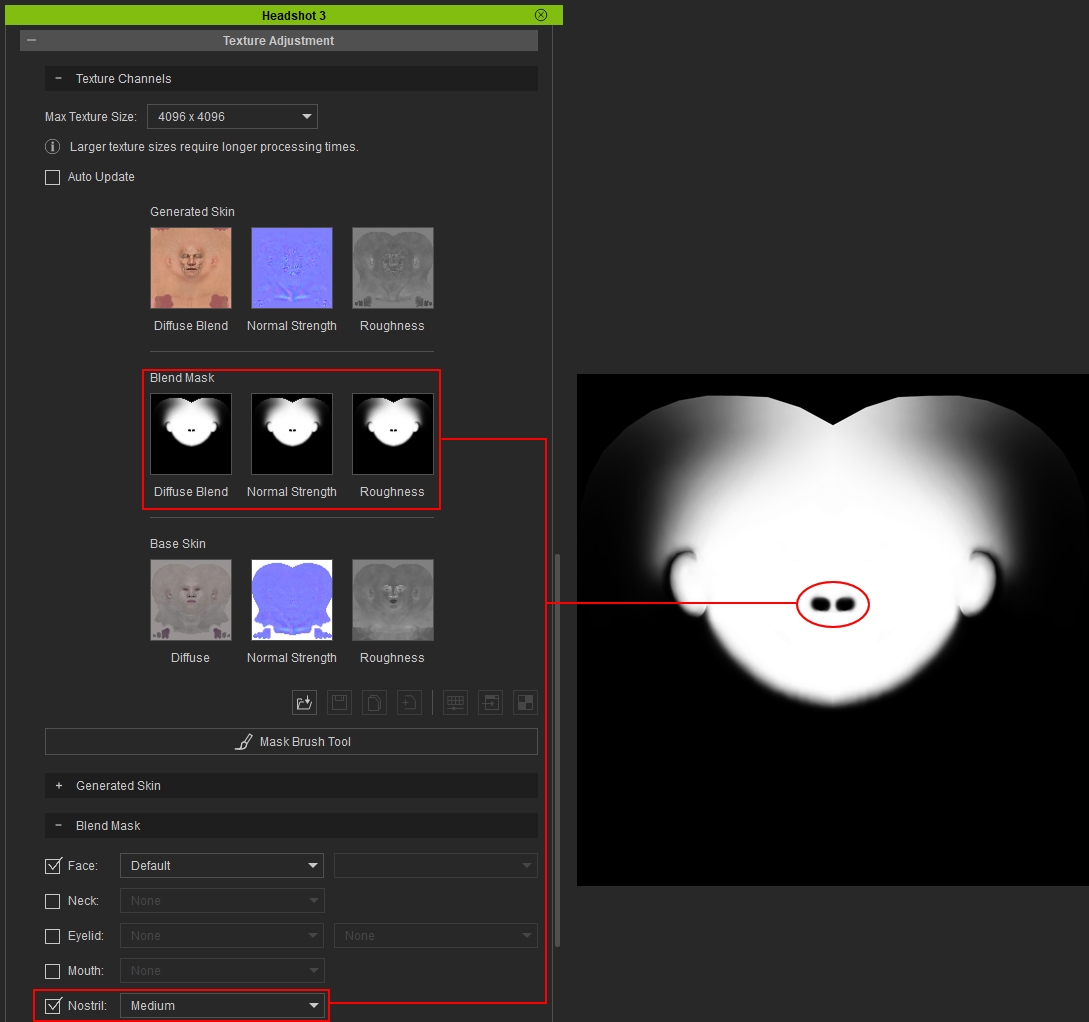
- The Eyelid Mask, Mouth Mask, and Nostril Mask define the black areas that block the Photo Texture in those regions.
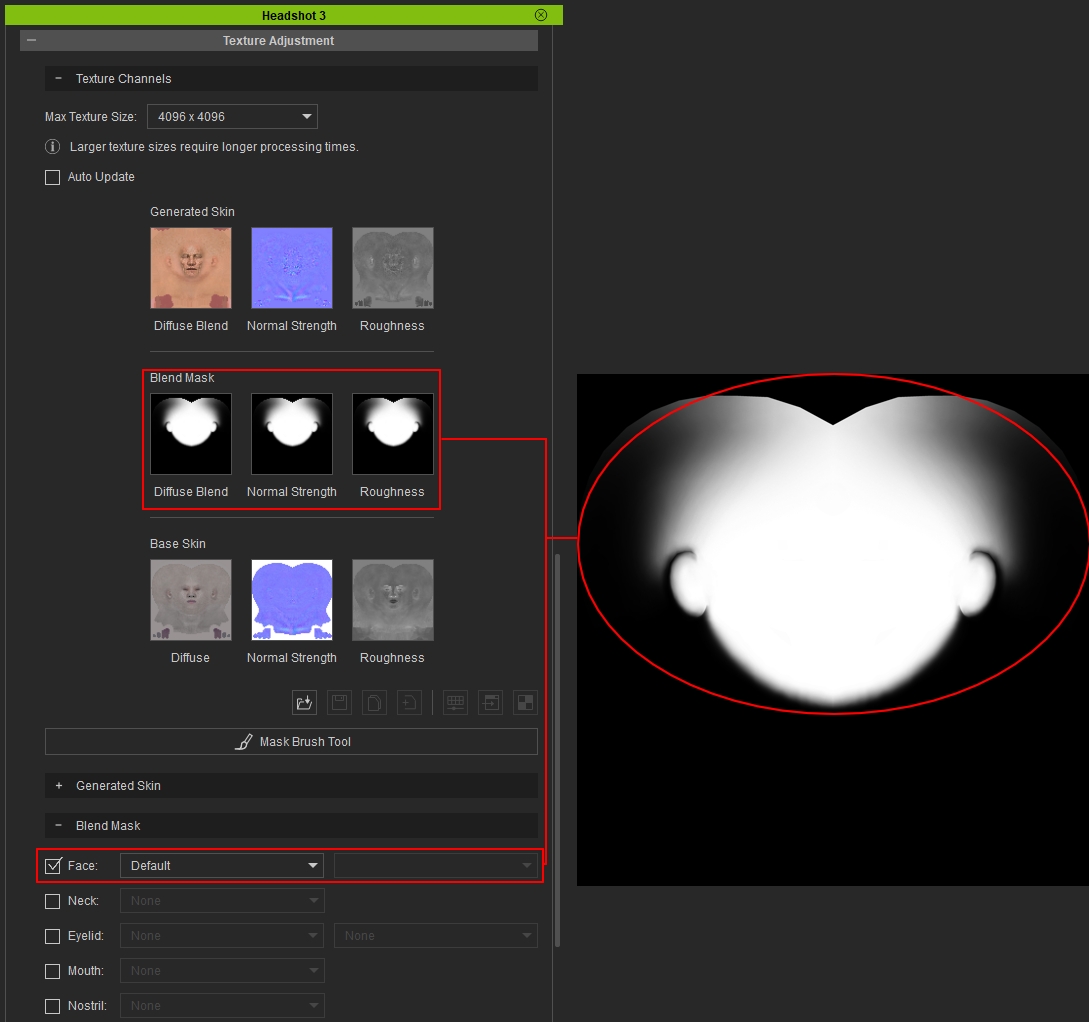
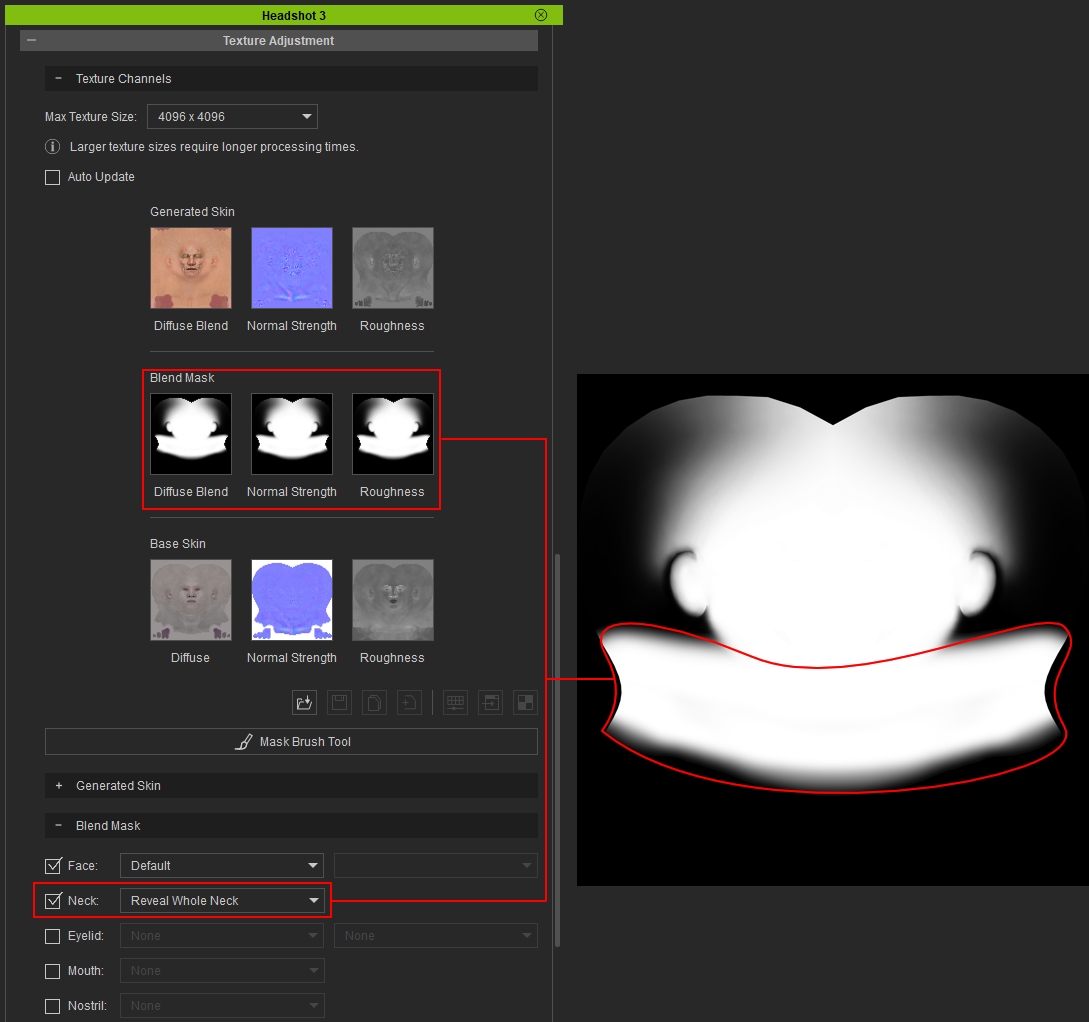
All changes are applied directly onto the blend mask texture. Following are examples of how each checkbox affects the blend mask.
- Face Mask:
- Neck Mask:
- Eyelid Mask:
- Mouth Mask:
- Nostrial Mask:
If the existing Face Mask presets are not sufficient, use the Mask Brush Tool to paint directly in the viewport for precise coverage of unwanted features, visual imperfections, and blemishes in difficult areas. View page Using Mask Brush Tool for more information.