Using Check Placement Point Nodes
The Check Placement Point nodes can be used to verify whether a placement point is occupied by an object dummy.
** Please note that this node is suited for scenarios involving interactions between multiple characters, or between characters and T4 Portable MD Props.
- Create a project with two characters, and two T4 Portable MD props.
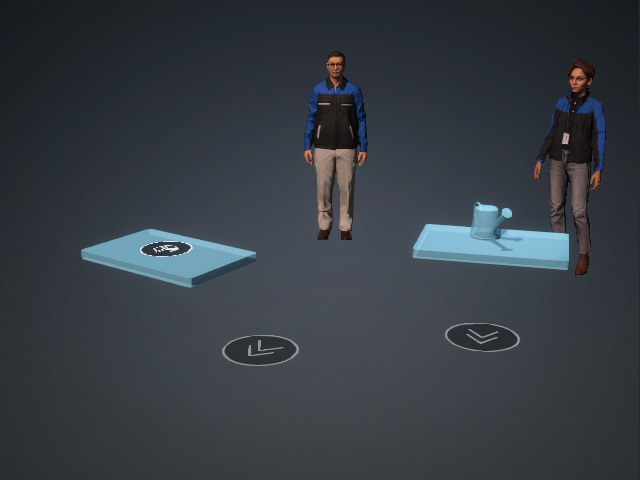
The placement MD Prop is attached to a hidden dummy that contains an embedded animation.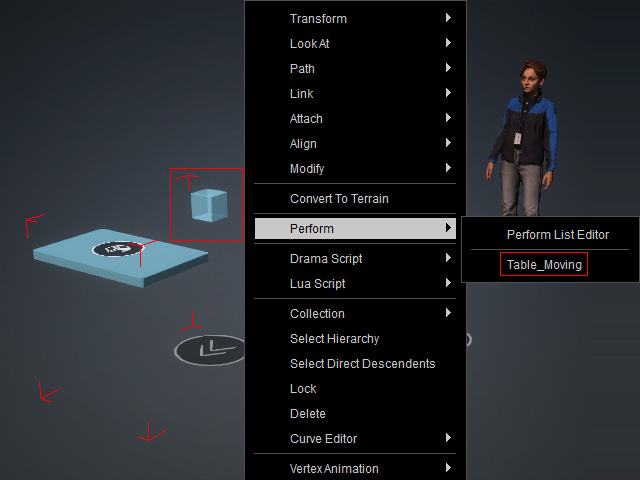
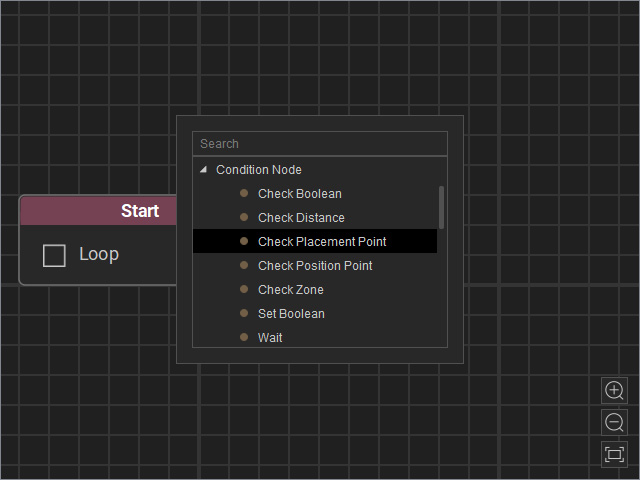
- Open the MP Node Graph panel. Right-click on the viewport space and choose Condition Node > Check Placement Point.
A new Check Placement Point node will be inserted on view.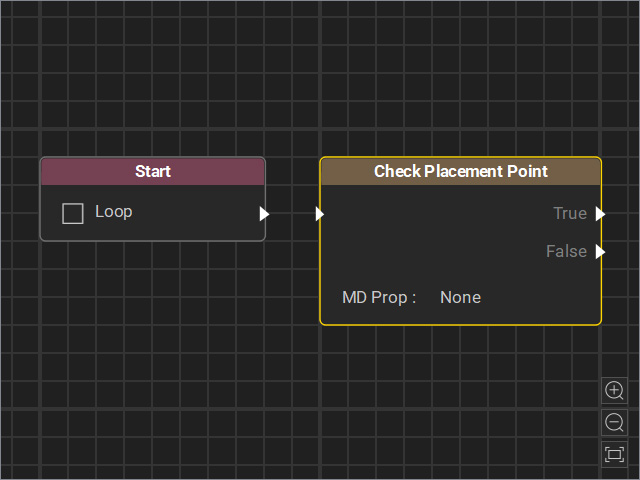
- Drag a flow line from the Start node’s output and connect it to the Check Placement Point node’s input.
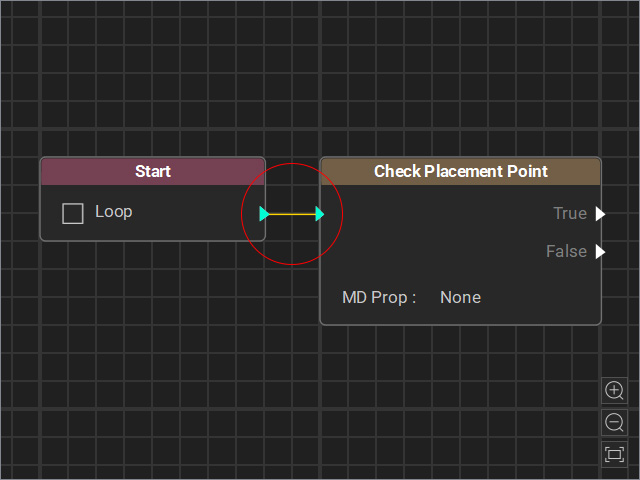
- Select the node and adjust the settings in the Attributes page.
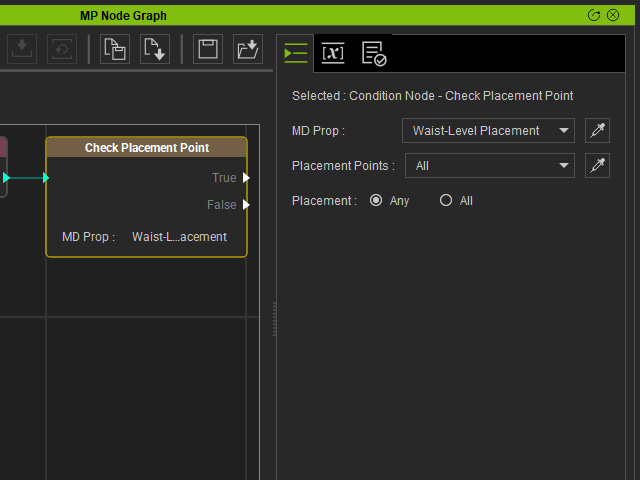
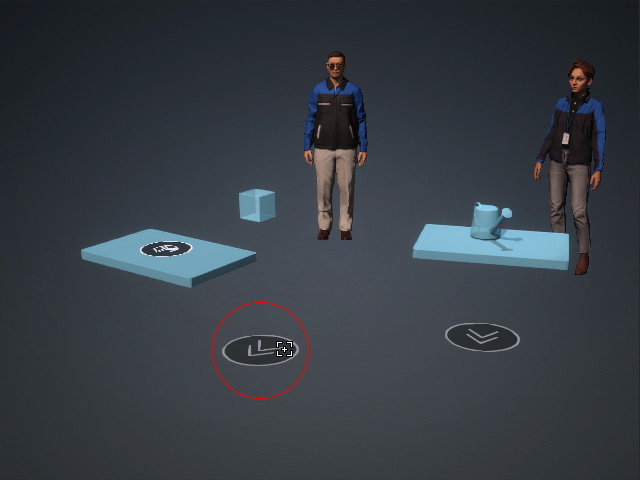
- MD Prop: Specify the target MD Prop for placement occupation status detection. If you use the dropper tool, click the waypoint marker (the flat disk with double arrows) instead of the model’s mesh.
- Placement Points (for multi-element Props and MD Props only): If the MD Prop contains multiple placement points, you can select one from the drop-down list or use the dropper tool.
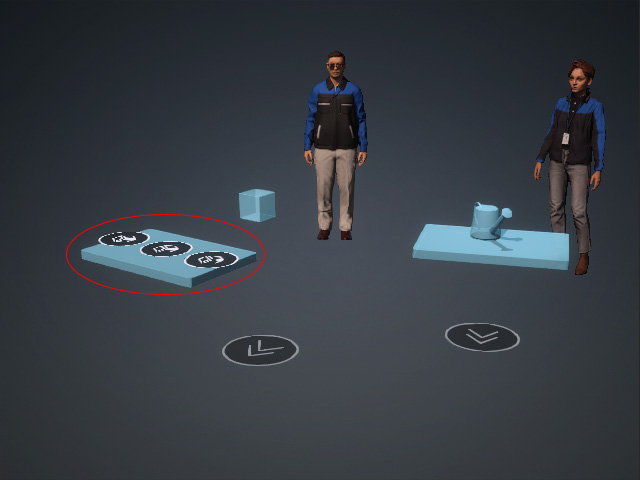
- Placement: The radio buttons are enabled only when All is selected in the previous Placement Points field.
Choose Any or All for the True / False judgment based on multiple placement points.- Any: If any one of the placement points is occupied, the node outputs True.
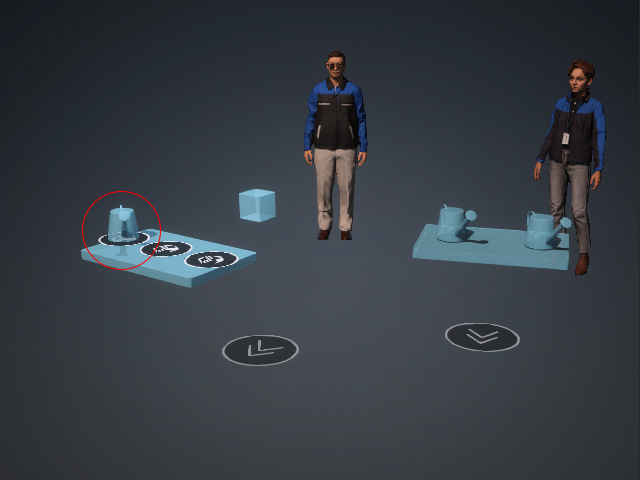
- All: Only when all placement points are occupied, the node outputs True.
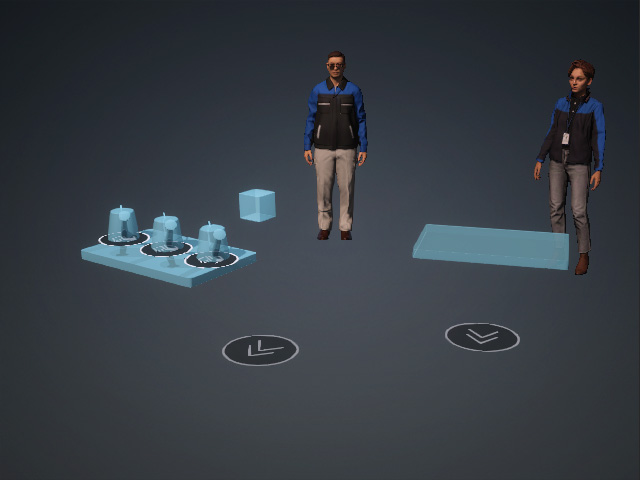
- Any: If any one of the placement points is occupied, the node outputs True.
- MD Prop: Specify the target MD Prop for placement occupation status detection. If you use the dropper tool, click the waypoint marker (the flat disk with double arrows) instead of the model’s mesh.
- Connect events to the outputs of the Check Placement Point node.
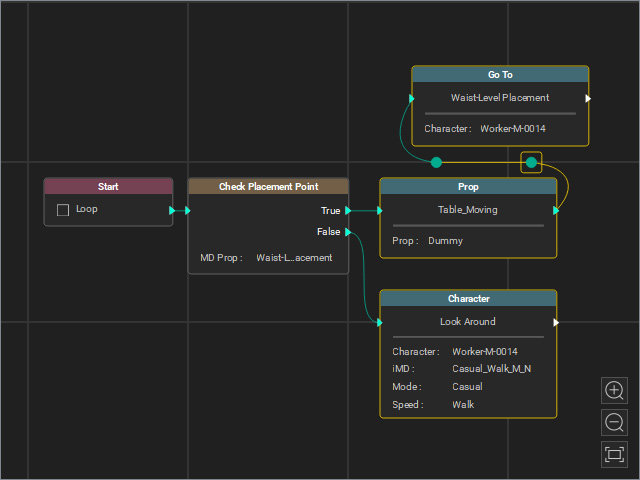
- True: Connect to an object’s node, indicating that the object performs the embedded motion when one or all placement points are occupied.
- False: Connect to a Character node, which causes the character to Look Around when the placement points are unoccupied.
- Use joints to loop back from the False event for continuous detection.
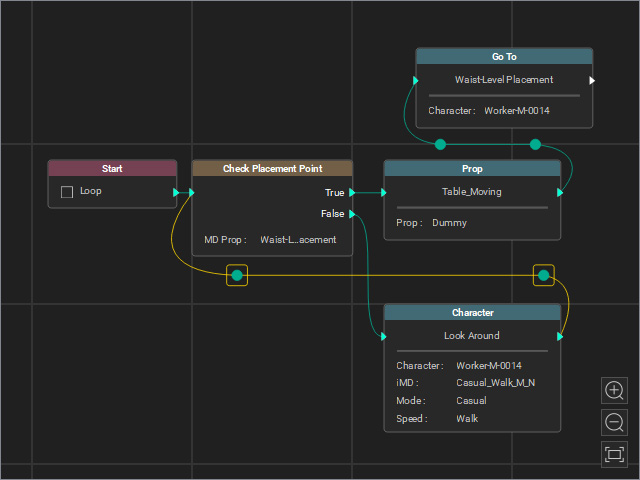
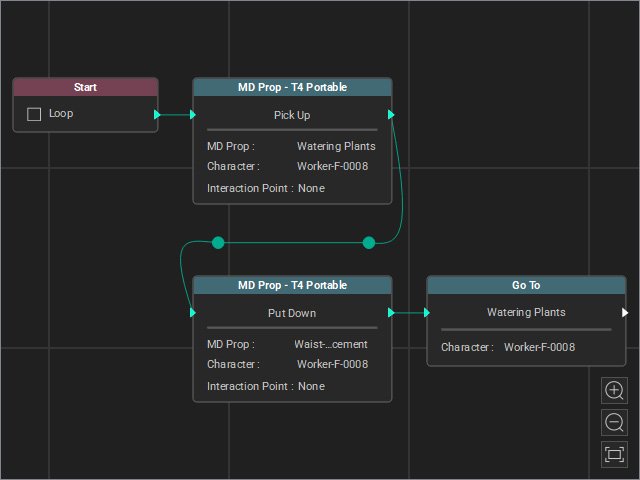
- Create another thread that drives the other object (in this case, the female character) to take an object from one T4 MD Prop, place it on the other T4 MD Prop, and then walk back to the first T4 MD Prop.
- Start the Go MD Mode to view the animation results.
