Aligning to Mocap Source
Motion Live allows you to align the stride of the 3D character to the mocap performer.
- Apply 2 characters of different sizes and proportions.
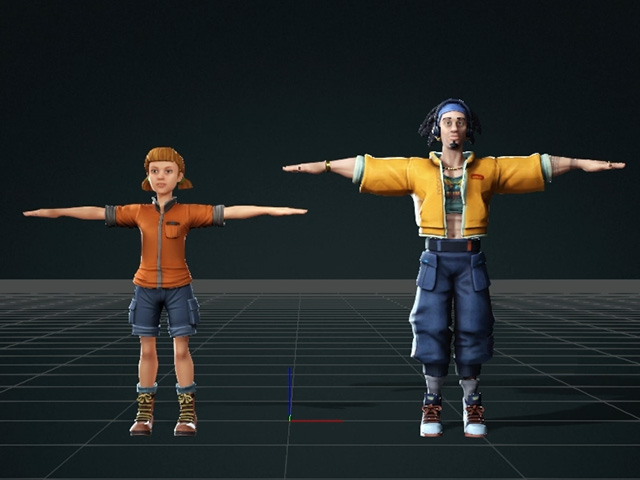
- Mocap the body performances
and the motions will automatically retarget onto the 3D characters.
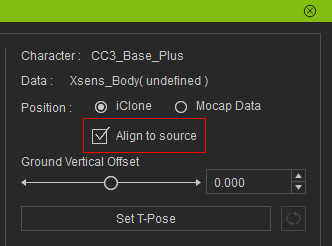
- Select one of the character, activate the Align to source checkbox on the
Motion Live panel.
 Mesh Penetration after Align to Source is Activated:
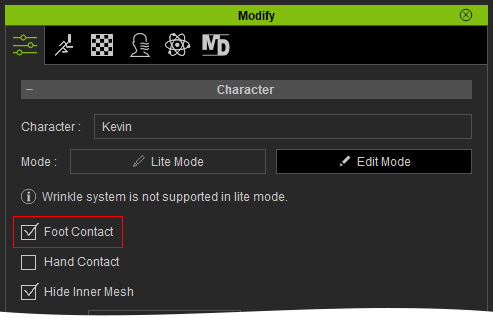
After the Align to source is activated, the foot sliding or mesh penetration issues may occur. These issues can be addressed with an additional technique: Foot Contact feature. Simply activate the feature in the Modify panel to prevent the feet from sinking.
- Start another mocap session and you will notice that the
characters will move in lockstep with the performance.
- After the motion has been captured as a clip, use the Motion Correction feature in iClone to fix the foot sliding issue. .
