Auto Lip Options for Viseme
When you do facial mocap with Record Audio for Viseme Track enabled, iClone will automatically generate visemes for you in order to add lipsync keys for the character.
However, since the keys are generated with iClone's algorithm,
they do not always match what the actor/actress says and the result can
be random and messy.
Scrub the playback and notice the unnatural lip movements and
jitters.
To compensate for this in iClone, open Lip Options and set the strength of the Lips and Jaws to 0 but keep the Tongue
at 1.0.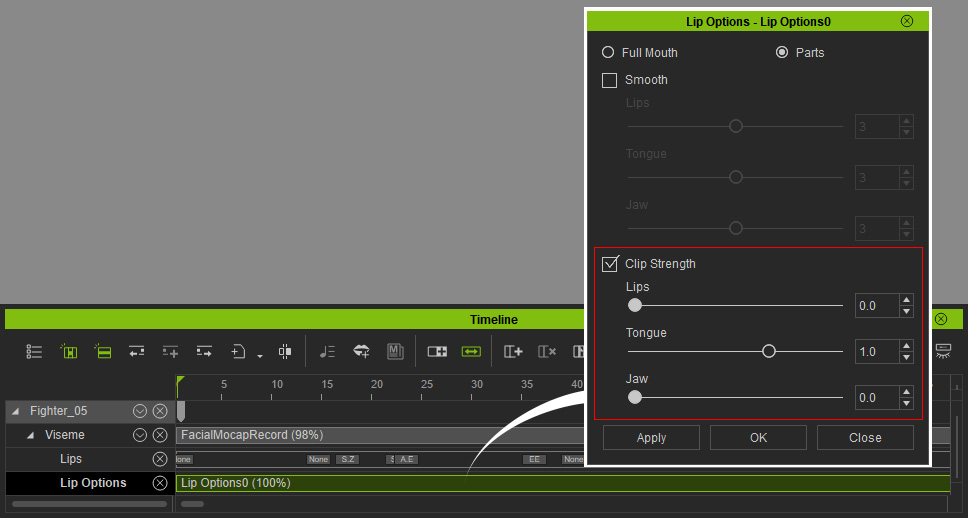
Thus, the mouth shapes are all generated from the Expression clip (facial captured from any facial mocap plugin) and the issue
should be resolved.
If you still want to turn these two settings on, please proceed with the steps below:
-
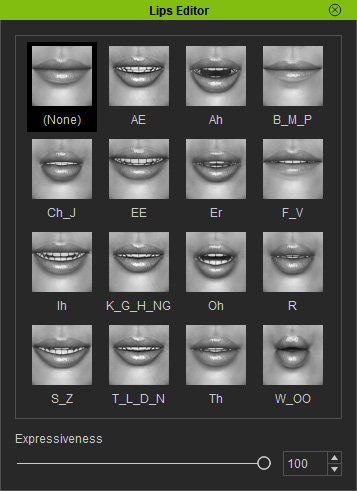
Double-click on the Viseme track to show the Lips Editor.
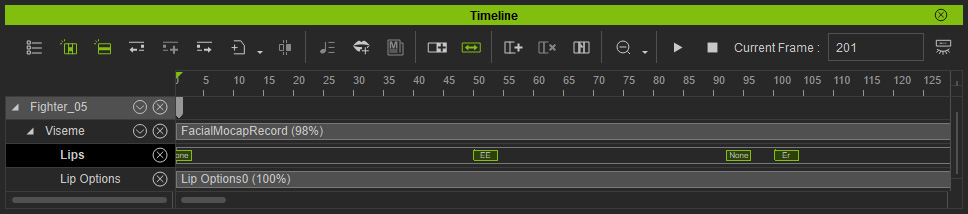
- Manually delete or add lipsync keys in the Viseme track to ensure that
the lip shapes are correct.
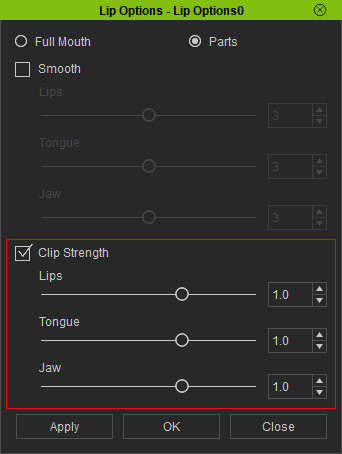
- Double-click on the Lip Options clip to open the Lip Options panel.
- Set the Lips and Jaw sliders to 1.0. Click the Apply button.
- Scrub the playback and the character's lip shapes from the Viseme
track can be observed.
