Aligning Tips (Feature Lines)
Properly placed Align Points help the CC5 HD character conform more accurately to the shape and surface details of the imported character model. When possible, place Align Points along prominent edges, creases, contours, and transitions to capture important changes in the model's shape.
Using Extra Mode for Detailed Features
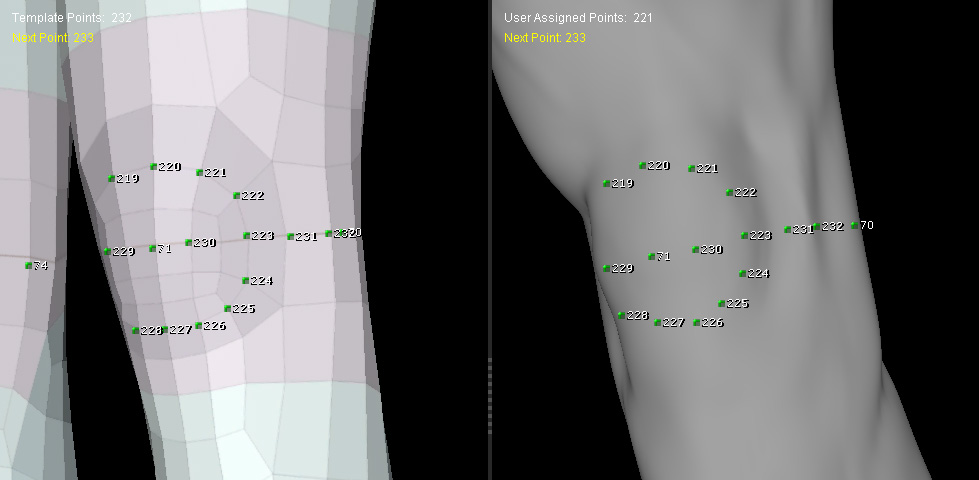
For precise placement along the surface features shown below, switch to Extra mode and manually add additional Align Points. This allows you to place points directly on specific creases, edges, and contours that are not covered by the 218 built-in Align Points.
See Using Extra Mode to Add Align Points for more information.
Recommended Point Placement
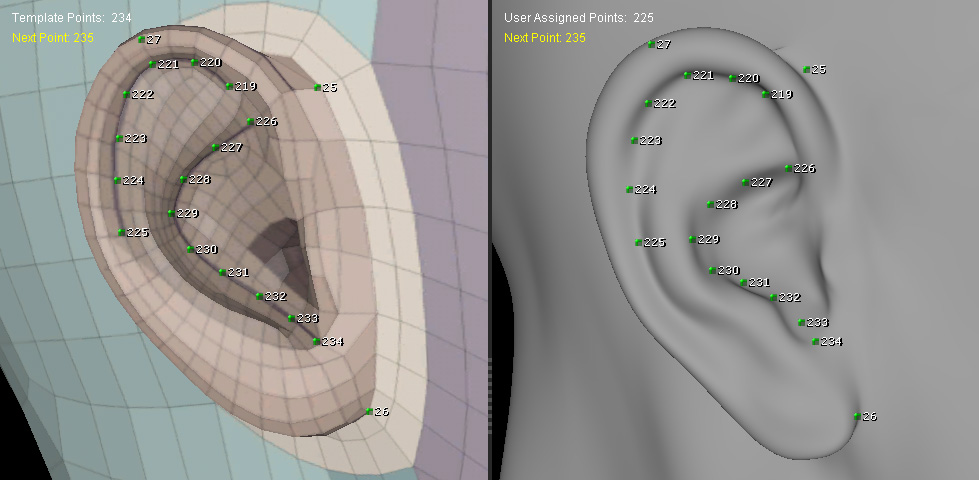
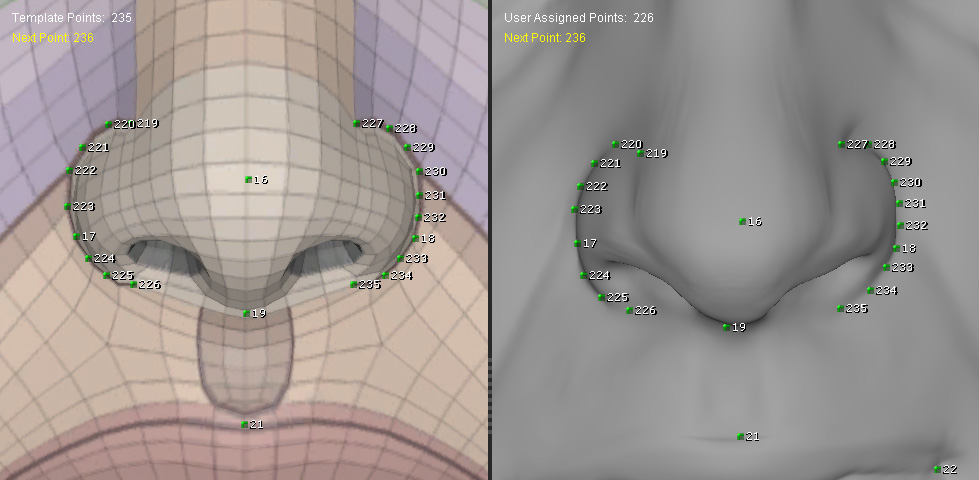
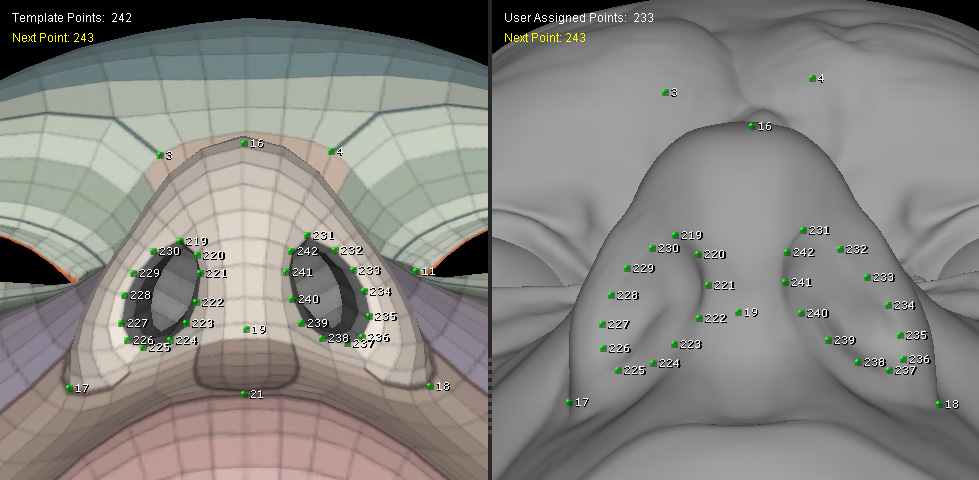
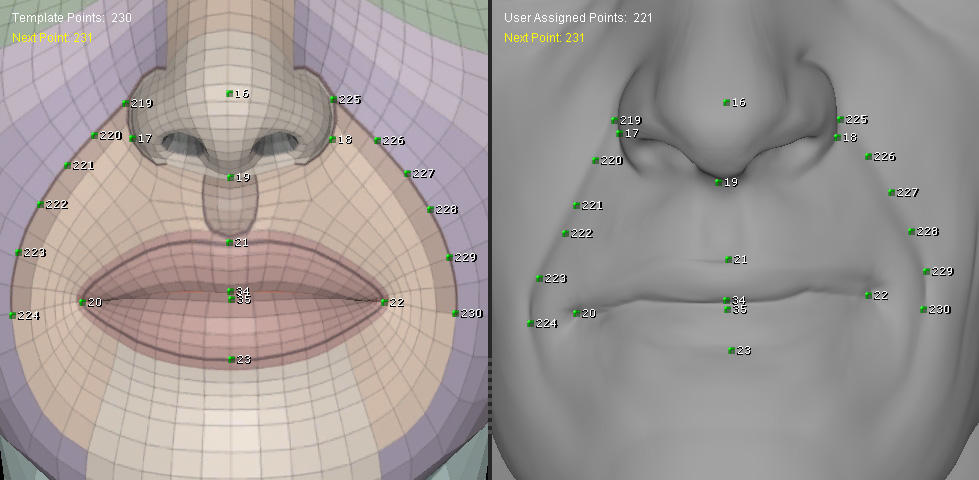
Use the following surface features as references when placing Align Points. Compare the CC5 HD character in the left viewport with the imported character model in the right viewport, and place corresponding points along the same features.
Face
- Eyebrow Lines — Place points along the eyebrow contours.
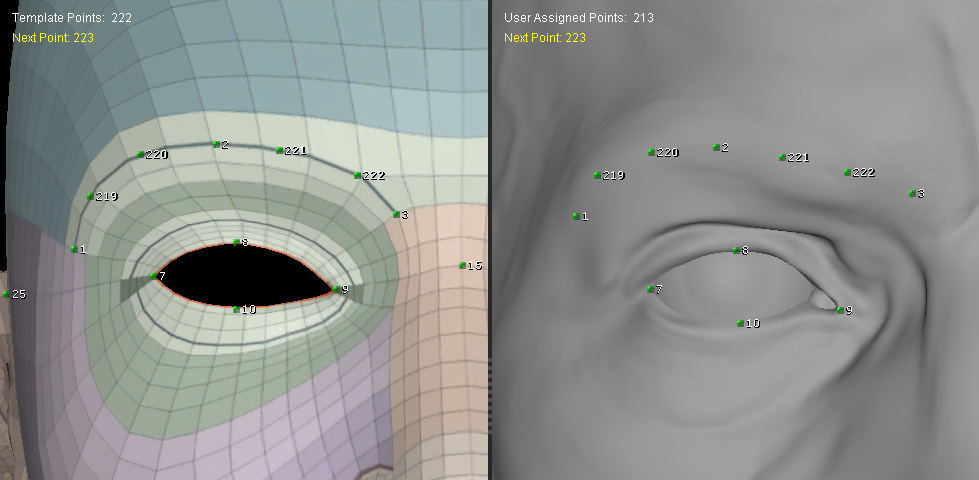
- Double Eyelid Lines — Place points along the double-eyelid creases.
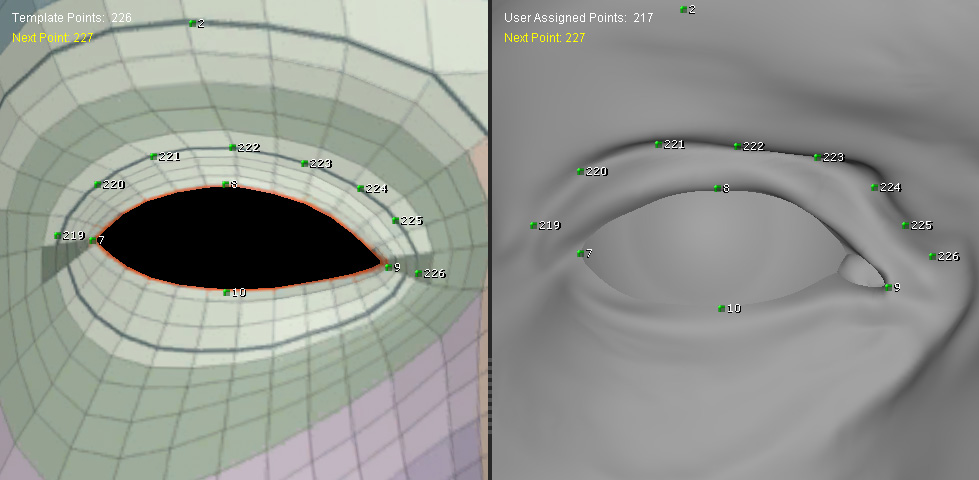
- Eye Socket Edges — Place points along the edges of the eye sockets.
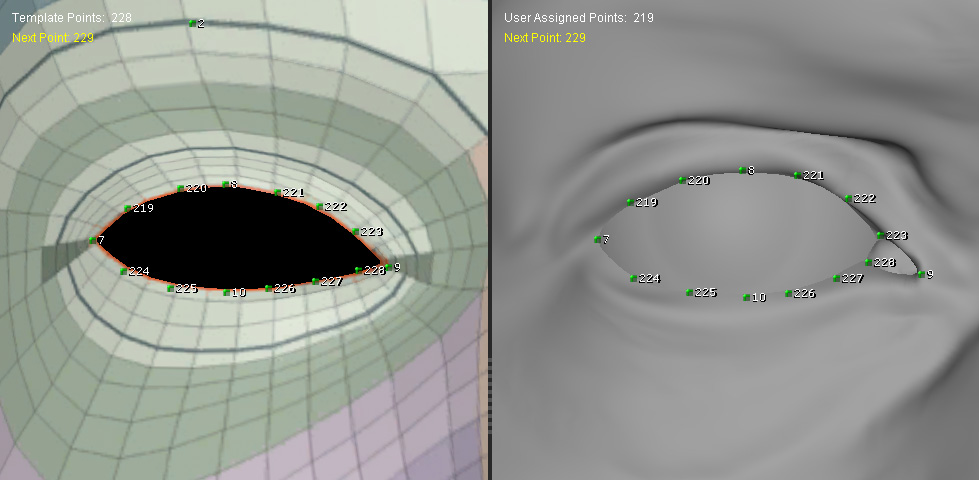
- Lower Eyelid Creases — Place points along the lower eyelid creases.
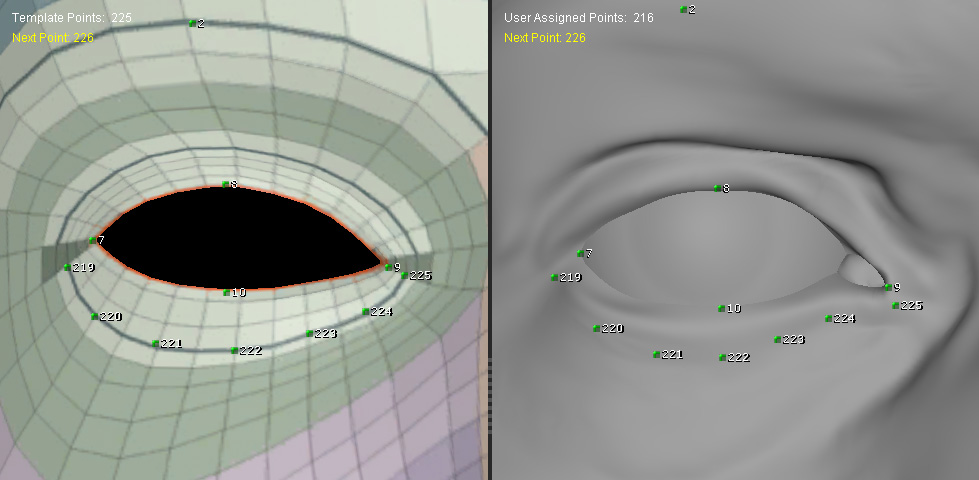
- Ear Protrusion Lines — Place points along the most prominent outer contours of the ears.
- Nostril Wing Edges — Place points along the outer edges of the nostril wings.
- Nostril Lines — Place points along the contours of the nostril openings.
- Nasolabial Folds — Place points along the nasolabial folds.
- Philtrum Lines — Place points along the vertical contours of the philtrum.
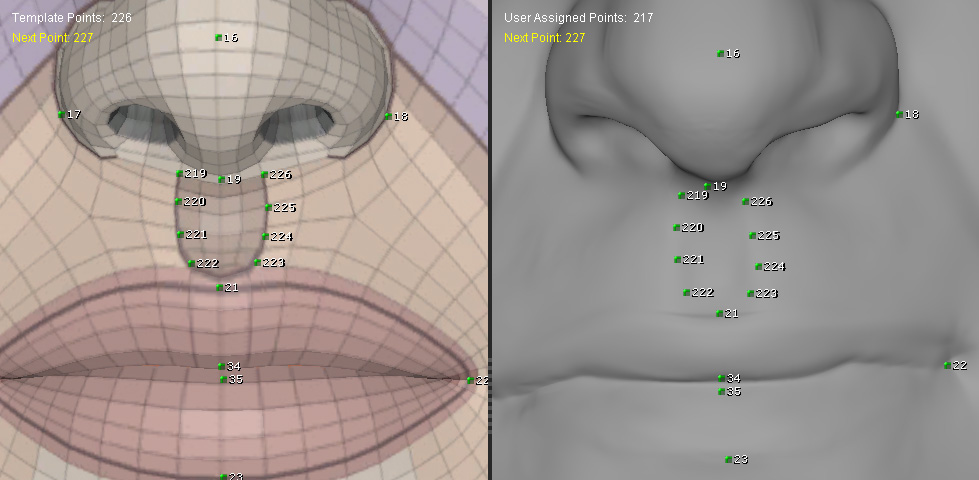
- Lip Lines — Place points along the contours of the lips.
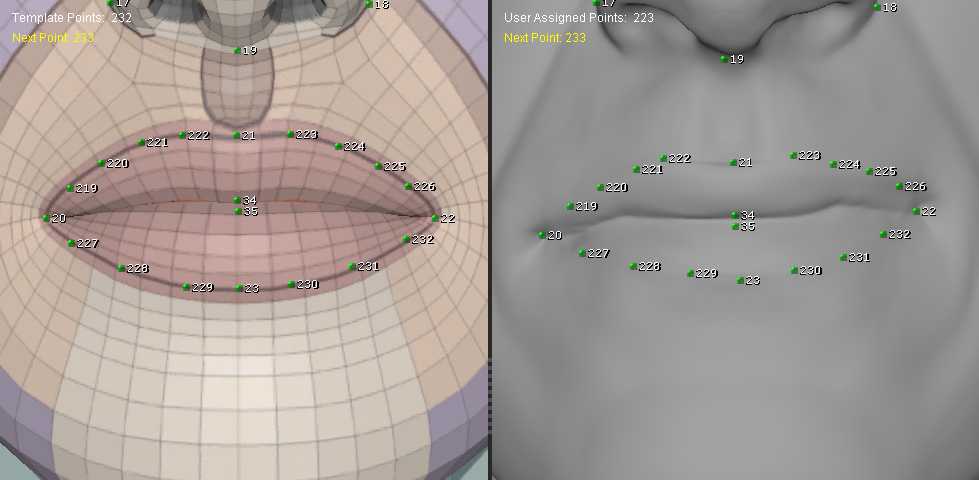
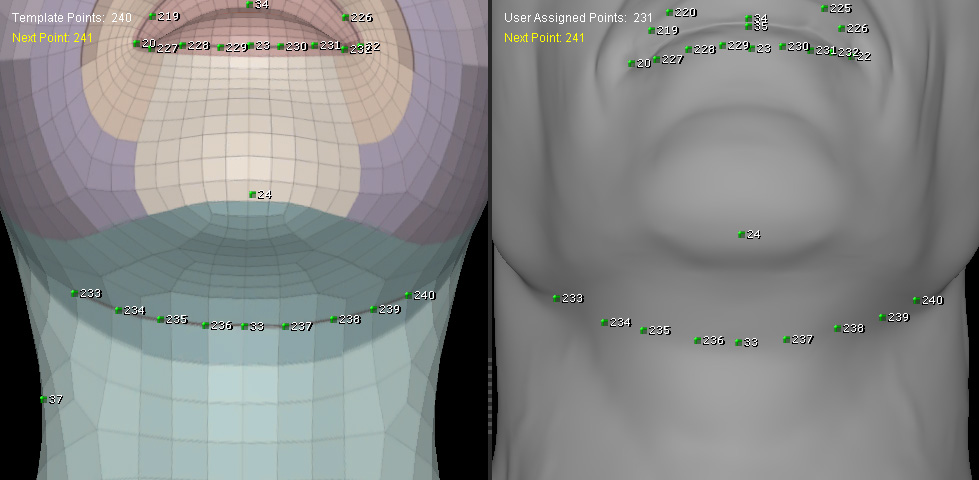
- Jawlines — Place points along the jawline.
Torso
- Areola Lines — Place points along the outer contours of the areolas.
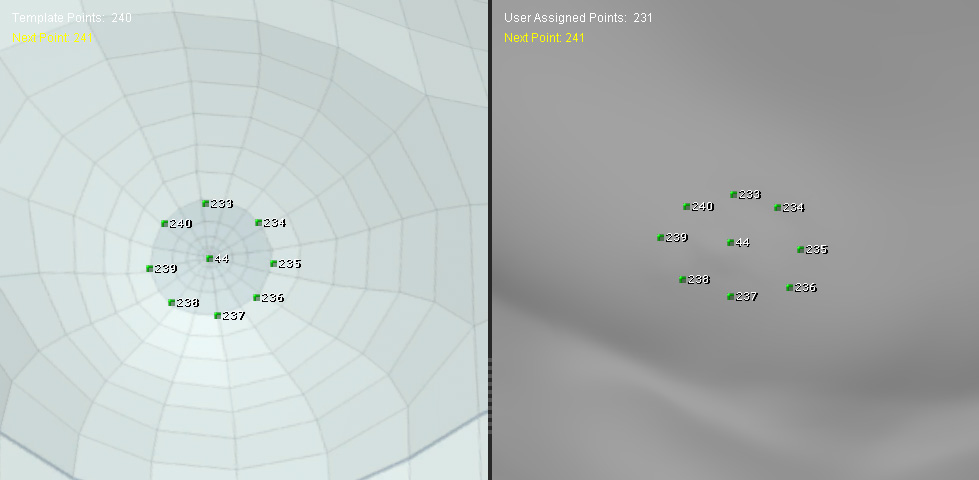
- Under-Breast Folds — Place points along the creases beneath the breasts.
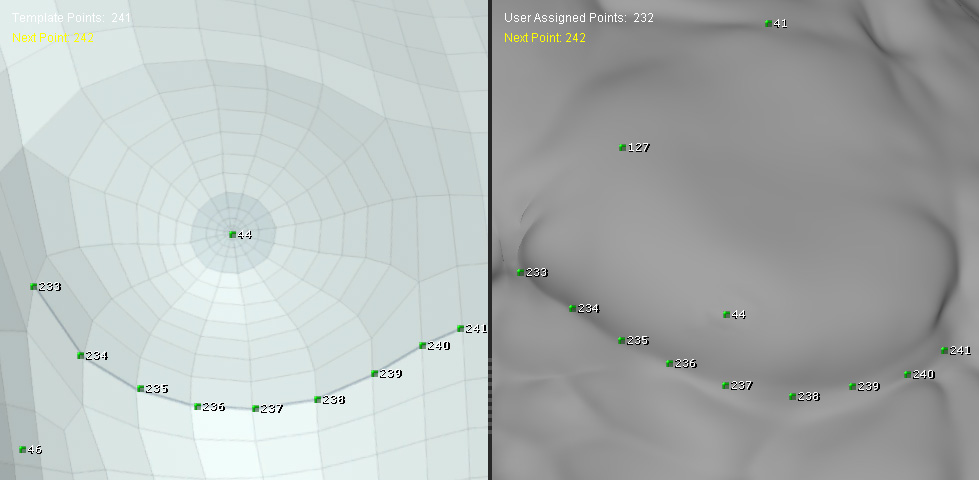
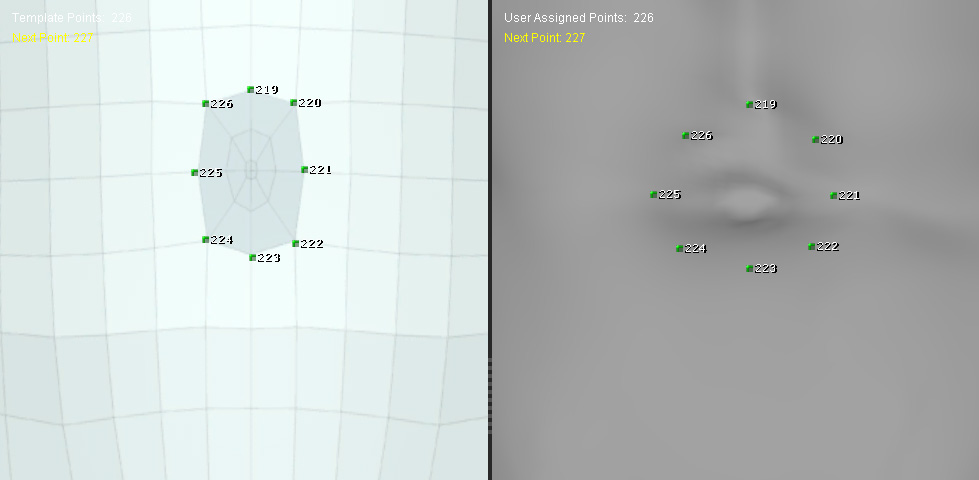
- Navel Edges — Place points around the edge of the navel.
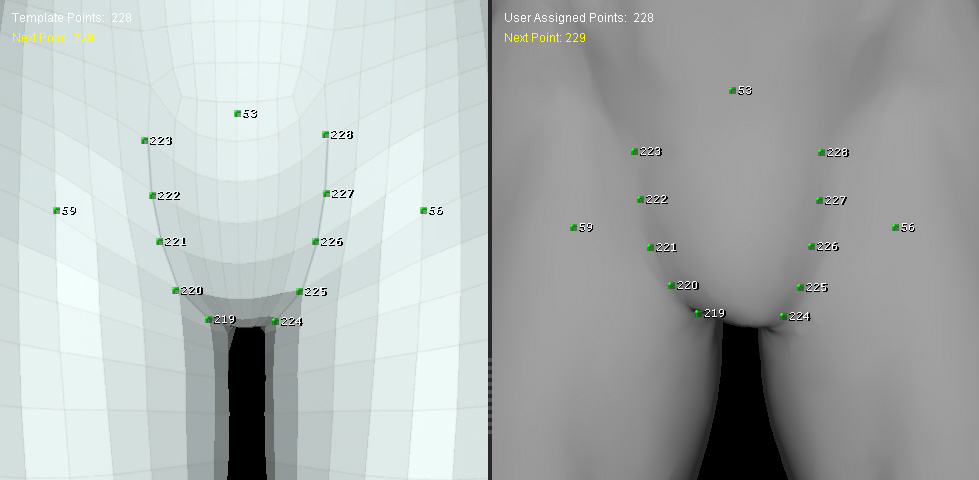
- Bikini Lines — Place points along the visible contours of the bikini lines.
Arms and Hands
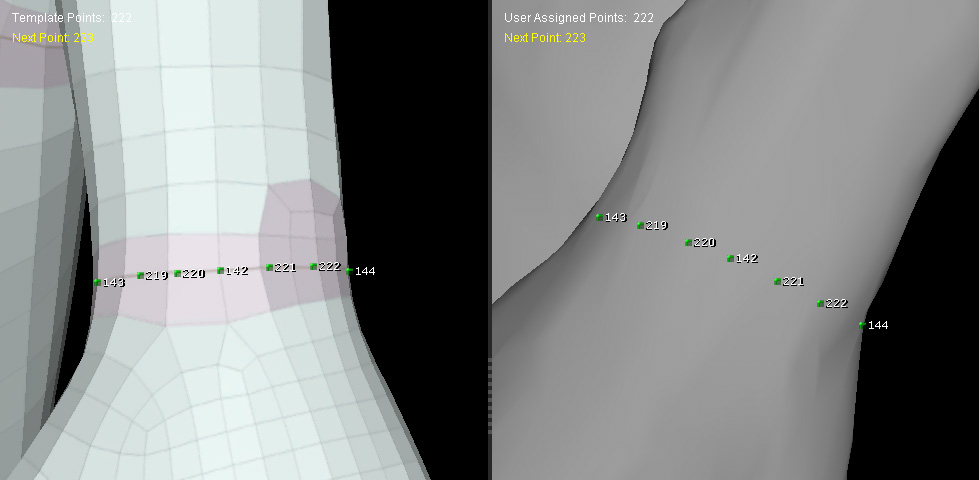
- Elbow and Wrist Circumferences — Place points around the natural creases or contours of the elbows and wrists.
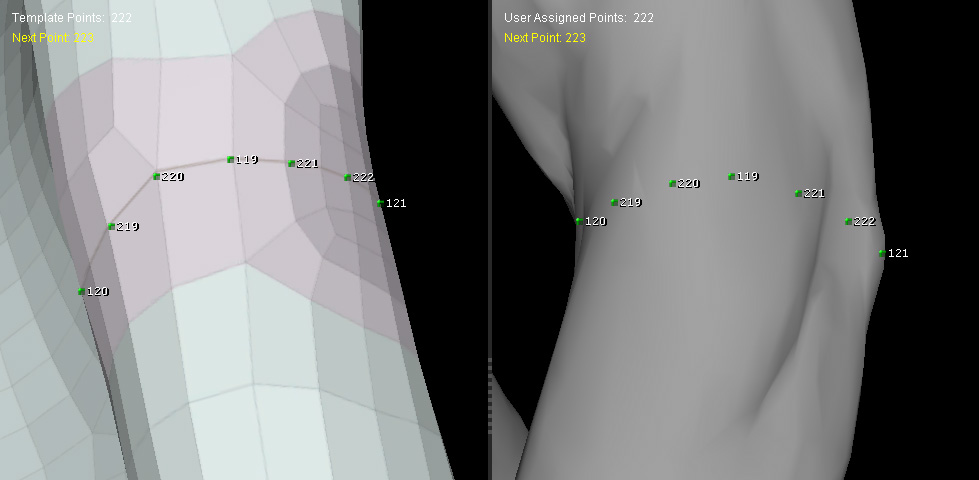
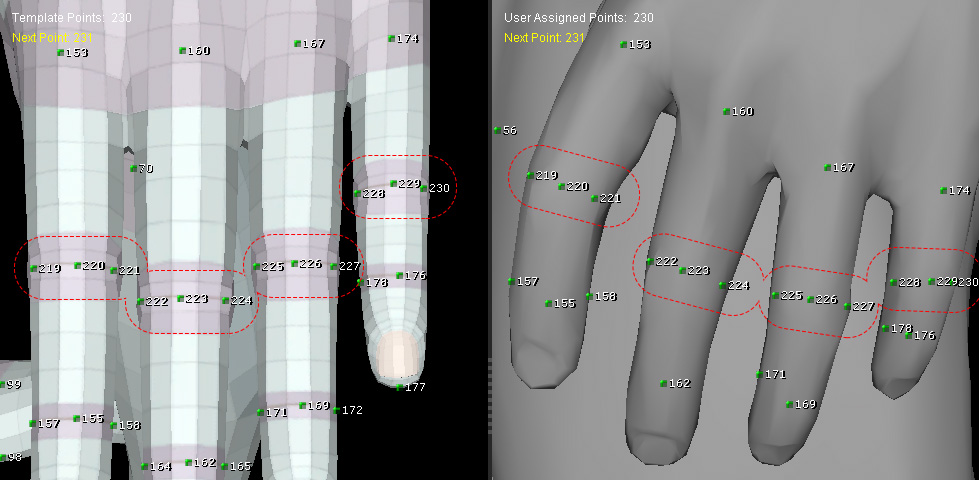
- Finger Joint Circumferences — Place points around the creases or contours of the finger joints.
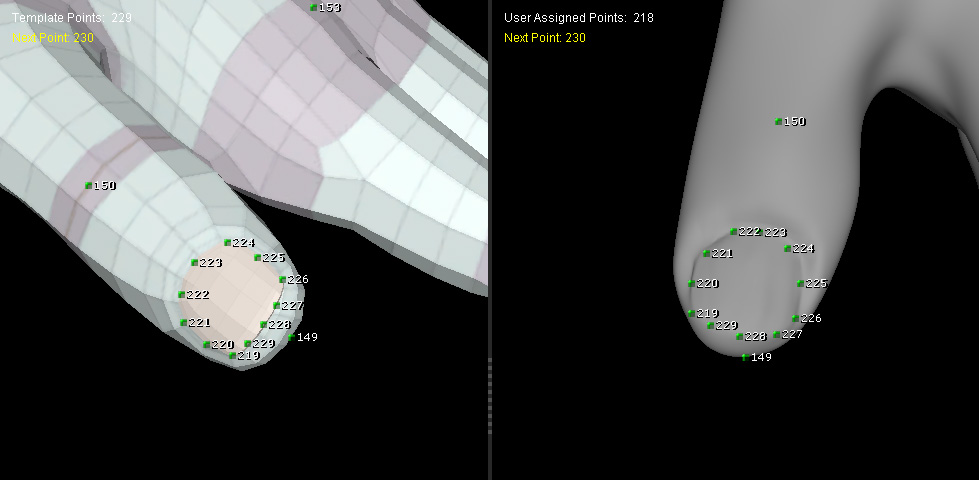
- Fingernail and Toenail Edges — Place points along the edges of the fingernails and toenails.
Legs and Hips
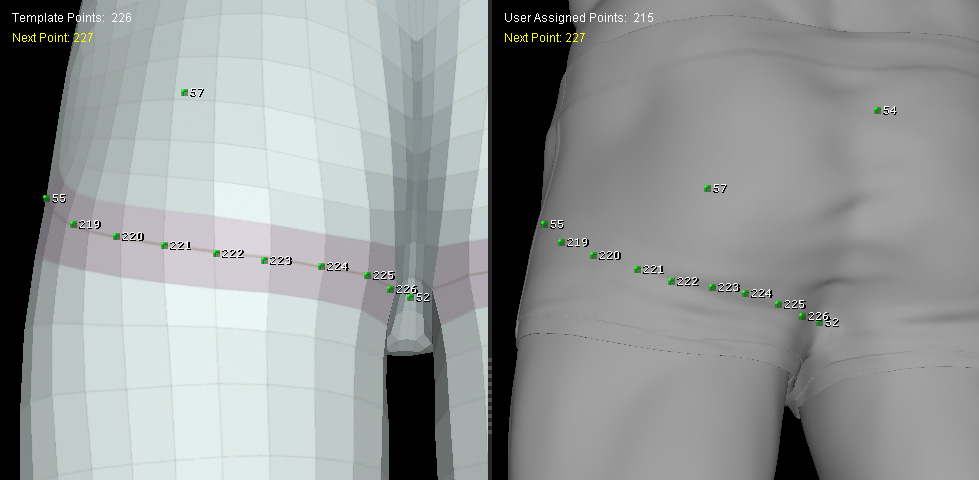
- Under-Buttock Folds — Place points along the creases beneath the buttocks.
- Knee Circumferences — Place points around the natural contours or creases of the knees.
 Tip:
Tip:
For detailed areas, prioritize distinctive features that define the model's shape rather than evenly distributing points across flat surfaces.
