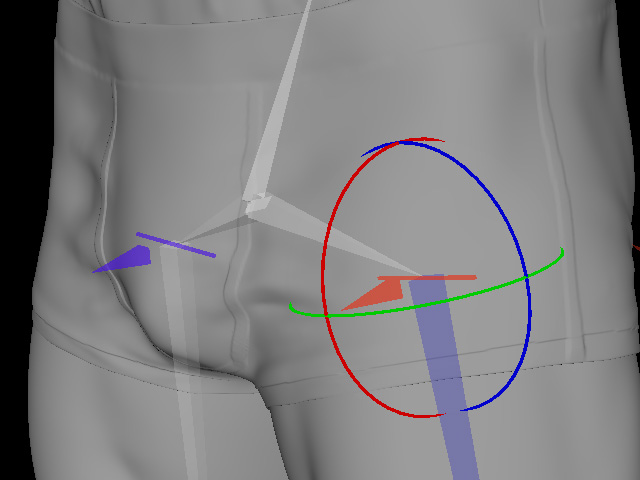
Setting Joint Orientation
The Setting Joint Orientation step lets you orient the Pyramid-pointer gizmos at the shoulders, elbows, wrists, and groin to ensure the corresponding ring-shaped alignment points are arranged correctly in the ALIGN POINTS step. Incorrect orientations can cause twisted or distorted geometry in the final mesh.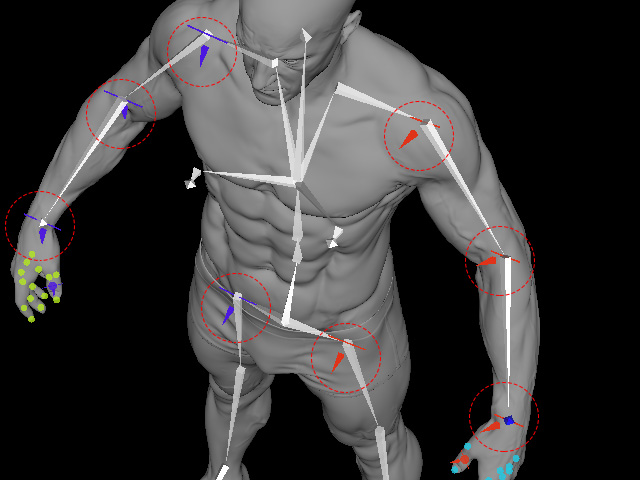
Click on a Pyramid-pointer to display the Rotate Gizmo, then drag the Rotate Gizmo to adjust the Pyramid-pointer 's orientation. 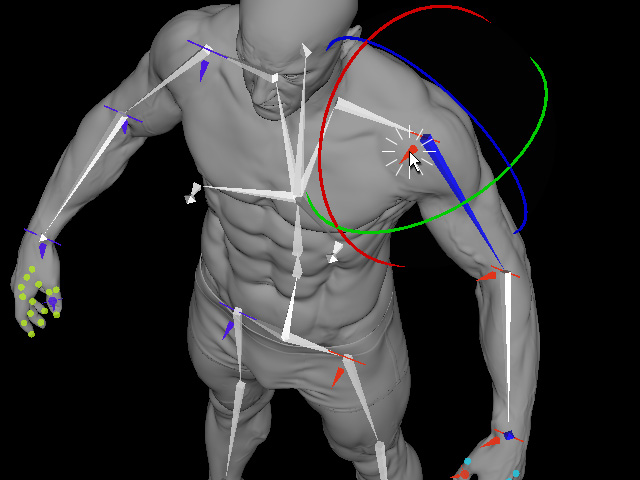
** Set each Pyramid-pointer according to the following guidelines. Make sure all Pyramid-pointer gizmos are correctly oriented before proceeding. Incorrect joint orientations may result in an incorrectly oriented skeleton. See Also: How Joint Orientation Affects Body Wrap Results
Shoulder
Rotate the Pyramid-pointer so that it is perpendicular to the front of the character.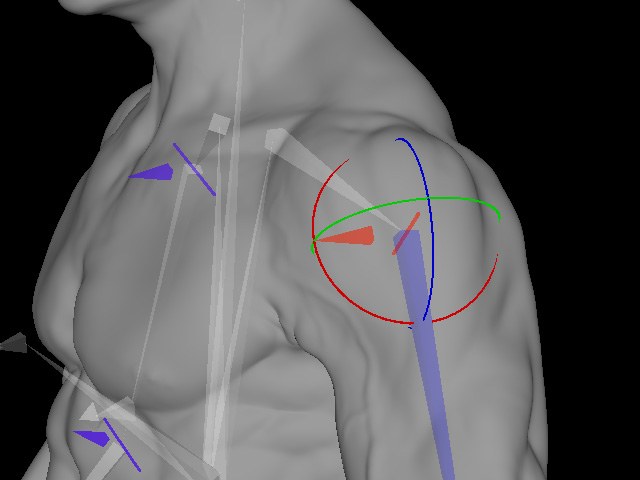
Elbow
Rotate the Pyramid-pointer so that it is perpendicular to the inner bend of the elbow.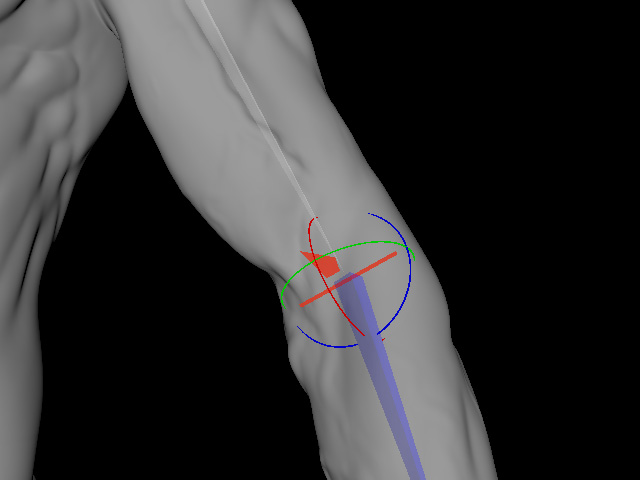
Wrist
Rotate the Pyramid-pointer so that it is perpendicular to the palm side of the wrist.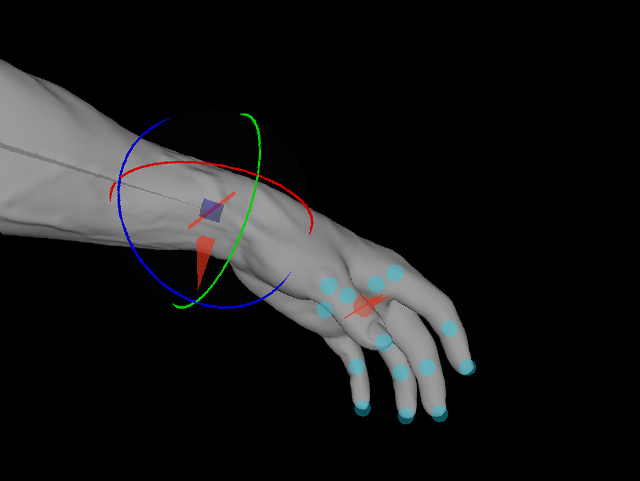
Thigh
Rotate the Pyramid-pointer so that it is perpendicular to the front of the upper thigh near the hip.