Using Unreal Live Link to Transfer Timecoded Animation
iClone supports transferring animations containing Timecode data through Unreal Live Link, allowing you to synchronize the clips in Unreal.
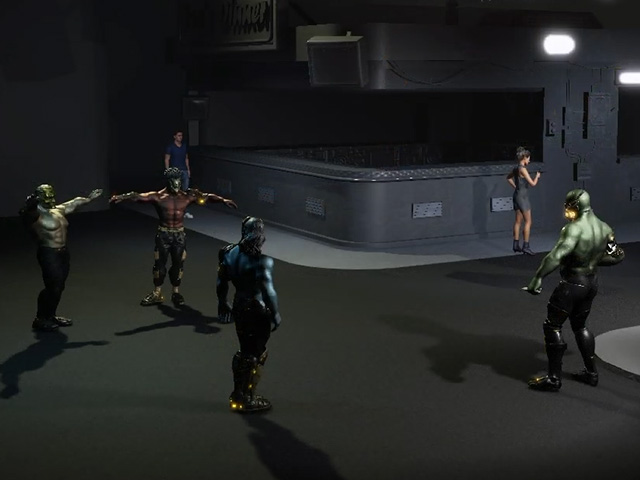
- In iClone, set up a scene with animated characters.
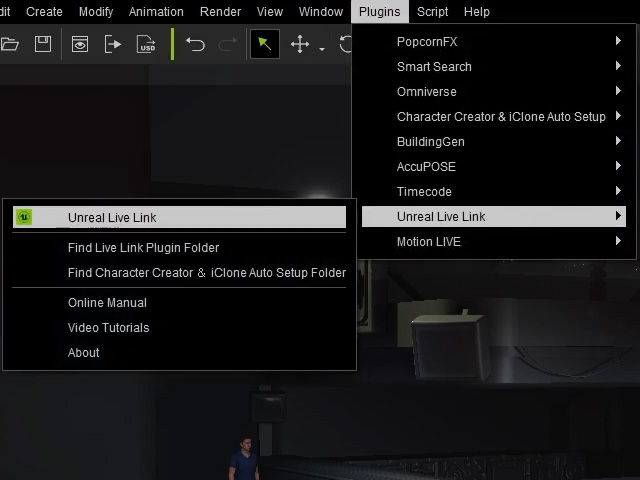
- Open the Unreal Live Link panel (Plugin > Unreal Live Link > Unreal Live Link).
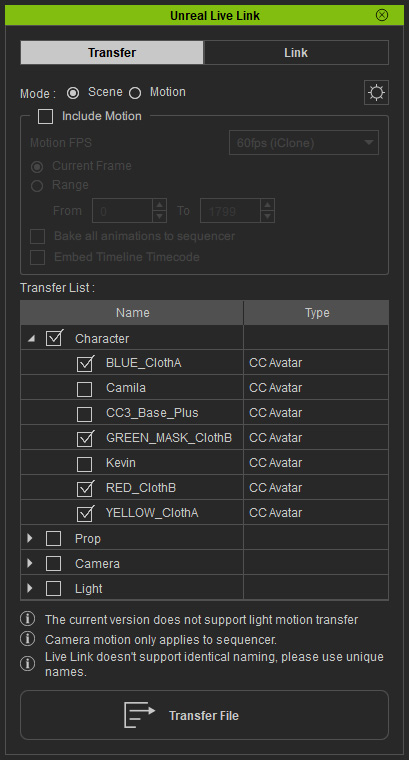
- Only activate the characters you wish to transfer and leave the other items disabled.
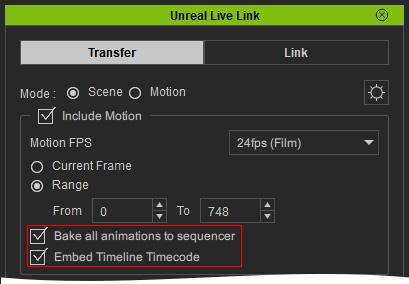
- Choose the Scene radio button and activate the Include Motion option.
- Adjust the related settings for export the motions of the characters.
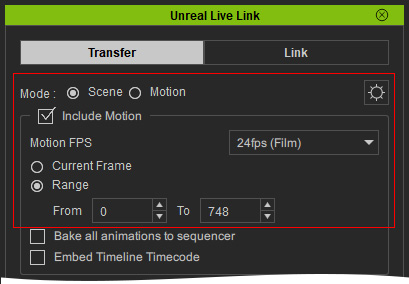
- Ensure Bake all animations to sequencer and Embed Timeline Timecode are enabled to timecode the data transfer.
- In Unreal Engine, make sure iClone Live Link plugin is installed in Unreal is enabled.
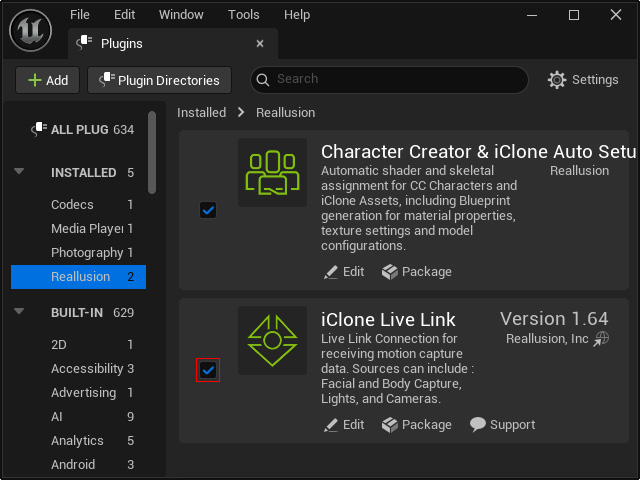
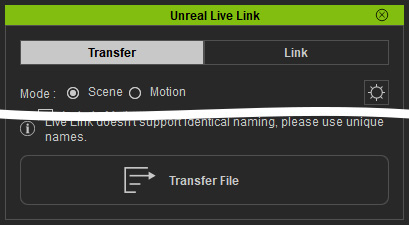
Also make sure the Character Creator & iClone Auto Setup plugin has been correctly installed. - Click the Transfer File button of the Unreal Live Link panel in iClone to send the characters to Unreal Engine.
- In the UE Content Browser, open the "RLLevelSequences" folder to display the sequences inside.
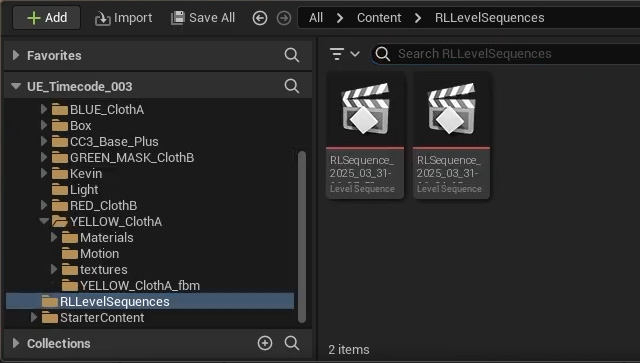
- The motions are inside of the sequencer and the characters are visible in the viewport.
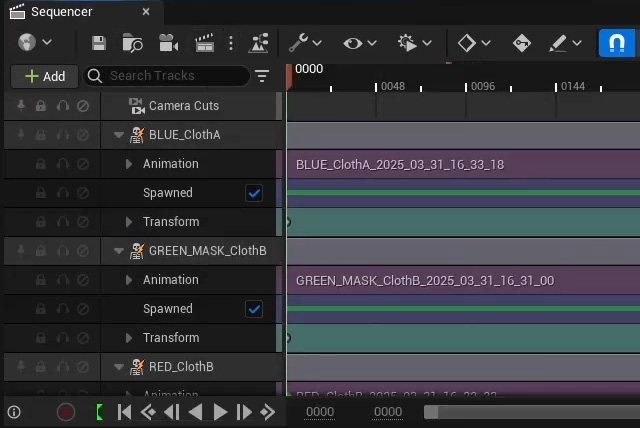
Playback the sequencer to preview the character motions. - Set the display frame rate to 24 frames per second (fps).
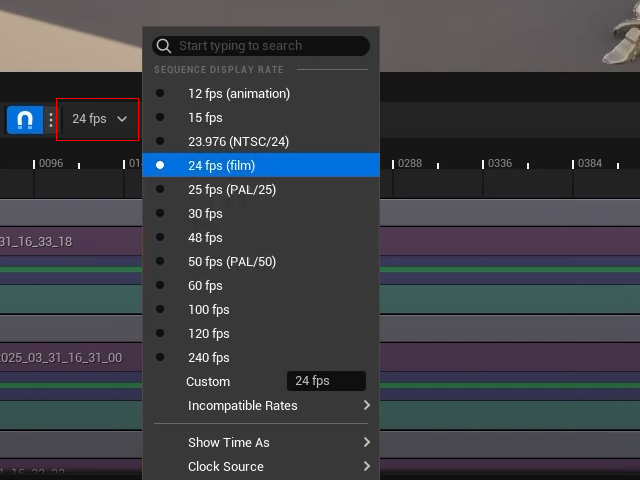
In the context menu, select Show Time As > NDF Timecode.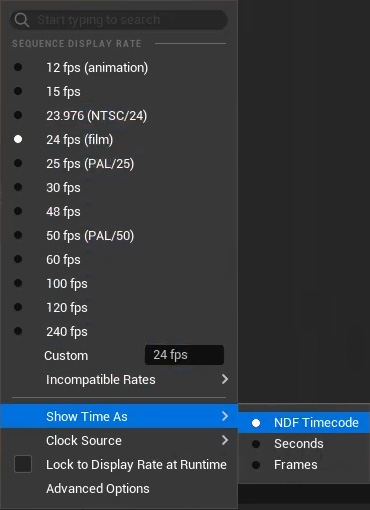
- Right click on each motion to verify their individual timecode.
- Expand Properties and the Timecode section and notice how the correct timecode is now displayed under Timecode Source.
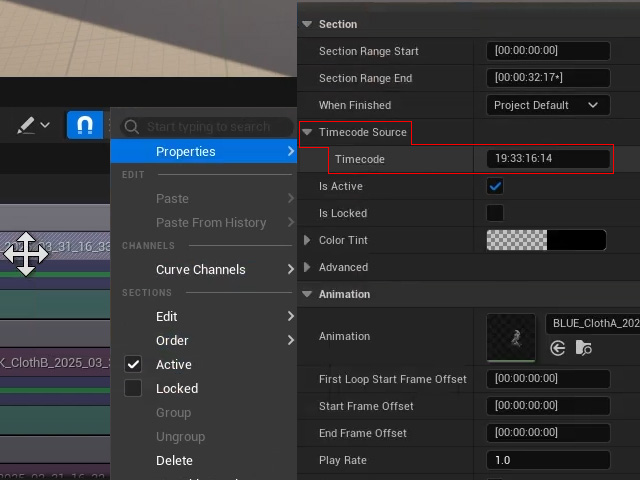
Copy the Timecode value for later steps. - In order to align all the motions to their correct positions, select all motion clips in the sequencer and click the Actions button.
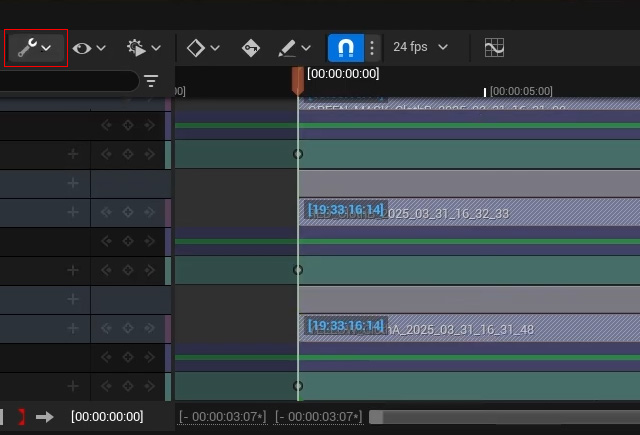
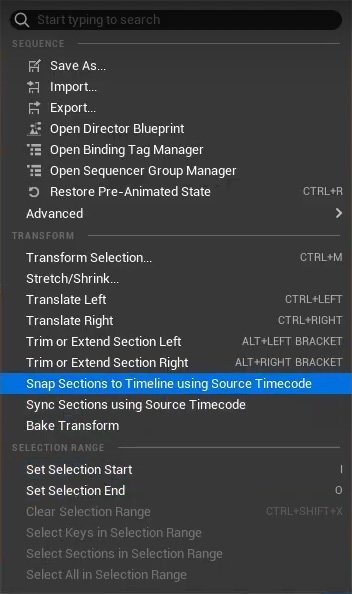
- Select Snap Sections to Timeline using Source Timecode to reposition the clips to match their original timecode.
- Paste the copied timecode value from step 11 into the Working Range Start and Current Time Indicator fields.
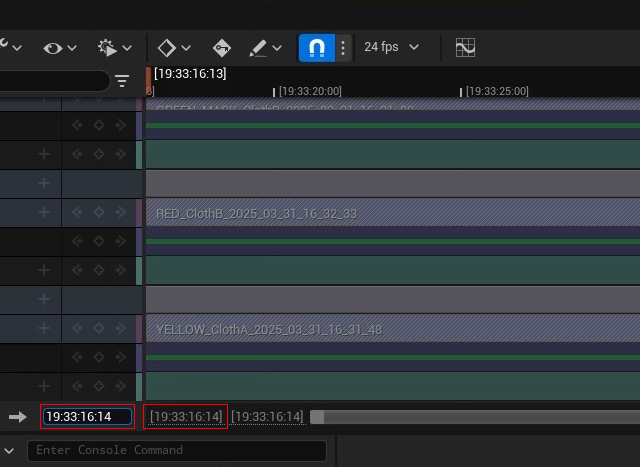
The clips will then be visible in the timeline. - You can then add any other character and motions with timecode from iClone into the Unreal project.
