Installation (v1.1)
AI Studio 1.1 is a standalone application that runs independently of iClone and Character Creator. Install or update to the latest version to access the following benefits:
- Launches independently of iClone or Character Creator.
- Automatically checks for updates and installs the latest version.
- Supports 4K image generation with Nano Banana and GPT Image, and 4K video generation with Seedance 2.0.
- Captures a frame from AI-generated videos.
- Introduces the Create Actor workflow with Basic Mode.
- Improves rendering accuracy for each angle in the Create Actor workflow with Advanced mode.
- Relaxes Seedance generation policies for content such as weapon use and strong language.
- Improves History item preview speed.
Installing AI Studio
Both new and existing AI Studio users should install the latest version through Reallusion Hub.
- Open Reallusion Hub and update it to the latest version.
- Under 3D Products, locate iClone or Character Creator.
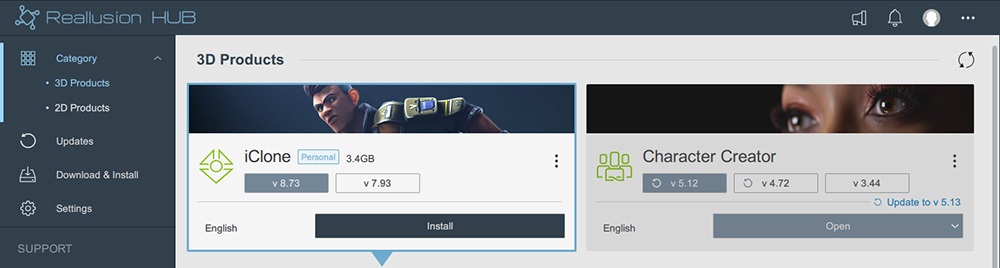
- Select All > AI to display the AI Studio add-on, then click Install.
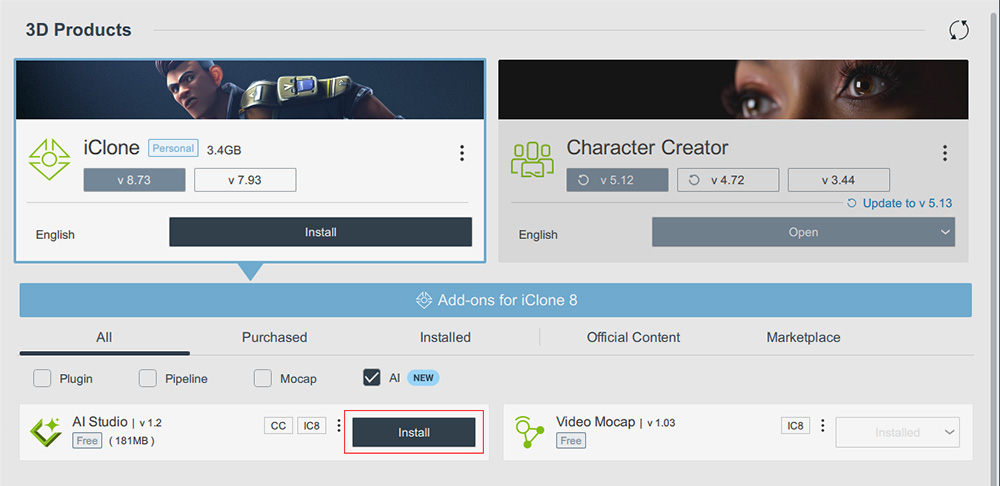
 Installation Path
If an insufficient disk space message appears during installation, open the Settings page in Reallusion Hub and select a different Temporary Path. After installation, AI Studio is moved to the Program path. If there is insufficient space in the Program path, specify a different path to store AI Studio.
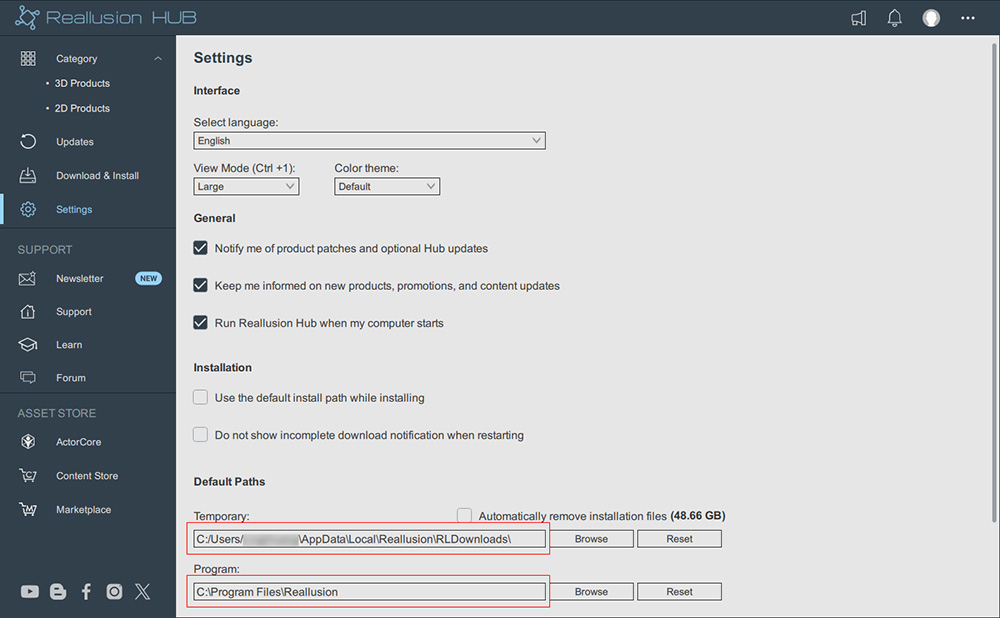
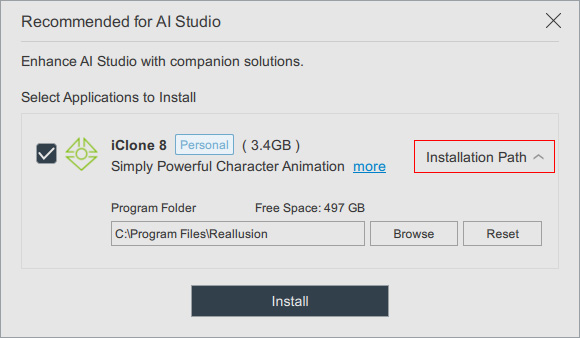
- Optionally install iClone or Character Creator alongside AI Studio to enable the 3D to Image, 3D to Video, and Create AI Actor from 3D features.
These applications are not required for generating images, videos, or AI Actors independently in AI Studio.
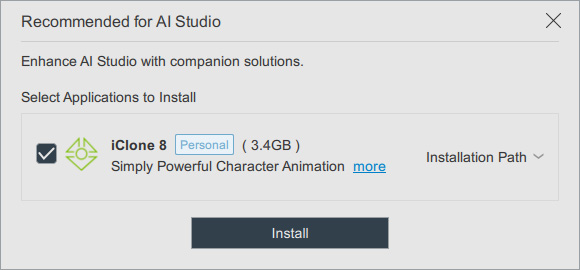
- Click Installation Path to select an installation folder with sufficient free disk space, then click Install to proceed or X to close the dialog.
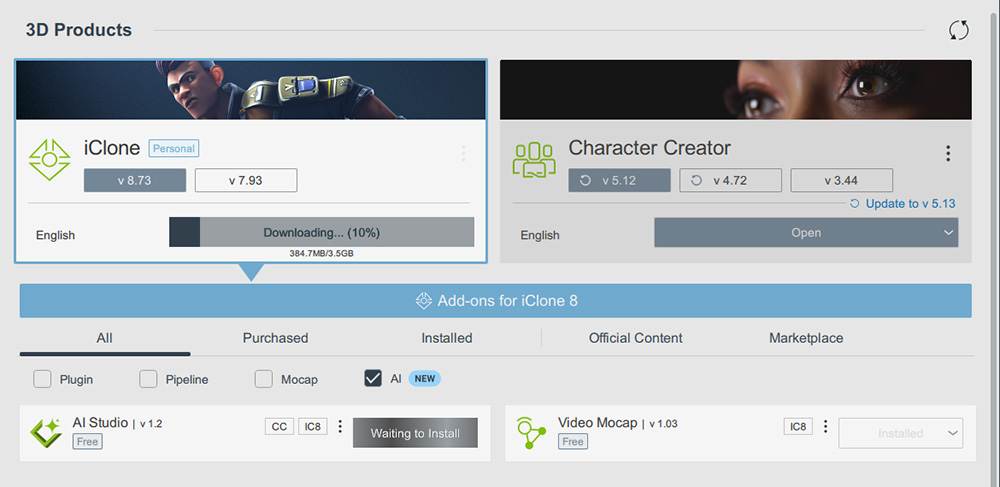
- Wait for the installation to complete.
AI Studio and the selected iClone or Character Creator version compatible with AI Studio will be installed.
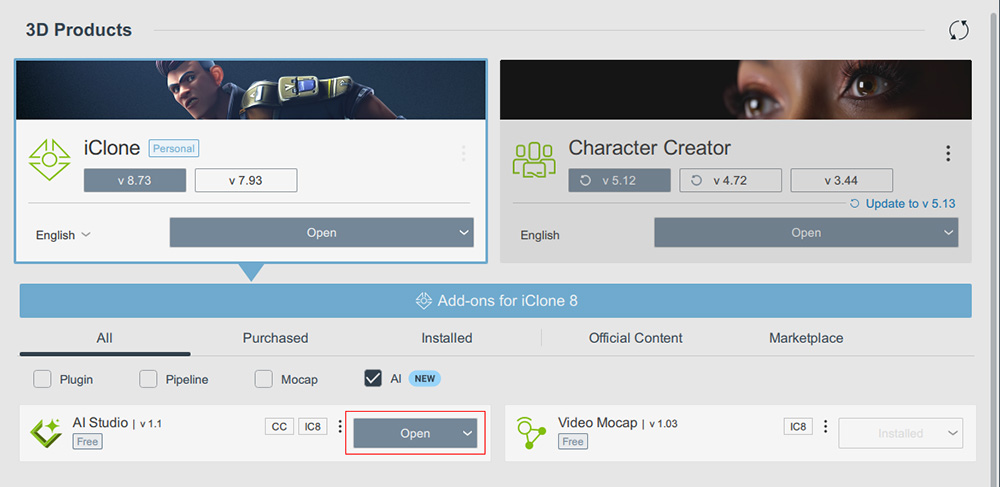
- Click Open or the program executable file to launch AI Studio, then set the default application for 3D features on the Account Settings page.
Connecting AI Studio with iClone / Character Creator
AI Studio automatically checks for updates each time it is launched and updates itself to the latest version.
To maintain compatibility with AI Studio when using 3D-related features, iClone or Character Creator may need to be installed or updated to a compatible version.
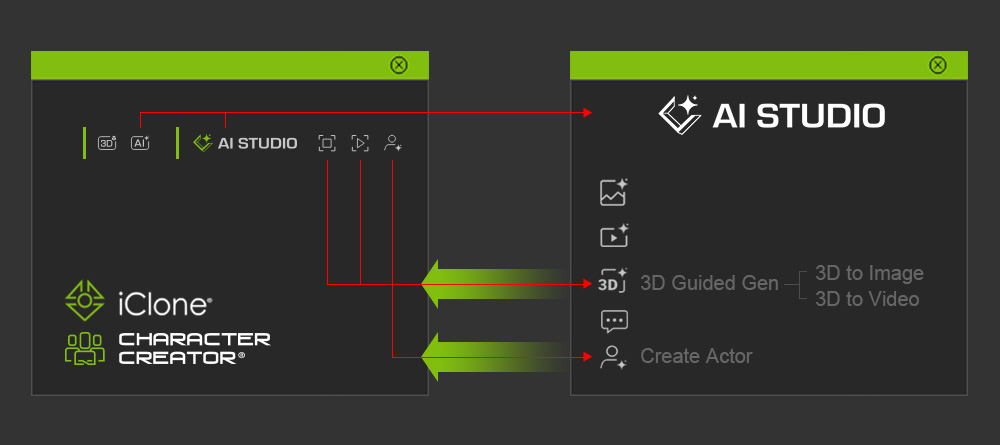
When you use the 3D to Image, 3D to Video, or Create AI Actor from 3D features in AI Studio, a message prompts you to install or update iClone or Character Creator to a compatible version through Reallusion Hub.
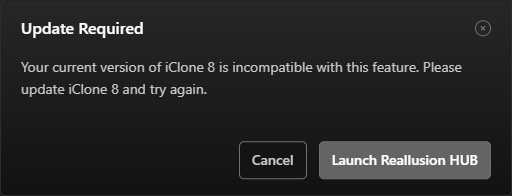
Likewise, when you launch AI Studio from iClone or Character Creator, or use an AI Studio feature such as Capture Image from 3D Viewport or Capture Video from 3D Viewport, a message prompts you to update iClone or Character Creator to a version compatible with the current version of AI Studio through Reallusion Hub.
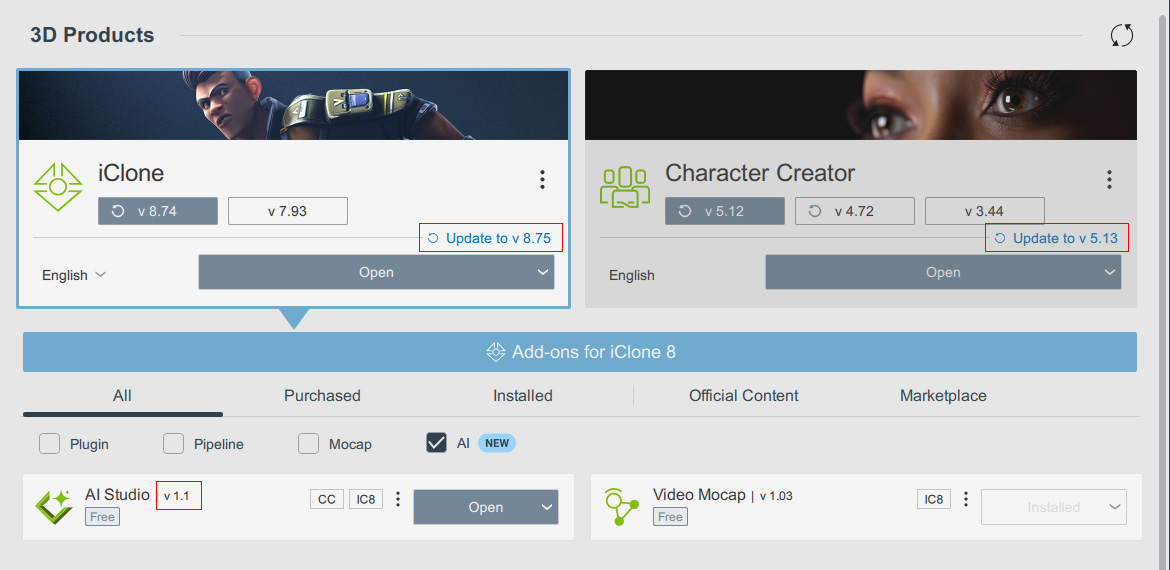
For example, the compatible versions for AI Studio 1.1 are:
- iClone 8.75
- Character Creator 5.13 or 4.73
