Extending Video Length with Video References (v1.01)
When generating videos with references in the Video Gen tool, you can extend a source video by adding new shots before and after it while preserving consistent character appearance, motion, and voice throughout the sequence.
New Shots After
Use the following references to extend the video by adding new shots after the existing sequence.
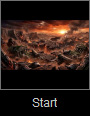
- Start Frame: Use the ending reference image [Image 5] from the previous output as the beginning frame of the new generation to seamlessly continue the scene between the two videos.
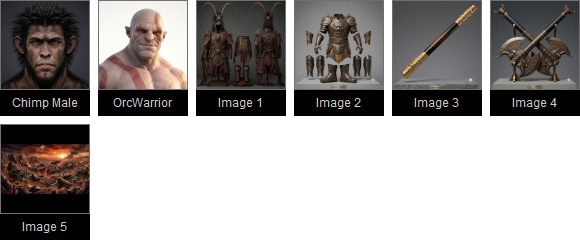
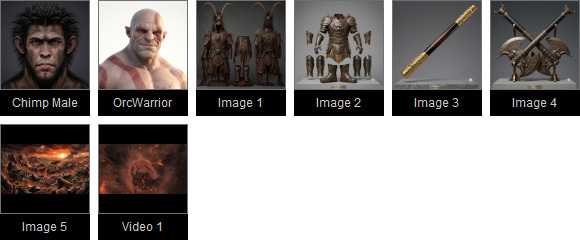
- AI Actor: Reuse the same AI Actors [Chimp Male] and [OrcWarrior] to preserve character consistency.
- Image: Reuse the same outfit references [Image 1] and [Image 2], weapon references [Image 3] and [Image 4], and scene setup [Image 5] to maintain visual consistency throughout the scene.
- Video: Use the previously generated AI output [Video 1] as a reference to carry over visuals, composition, overall scene setup, characters, music, and audio, helping extend the animation style consistently across the new shots.
| Source Video | New Shots After |
| Start Frame | |
-- |  |
| Reference | |
 |  |
| Prompt | |
Shot 1 (0.0- 4.0s): The Divine Dive
| Shot 5 (15.0 - 18.5s): The Shattered Ground
|
New Shots Before
Use the following references to extend the video by adding new shots before the existing sequence.
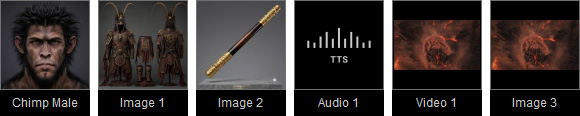
- AI Actor: Reuse the same AI Actor [Chimp Male] to preserve character consistency.
- Image: Reuse the same outfit reference [Image 1], weapon reference [Image 2], and beginning reference image [Image 3] from the previous output as the ending frame of the new generation. This helps maintain visual consistency and ensures a seamless transition between the two videos.
- Audio: Use a pre-generated voiceover audio track for playback in the new generation.
- Video: Use the previously generated AI output [Video 1] as a reference to carry over visuals, composition, scene setup, characters, and music, helping extend the animation style consistently across the new shots.
| Source Video | New Shots Before |
| Reference | |
|  |
| Prompt | |
Shot 1 (0.0- 4.0s): The Divine Dive
| Shot 1 (0.0 - 4.5s): The Golden Awakening
|
Combining All Shots
Since the three AI-generated outputs are rendered in a seamless, highly consistent style across characters, motion, audio, environments, and overall visuals, you can use an external video editing tool to combine them into a single continuous video.
| New Shots Before | Source Video | New Shots After |
