The Official PSD Structures for G3 Characters
The official PSD structure for G3 Human Characters is basically composed of three main folders: RL_Bone_Human, RL_Talking_Head and RL_Image.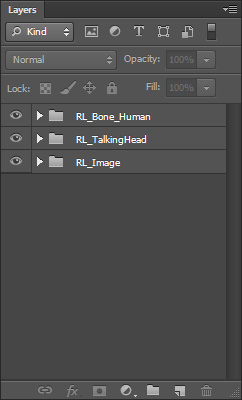
 RL_Bone_Human
This main folder contains layers of the body bones. And you can relocate the bones by moving these points.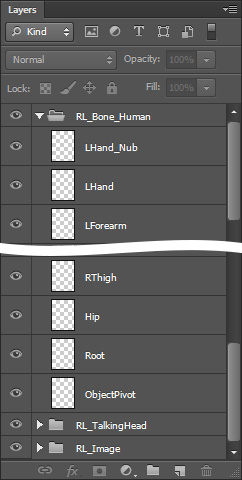
The bones are represented by colored points with cross on them. Red points are the spine, orange the left hands, yellow the right hands, green the left leg and blue the right leg.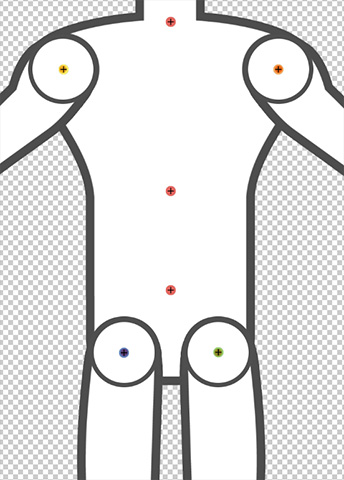
RL_Talking_Head
This main folder contains sub-folders of Facial Bones and Facial Images in specific angle.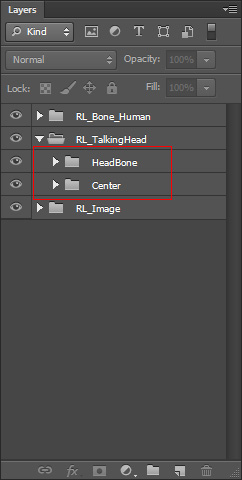
- HeadBone: This sub-folder contains all the facial bone layers. And basically, you can relocate the bones by moving these points.
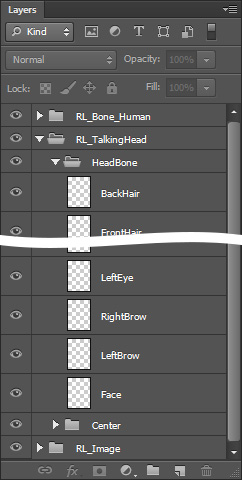
The facial bones are represented by yellow crosses.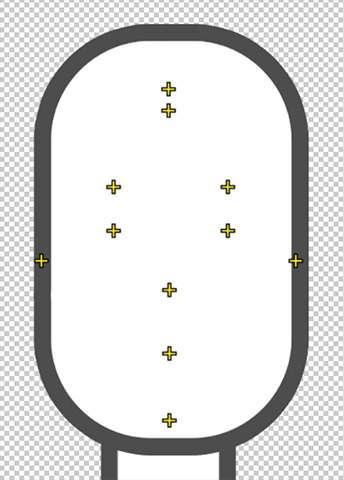
- Center: The sub-folder contains the facial feature and hair layers of the current angle, in this case, front center.
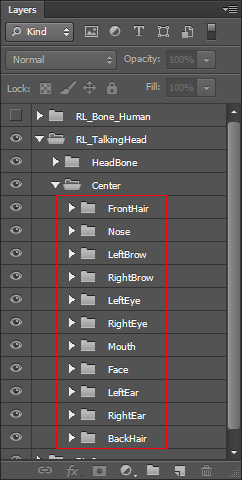
You can edit or add images in these layer to edit or create the character. The facial features must be put into their corresponding layer group.
Although the hair is not a facial feature, you must add custom hair, with front and back, into certain groups.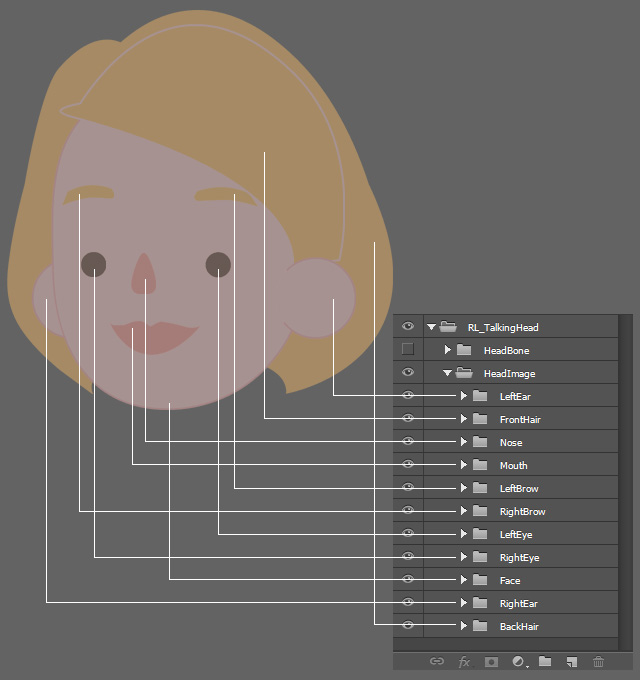
RL_Image
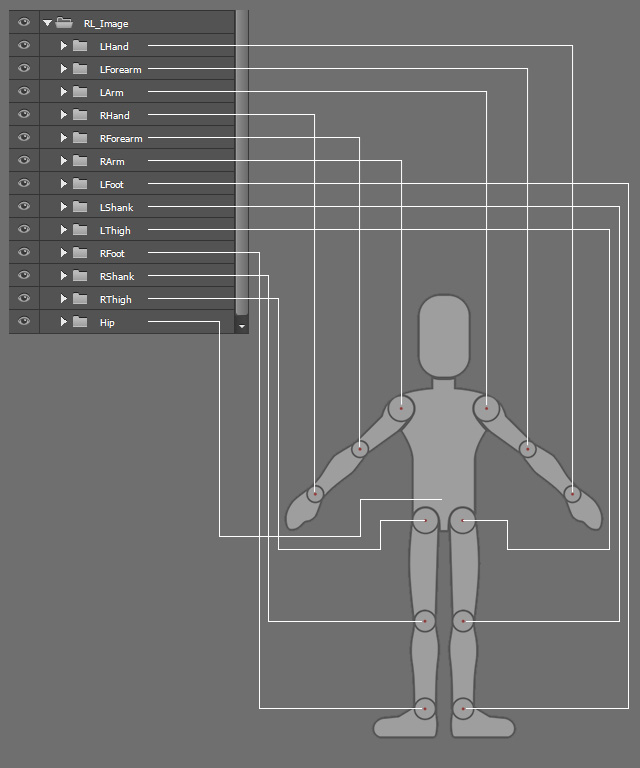
This main folder contains sub-folders of image layers building the character's body.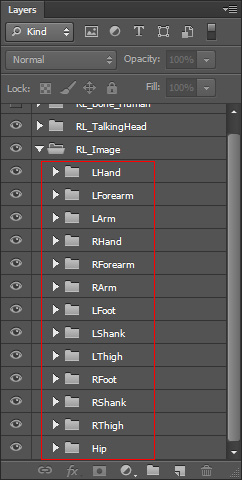
You can edit or add images in these layer to edit or create the character body parts.
( Watch Tutorial - Animated Accessory Design )
Note:If you want to create fixed accessories such as buttons, patches, badges, etc., then put them into specific layer groups.
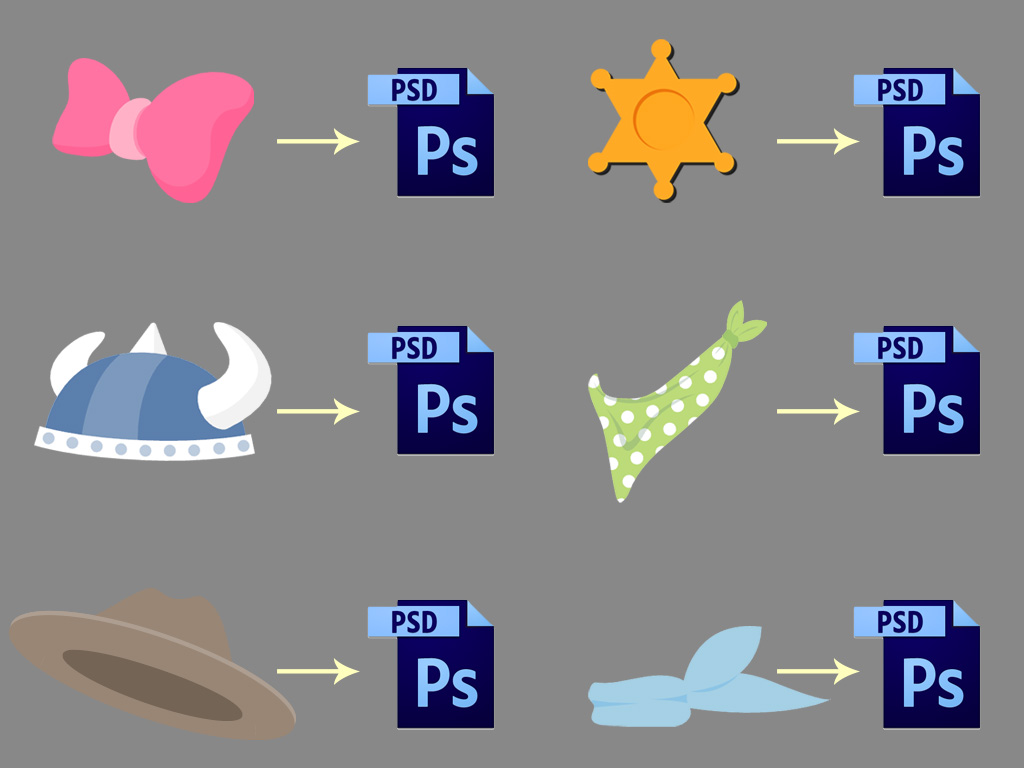
However, if you want to create animatable accessories in CTA, then save them as isolated PSD files instead of adding them into the groups of the body or head PSD files.
Refer to the Converting Props to Accessories section for more information.