Resource Map
Objects sent from Character Creator to FashionGen will include their embedded resource maps, which typically includes the Color ID, AO, and Curvature maps.
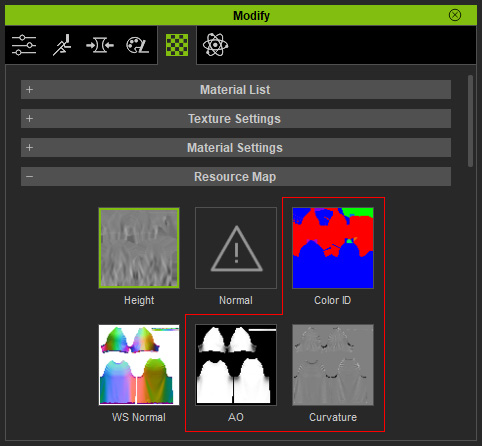
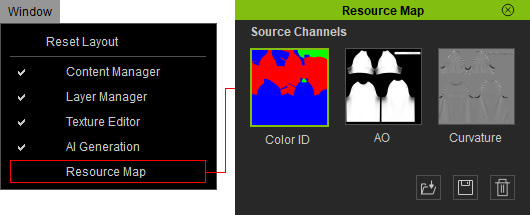
To view these maps in FashionGen, go to the main menu (Window > Resource Map). The Resource Map panel will open, displaying the available images for all 3 resource channels.
|
Resource Map |
Description |
|
Color ID
|
A color mask that allows different materials to be applied to specific / separate regions of the clothing. |
|
AO |
Used for visual presentation within the viewport. |
|
Curvature |
Used as a reference map to automatically generate aging effects. |
Use the following buttons to manage your resource maps:
- Load: Adds or replaces the image for the selected channel.
- Save: Saves the selected channel's image in PNG format.
- Delete: Removes the image from the selected channel.
