User Interface Introduction for SSS Shader
The user interface related to the SSS Shader are planted in
different sections of the Modify panel.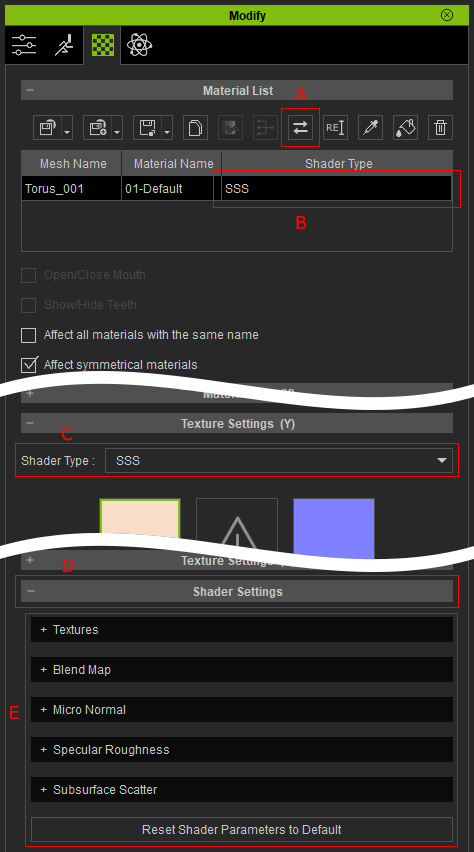
- Convert Object Shader: Click this button to convert materials of the object to equivalent shaders for rendering.
- Shader Type Column: This column displays the shaders the material is applied.
- Shader Type: This drop-down list can be used to manually convert or select desired shader for the currently selected material.
- Shader Settings: The section that contains all the settings for the shader of the currently selected material.
- Shader Sub-sections: The sub-sections contains specific and categorized settings. The sub-sections varies in accordance with the current shaders of the selected material.
