Substance Settings of Material Modifier
Concept of Base, RGB Mask and Color ID Mask Layers
The Material Modifier is a Substance-based content that combines three layers, Base, RGB Mask and Color ID Mask. Each layer can be individually adjusted and the final result will be merged into textures for the channels in the Texture Settings section.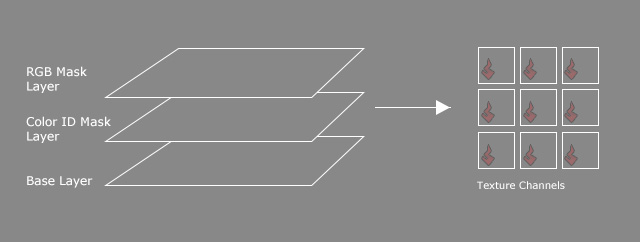
User Interface Introduction
-
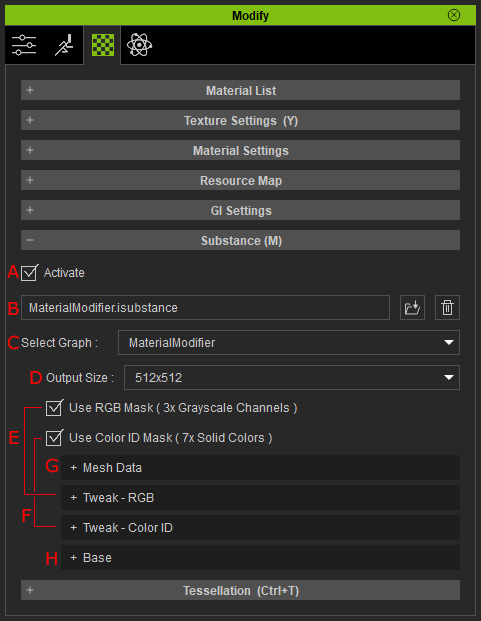
 Activate
Activate this checkbox to access the Substance Settings and enable the effect of the settings.
-
Load / Delete *.isubstance
This field shows the currently used isubstance file. You can also load a custom file or delete the file.
-
Select Graph
If the isubstance file integrates multiple graphs, you can choose them from this drop-down list.
-
Output Size
This setting determines the output size of the textures for the texture channels.
-
Use RGB Mask
- Activate this checkbox to show the Tweak - RGB sub-section.
- The layer effect by the settings is also determined by this checkbox.
-
Use Color ID Mask
- Activate this checkbox to show the Tweak - Color ID sub-section.
- The layer effect by the settings is also determined by this checkbox.
-
Mesh Data
- This sub-section displays the textures utilized by the object (ActorCore Characters)
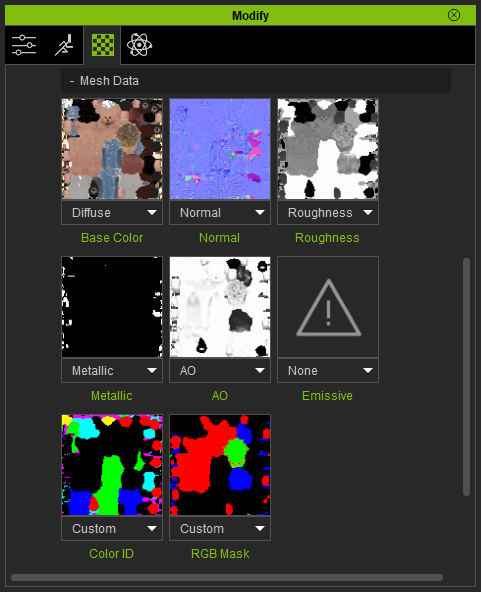
- The Color ID and RGB Mask channels and their textures only show when the Use RGB Mask and Use Color ID Mask checkboxes are activated.
- This sub-section displays the textures utilized by the object (ActorCore Characters)
-
Base
- The settings for the Base layer influence the entire textures of the object (ActorCore Characters).
- When the Use RGB Mask or Use Color ID Mask checkboxes are activated, the result of the Base layer will be revealed by the Black parts of the RGB Mask and Color ID Mask layers.
- Base for Entire Object: When the RGB Mask and Color ID Mask are deactivated, then the Base settings work on the entire object.

- Base for Black Areas of RGB Mask: The Base settings are only revealed by the black areas of the RGB Mask.
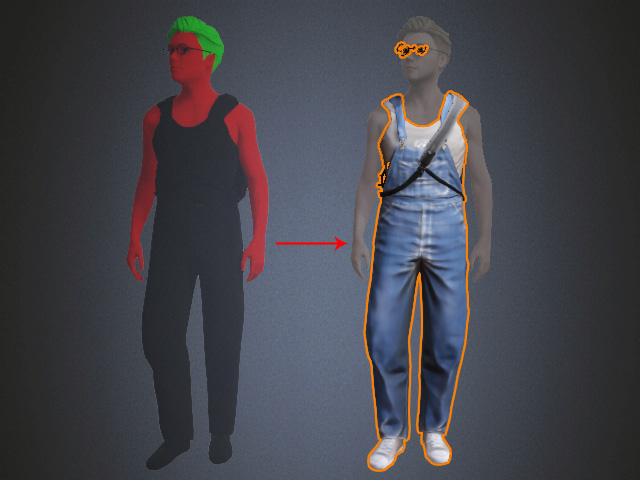
- Base for Black Areas of Color ID Mask: The Base settings are only revealed by the black areas of the Color ID Mask
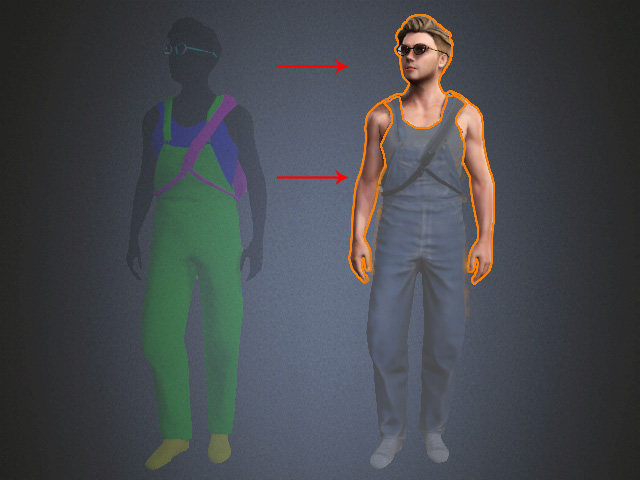
- Base for Entire Object: When the RGB Mask and Color ID Mask are deactivated, then the Base settings work on the entire object.
