How to smooth follow camera animations (New for v. 8.41)
When the camera is set to follow the character in Motion Director mode, the character's movements and turns can significantly affect the follow camera. Increasing the smoothness of camera translation or rotation allows the camera to follow more smoothly.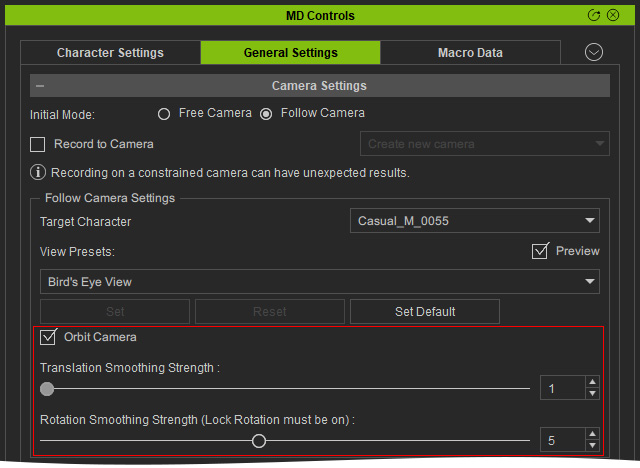
Smoothing Follow Camera Translation
With Orbit Camera disabled, the Follow Camera closely moves with the character in the Motion Director mode. This also helps to keep the character in the center of the viewport.
Activate Orbit Camera and set the Transition Smoothing Strength to 10 (default value is 5). Enter Motion Director mode, and the Follow Camera is only triggered to move when the character walks a certain distance away from the center of the screen.
Smoothing Follow Camera Rotation
With Orbit Camera disabled, the Follow Camera has responsive rotational movement in the Motion Director mode.
Activate the Orbit Camera checkbox, turn on Lock Rotation from MD Triggers and set the Rotation Smoothing Strength to 10 (default value is 5). Enter Motion Director mode, and the Follow Camera rotates smoothly.
