
The Specular and Glossiness in iClone
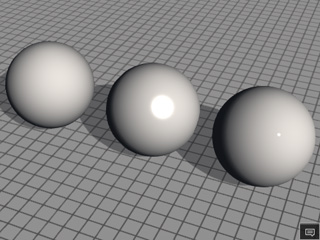
Specular: 1 ~ 500 ~ 999
Glossiness: 1 ~ 50 ~ 100
The rendered result in Indigo.
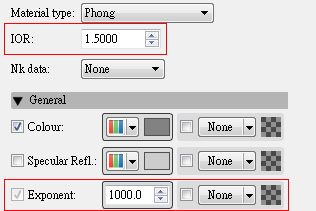
IOR: 1 ~ 6 ~ 11
Exponent: 5 ~ 250 ~ 500
The iClone material settings that map to the Indigo Phong type are Reflection Texture, Reflection value, iClone Specular, and Glossiness.
If you do not use any of these material settings in iClone, then the material will be converted to the Indigo Diffuse Material Type.
The Specular and Glossiness values in iClone determine the
range of the highlight spot. When they are adjusted, the object rendered in
Indigo will be automatically mapped with the Phong material.
The main parameters for the Phong material to be changed accordingly are IOR and Exponent.
|
|
|
|
The Specular and Glossiness in iClone
Specular: 1 ~ 500 ~ 999 |
The rendered result in Indigo.
IOR: 1 ~ 6 ~ 11 |
|
Note: |
||||||||
|
Exponent: The exponent parameter controls the roughness of the surface, with higher exponents corresponding to a smoother, more polished surface with mirror-like reflections.
|
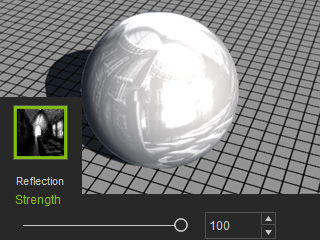
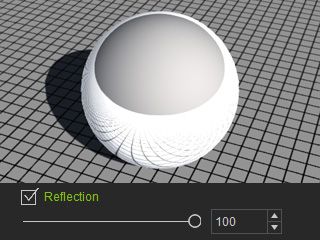
The Reflection Texture and Reflection in iClone also determine the reflectivity of a surface. When they are adjusted, the object rendered in Indigo will be automatically mapped to Phong material, too.
|
|
|
The Reflection Texture and its strength in iClone Strength: 1 ~ 100 |
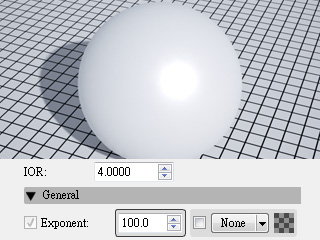
The rendered result in Indigo.
IOR: 1 ~ 4 |
|
|
|
The Reflection value in iClone
Reflection: 1 ~ 100 |
The rendered result in Indigo.
IOR: 1 ~ 4 |
|
Note: |
|