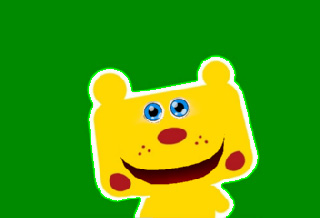
Source Image
or
Sequence Images
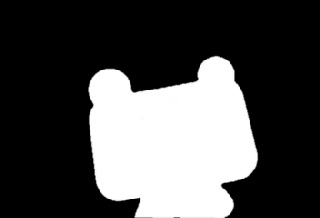
Mask Image (Grayscale)
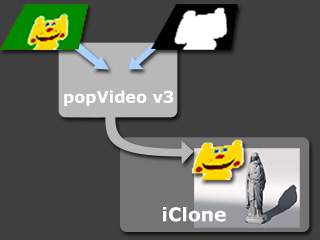
Export to iClone
Result in iClone
The basic concept of the Mask (grayscale) is to have the un-wanted area of the source files (image, video) removed and turn the resulting area transparent in the exported files. When the exported files are edited in a layer-based external editor, the transparent area can reveal the object underneath.
Basically, the black part of the mask removes the respective area, the white one keeps the area, and the grey part is set to semi-transparent in the source media file.
It is highly recommended that you generate the source sequence images in PNG format with alpha channel data embedded.
|
|
|
|
Source Image |
Mask Image (Grayscale) |
|
|
|
|
Export to iClone |
Result in iClone |
|
|
|
|
|
Source Video |
Mask Video (Grayscale) |
popVideo in iClone |
You may also combine video and mask video to generate unique video files. Please note that the gray area in the mask media will generate a semi-transparent effect in the resulting video.
|
|
|
|
|
Source Video |
Mask Video (Grayscale) |
popVideo in iClone |
|
Note |
|
The Format, Resolution, Length and the FPS of the mask video must be identical to the source video. |