Character Dummy UI
|
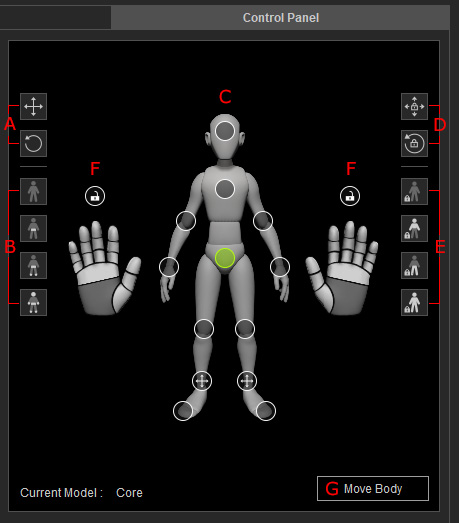
A |
Toggles manual control over the selected effectors' translation and rotation. |
|||||
|
B |
Switches to specific control point states for manually operating control points:
|
|||||
|
C |
Dummy with Control Points |
You can pick one or more (hold Ctrl key) control points on the dummy for manual adjustments.
|
||||
|
D |
Locks translation and rotation for the selected effectors. |
|||||
|
E |
Switches to different presets for locking the specific bones:
|
|||||
|
F |
Lock Fingers Rotation |
Locks the rotation of the fingers from being influenced by the AI computation. |
||||
|
G |
Move Body |
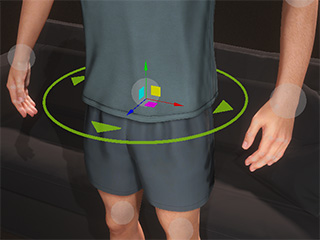
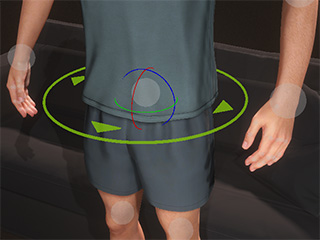
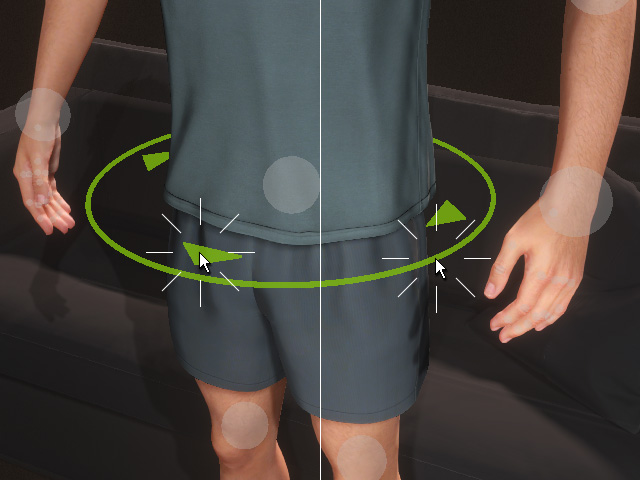
Allows you to move or rotate your character's hip in the environment without affecting the pose.
You can also click on the circle or triangles on the waist
gizmo to activate this mode. |
 Manual None: All control points are controlled by AI.
 Manual Hip: Hip control point can be manually controlled.
 Manual Hip and Feet: Hip, and Feet control points can be manually controlled.
 Manual Hip, Head and Limbs: Hip, head and limbs control points can be manually controlled.
 AI control: AI will be in control of the translation and rotation of this body part, which will automatically pose the character for you.
 Selected: The highlighted control points are the currently selected ones.
 Manual Translation Available: You can manually adjust the translation of the control point,
and its rotation will be controlled by the AI.
Manual Translation Available: You can manually adjust the translation of the control point,
and its rotation will be controlled by the AI. Manual Rotation Available: You can manually adjust the rotation of the control point,
and its translation will be controlled by the AI.
Manual Rotation Available: You can manually adjust the rotation of the control point,
and its translation will be controlled by the AI. Manual Translation, Rotation Available: Both the translation and rotation can be manually controlled.
 Lock Translation: The control point becomes unmovable.
 Lock Rotation: The control point becomes
non-rotatable.
Lock Rotation: The control point becomes
non-rotatable. Lock Translation and Rotation: The control point cannot be translated or rotated.
 Clear Lock: Unlocks all control points.
 Lock Upper: Locks the translation and rotation ability for all control points
on the spine, neck, head, arms and hands.
Lock Upper: Locks the translation and rotation ability for all control points
on the spine, neck, head, arms and hands. Lock Lower: Locks the translation and rotation
ability for all control points one the hips and feet.
Lock Lower: Locks the translation and rotation
ability for all control points one the hips and feet.