AI and Manual Control Points
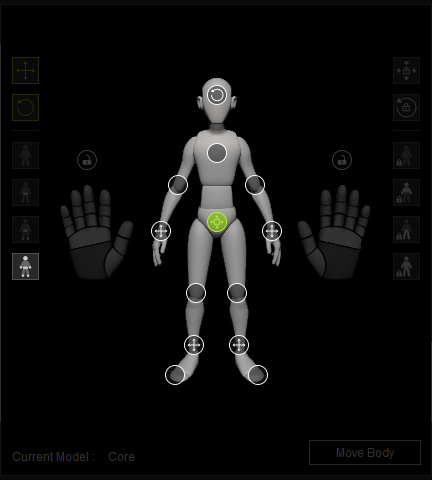
Control Point Gizmos are reference points that AccuPOSE uses to understand the current pose and automatically position the rest of the body parts. The control point positions are analyzed in 3D space to match the body part positions to the intended pose.
States of Control Point Gizmo
Control points have four possible states, allowing you to control the translation and/or rotation of the point.
-
 AI control: AccuPOSE will be in control of the translation and rotation of this body part, which will automatically pose the character for you.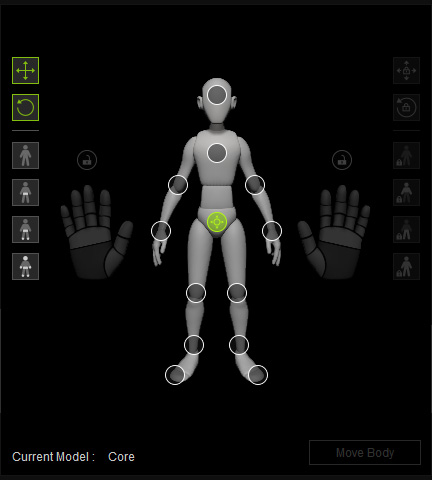
All control points are AI controlled, except the Hip.
Training Model: CoreWhile adjusting the hip control point, all other control points will be adjusted using the computational algorithm based on the active training model.
-
 Manual Translation: Lets you manually adjust the translations of the control point while AccuPOSE controls its rotations.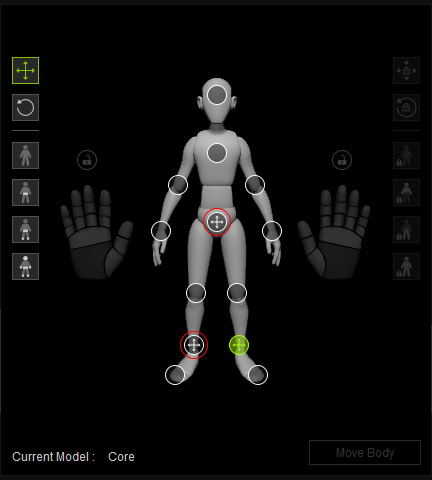
The translation of the hip and right foot are manually controlled.
Training Model: CoreWhile adjusting the left foot control point, all other control points, except the translation of the right foot, will be computed based on the active training model.
-
 Manual Rotation: Lets you manually adjust the rotations of the control point while AccuPOSE controls its translations.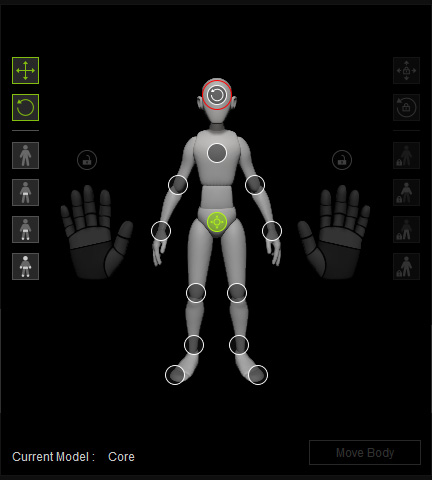
The rotation of the head is manually controlled.
Training Model: CoreWhile adjusting the hip control point, all other control points, except the head rotation, will be computed based on the active training model.
-
 Manual Translation, Rotation: Both the translation and rotation can only be manually controlled while automatic computations are completely left out.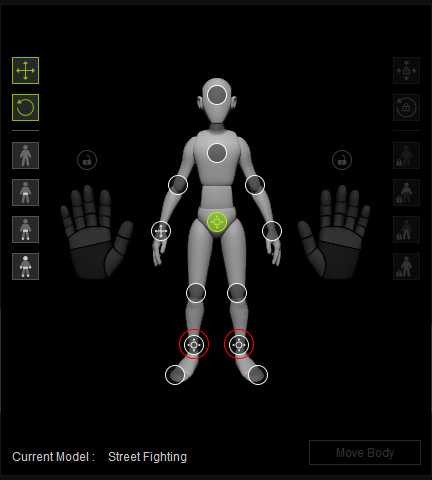
The translation and rotation of both feet are manually controlled.
Training Model: Street FightingWhile adjust the hip control point, all other control points, except the feet translation and rotation and the right hand translation, will be computed based on the active training model.
Setting Control Point States
Follow the steps below to manually manipulate specific control points without computational influence:
- Select the desired control point in the Control Panel, or directly pick from the viewport.
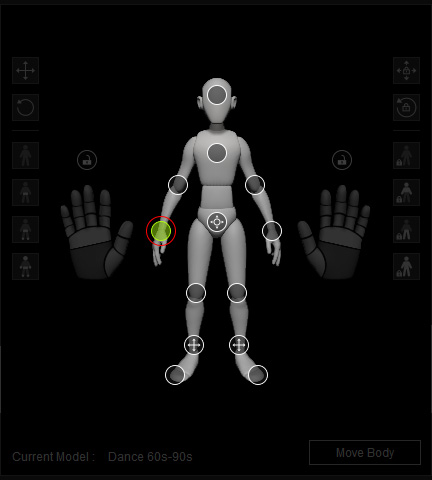
- Click the Translation or Rotation button to the left of the dummy diagram.
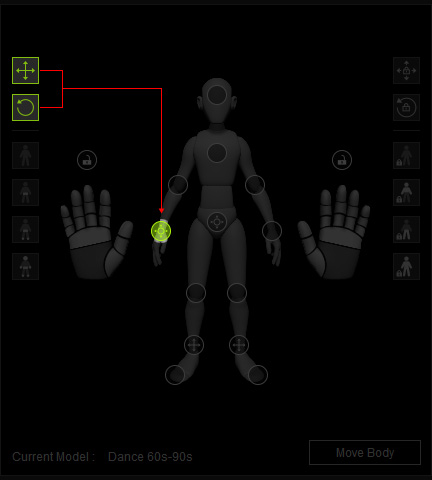
The visuals of the gizmo will update instantly.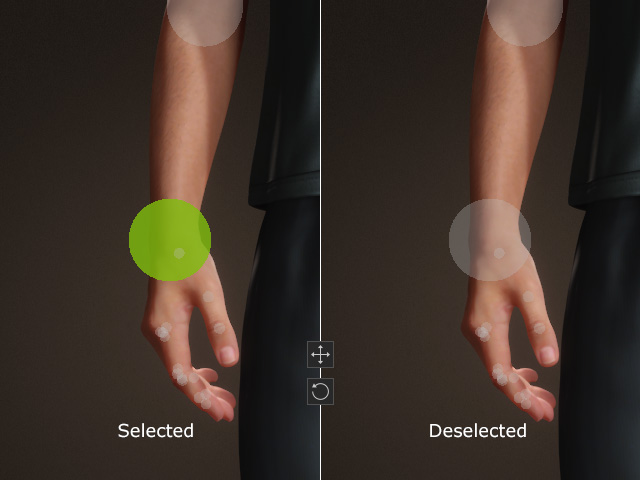
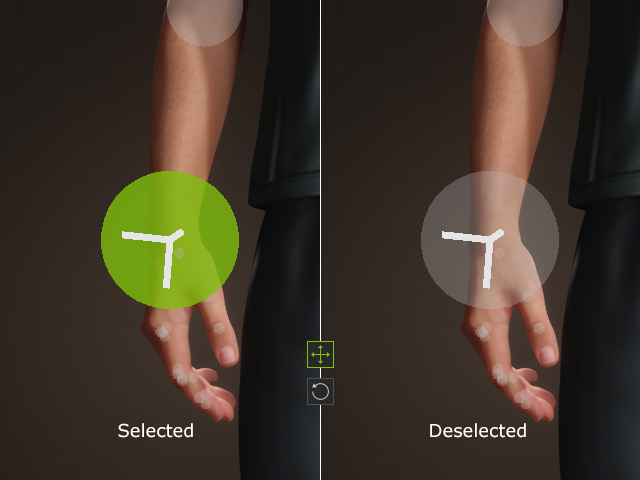
Translation: Computed.
Rotation: Computed.Translation: Manually controlled.
Rotation: Computed.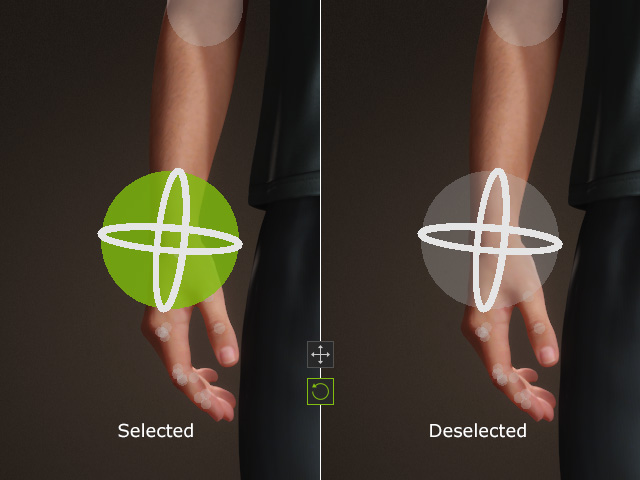
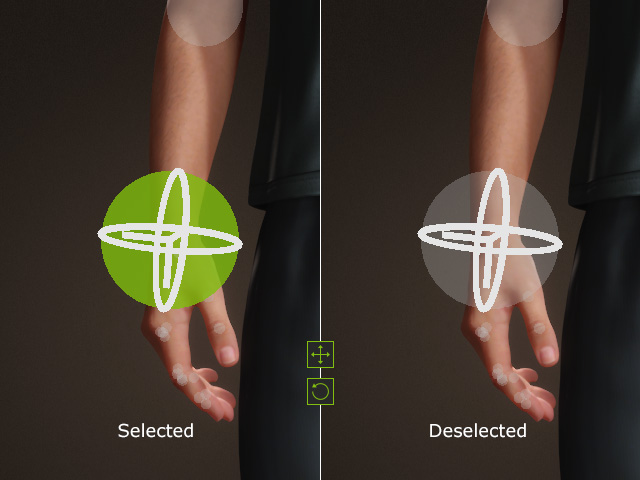
Translation: Computed.
Rotation: Manually controlled.Translation: Manually controlled.
Rotation: Manually controlled. Note:
Note:If you manually translate or rotate a control point under full computation, its state will change accordingly.
Translation
Rotation
- When adjusting the training model modifying control points, their states will directly affect AI behavior.
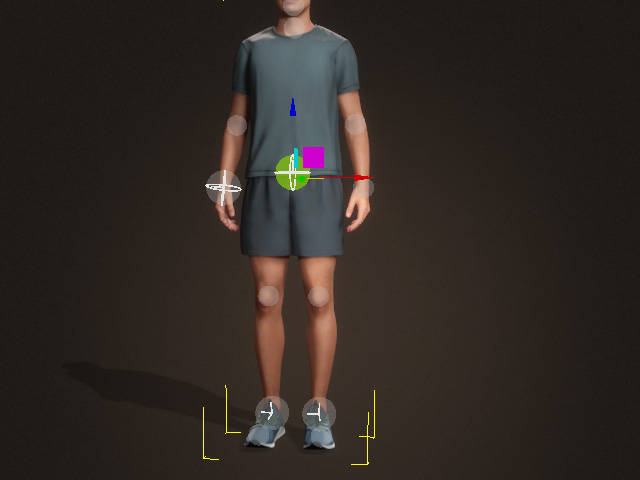
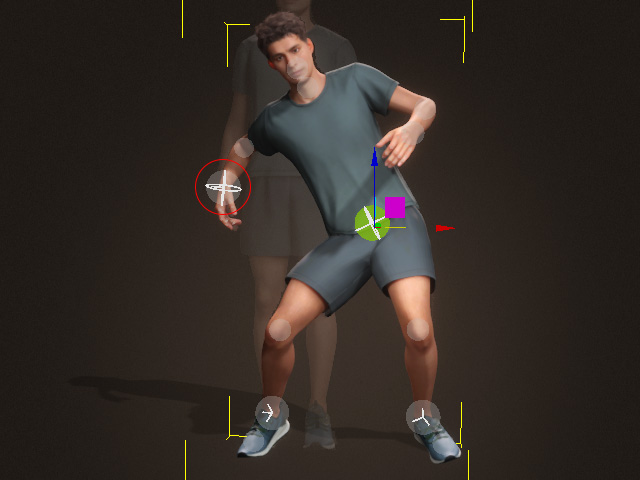
Before
After
- While a control posing can be dragged far from the body, the body itself remains reasonably posed.
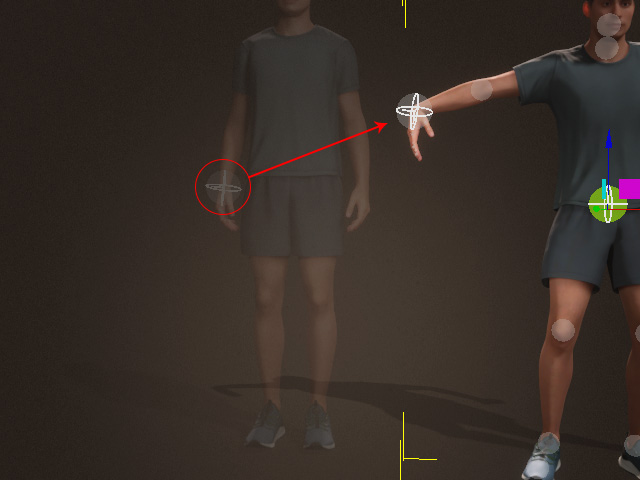
You can pin a specific control point to prevent it from straying away.
Quick Setting for Control Point States
There are four control point state presets on the left side of the dummy pane.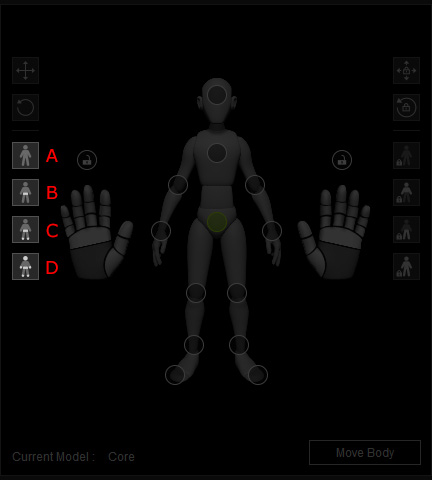
- None: Clears the states for all control points to ensure the pose are generated completely by AI.
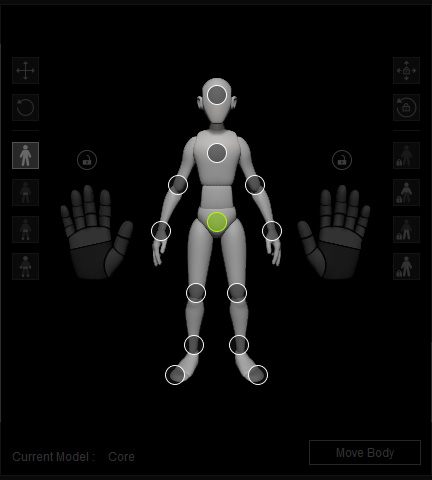
- Hip: Sets the hip to be manually translated and rotated.
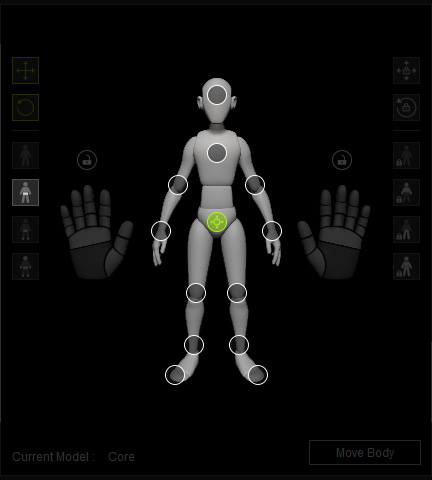
- Hip and Feet: Sets the hip to be manually translated and rotate, while the feet to be manually translated.
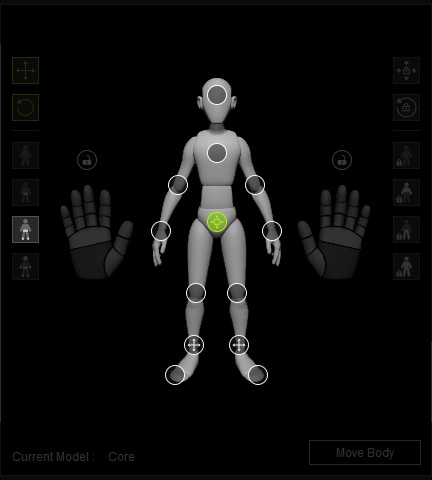
- Hip, Hands, and Limbs: Sets the hip to be manually translated and rotate, while the feet and hands to be manually translated.