Preset Morphs
Preset Morphs are essential for shaping a refined head mesh, especially when adding facial depth and structural detail which can not be detected by the AI Model purely from the front facing image. For Preset Morph Sliders, please refer to the page Using Preset Morph Sliders.
All presets are from the free Headshot Morph 1400+ Pack included with Headshot 3. For more details, check out the Headshot Morph 1400+ Page.
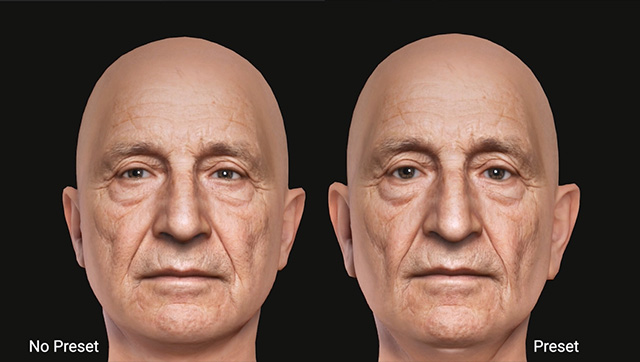
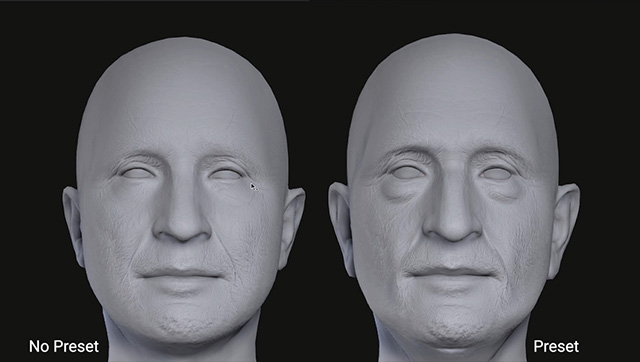
Here is a comparison of how using Preset morphs are critical to having great results:
|
|
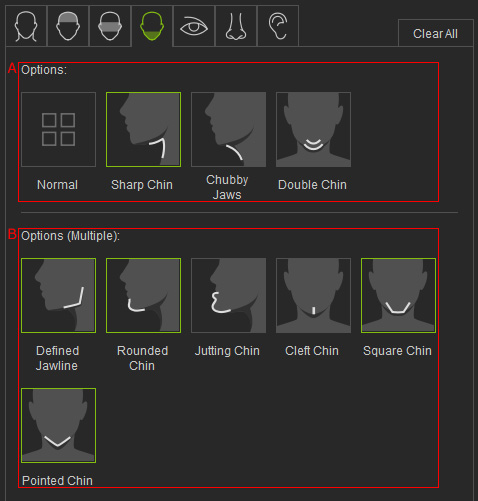
The 58 facial presets are divided into 7 tabs, each corresponding to a specific facial feature area: Face, Forehead, Middle Face, Lower Face, Eye, Nose, and Ear. And the facial presets are divided into single-selection (A) and multi-selection (B) groups to prevent conflicting combinations. Multi-select options allow finer adjustments for closer matching to the reference photo, as shown below.