Using Time Nodes
The Time Node can be used to record the duration of an event’s completion in the Log Output, or display that duration in the 3D scene using a particle-effect text emitter.
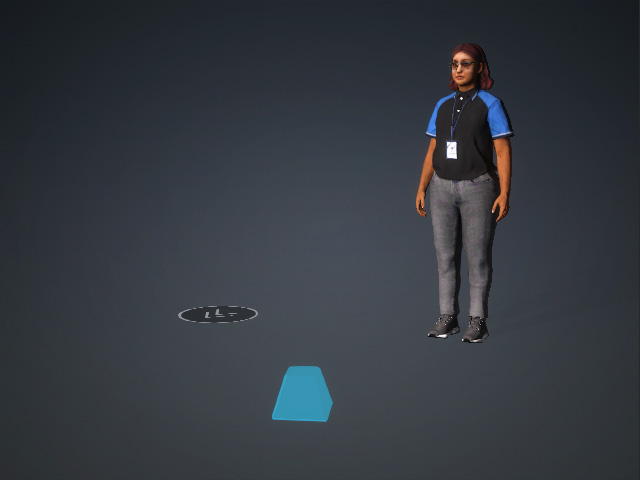
- Create a project with a character, an MD prop (optional) and a particle-effect text emitter.
- In the Variable page, add a new Boolean variable.
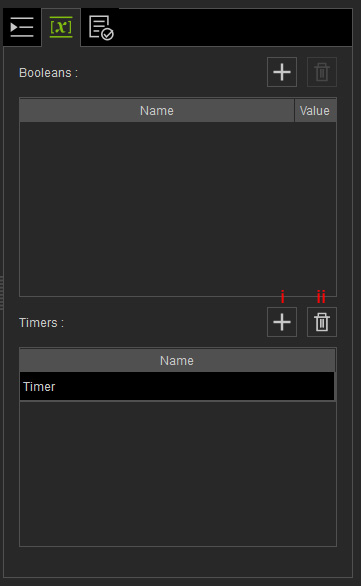
- Add: Adds a new timer variable. You can double click on the name of the timer to rename it.
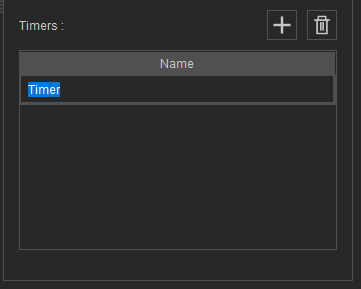
- Delete: Delete selected timers (multiple selection is allowed).
- Add: Adds a new timer variable. You can double click on the name of the timer to rename it.
- Open the MP Node Graph panel. Right-click on the viewport space and choose Print Node > Time.
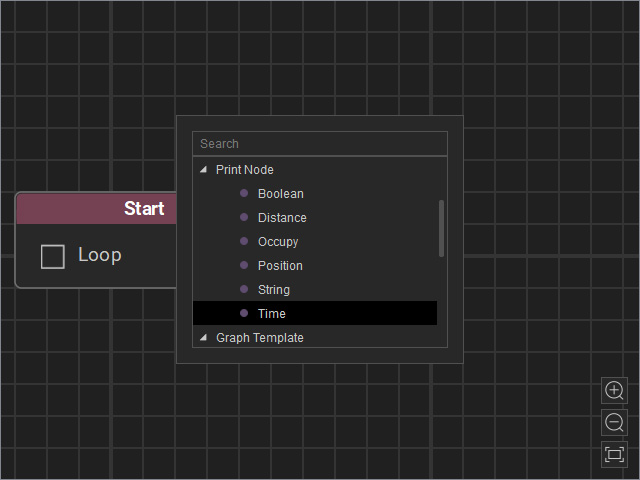
A new Time node will be inserted on view.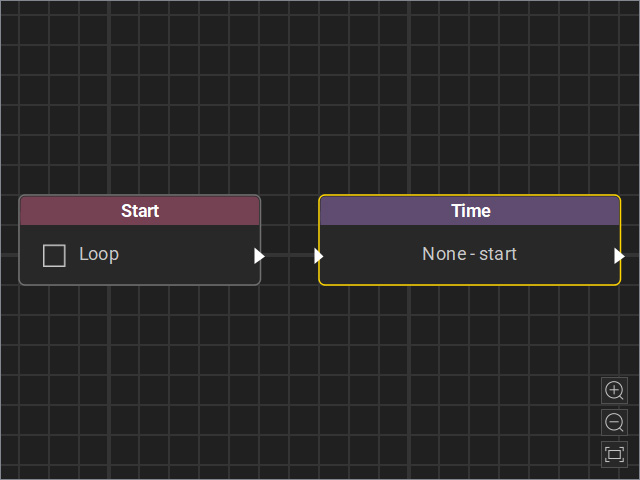
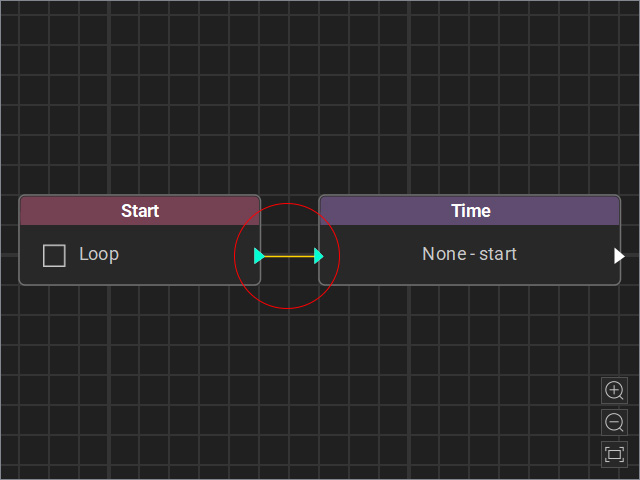
- Drag a flow line from the Start node’s output and connect it to the Time node’s input.
- Select the node and adjust the settings in the Attributes page.
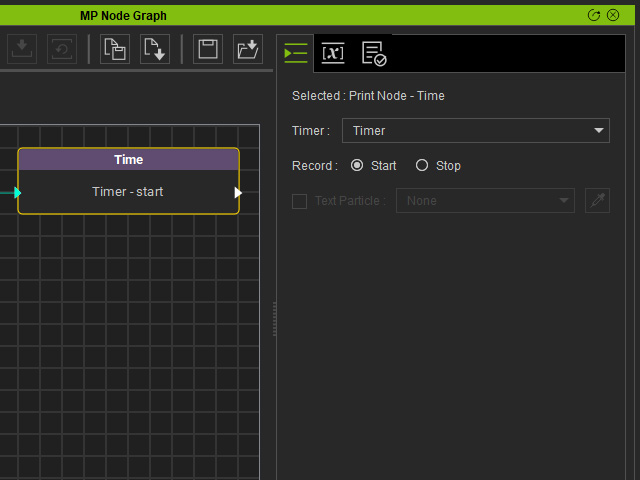
- Timer : Choose the custom Timer for recording.
- Record: Select the Start or Stop radio button to start or stop the timer.
- Text Particle (only enabled for the Stop mode): If you want to use a particle emitter to display the time duration of specific events, enable this checkbox, then select the emitter on stage using the drop-down list or the dropper tool.
- Connect a new Go To node to the output of the Time node, which have the character to walk to the MD prop's position point.
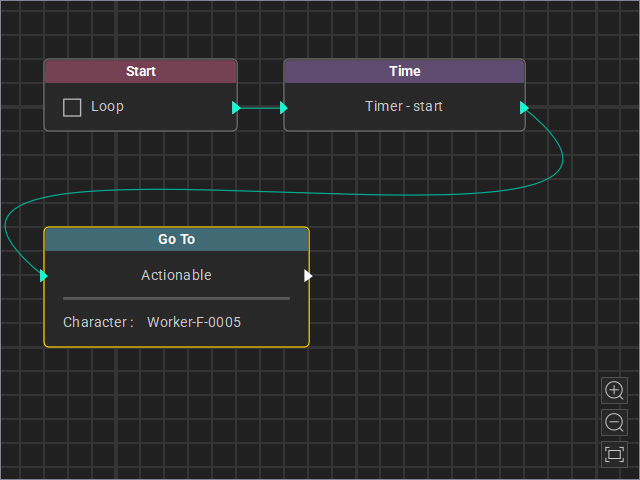
- Connect another Time node after the Go To node to stop the timer and record the duration to the Log Output list.
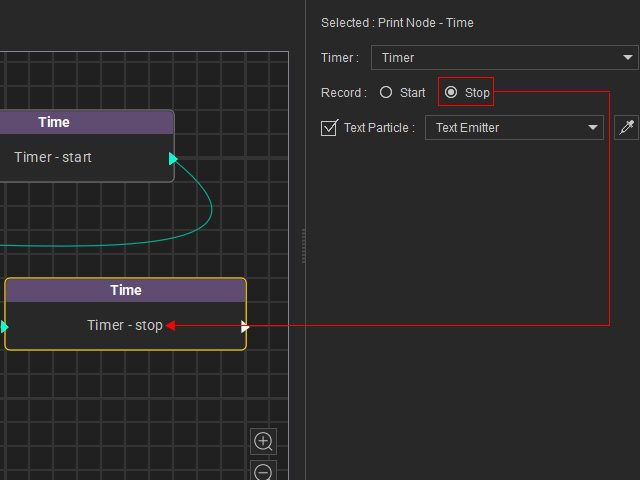
If you want to use a particle emitter to display the time duration of specific events, enable the Text Particle checkbox, then select the emitter on stage using the drop-down list or the dropper tool.
** Please note that 'Start' and 'Stop' nodes must appear in pairs to calculate the elapsed time of events between the two nodes.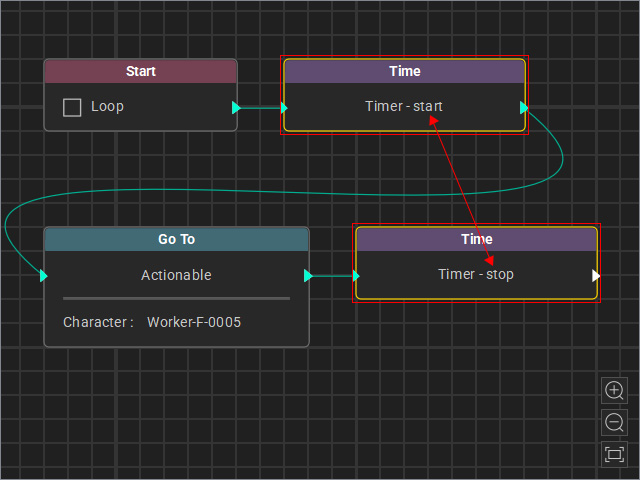
- Start the Go MD Mode to view the animation results.
- You can switch to the Log page to view the Log Output obtained by the Node. The emitter also displays the string from this list.
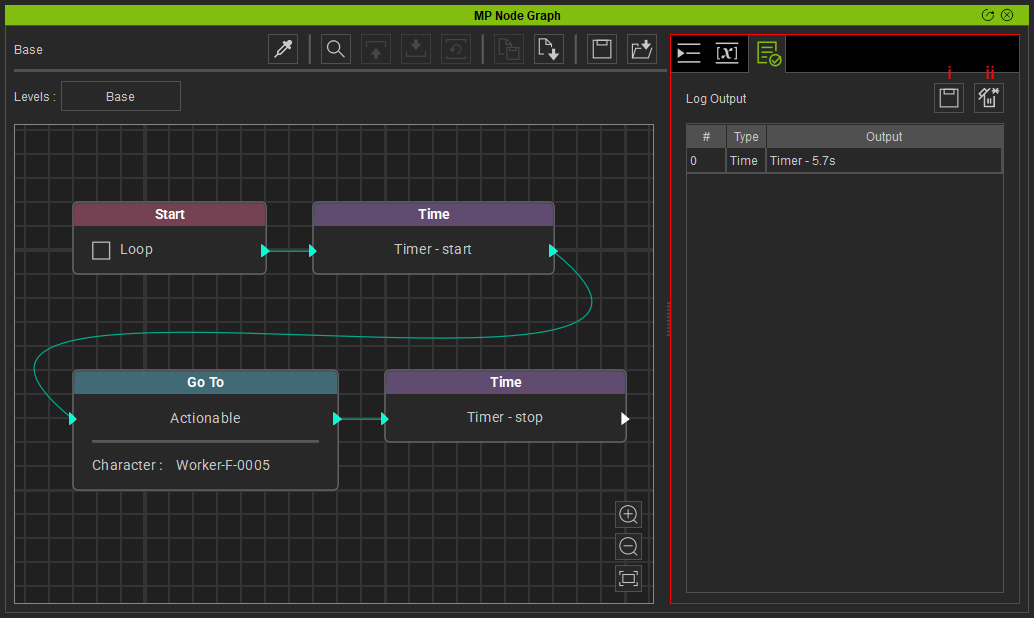
- Save Log: Save the log as a file (*.txt).
- Clear Log: Clear the data in the Log Output list.
