Settings Panel (New for v. 1.3)
|
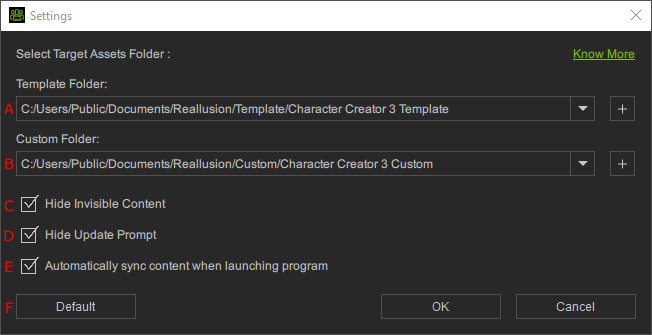
A |
Template Content Folder |
|
|
B |
Custom Content Folder |
|
|
C |
Activate this command to hide items that are set to invisible. |
|
|
D |
This command shows / hides the Update Prompt panel for updating content. |
|
|
E |
Automatically refresh when opening program |
Activate this checkbox in order to refresh the Smart Gallery database each time when the main program is launched. |
|
F |
Default |
Click this button to reset the Template and Custom Content Folder paths to default. |
 button to add more installation path to the Template Folder drop-down list.