Using Templates from the Content Manager
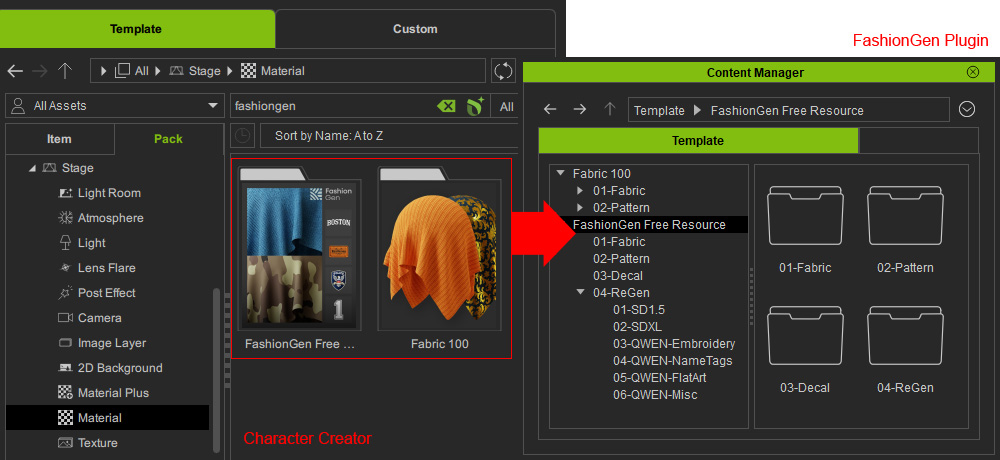
The FashionGen Free Resource pack containing a variety of material and texture templates, is included in Character Creator with the FashionGen installation. These templates can be accessed from the Stage > Material or Texture libraries in the CC Content Manager.
Content Library
Once the content packs are installed in the CC Content Manager, you can browse the libraries and apply them to CC meshes in FashionGen.
Library | Template Content | Description |
Fabric |  | Serves as the base material applied to the clothing. |
Pattern |  | Used for tiling repeated designs across the entire garment. |
Decal | 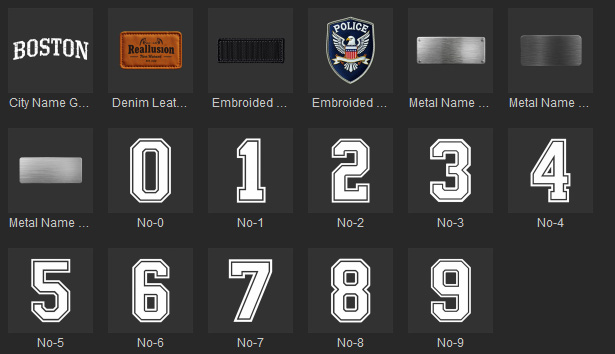 | Used for applying additional graphics, logos, totems, text, or cut-out elements onto the garment. |
ReGen |  | AI-generated Decal content includes metadata that records the generation prompts and parameters.
|
ReGen |  | |
ReGen |  | |
ReGen |  | |
ReGen |  | |
ReGen |  |
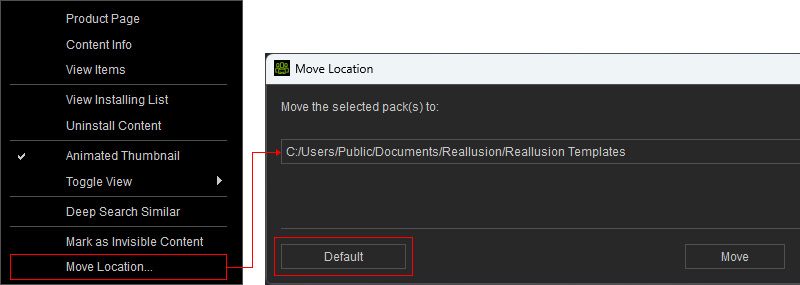
To access additional content, download and install the Fabric 100 content pack from the CC Content Manager. Once installed, you can view an additional 50 fabrics and 50 patterns in FashionGen and apply them by drag-dropping onto the garment.
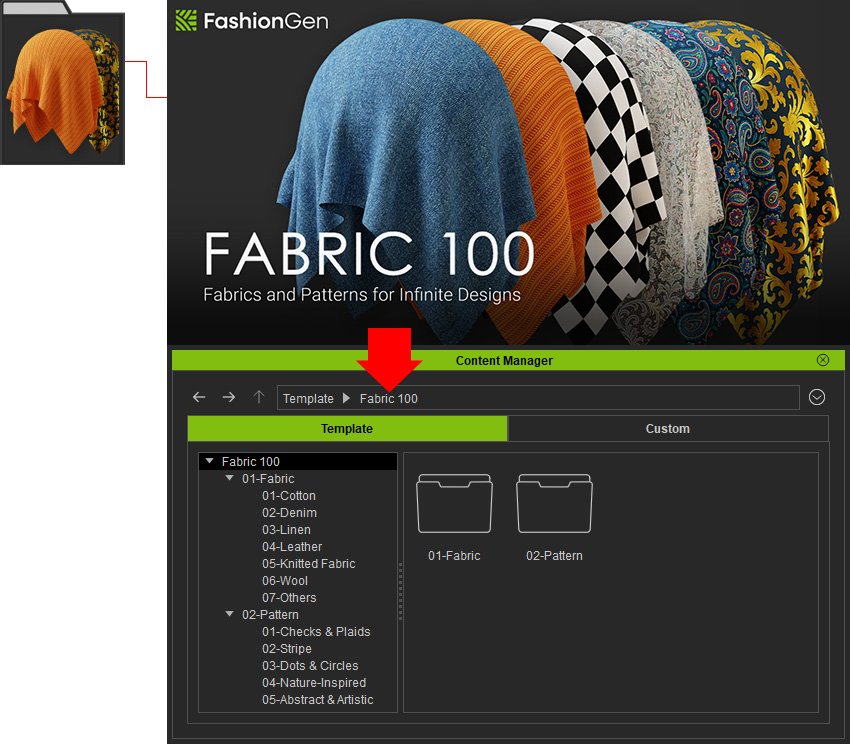
Ensure the content pack is installed in the default location to display its content in FashionGen.
If it is not, right-click the content pack, select the Move Location... command, and click Default to reset the default folder:
C:/Users/Public/Documents/Reallusion/Reallusion Templates