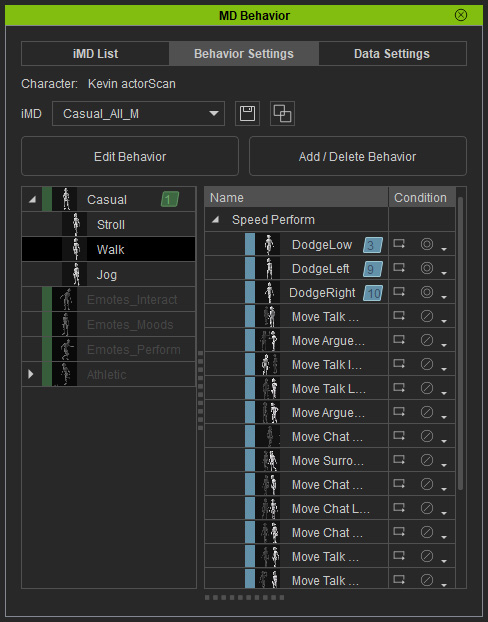
How to activate speeds and add performs
In Motion Director, you can adjust speeds in different modes and add specific actions at those speeds using the MD Behavior panel or templates.
Activate Speeds - Behavior Manager
- Click the Edit Behavior button in the MD Controls panel (Ctrl + F5).
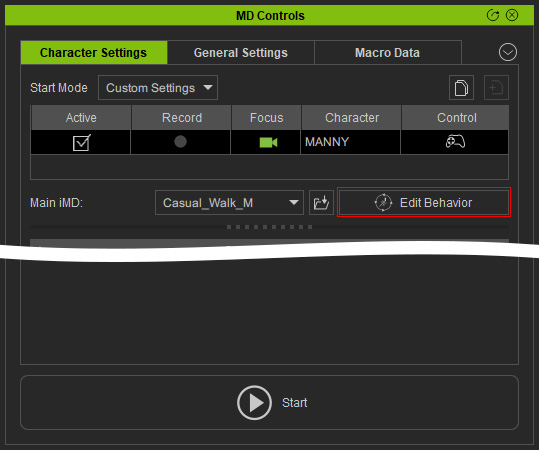
- As you can see, the Mode and Speed tree-views contain activated and deactivated nodes.
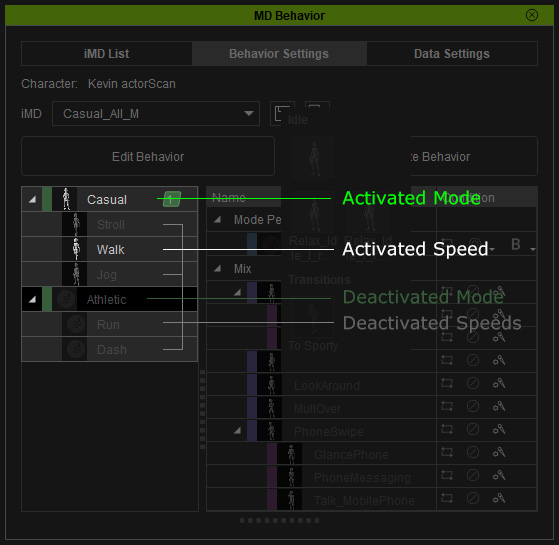
- To activate or deactivate the nodes, click the Edit Behavior button.
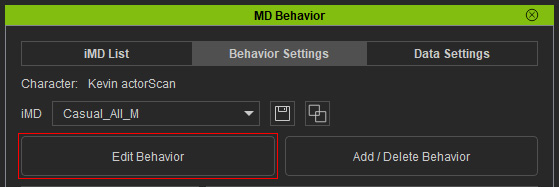
You will see the checkboxes of the nodes.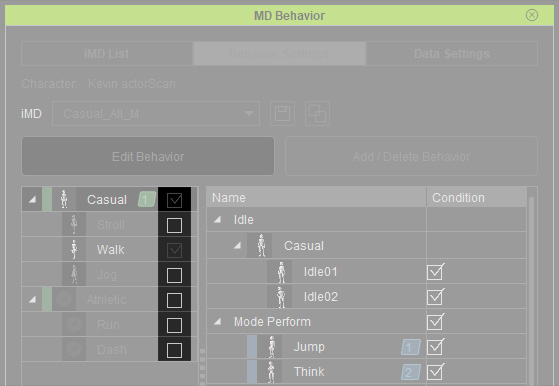
 Note
NoteThere must be at lease one activated mode containing one activated speed node. Hence, when there is only one mode and one speed, you are not able to deactivate these items.
- Activate or deactivate the mode or speed
nodes according to your needs (in this case, everything is activated).
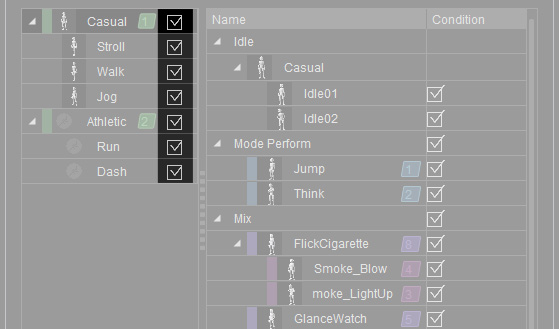
- Click the Apply button to accept the adjustments.
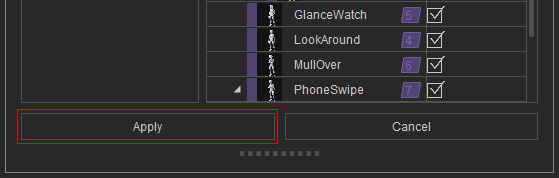
The nodes become activated accordingly.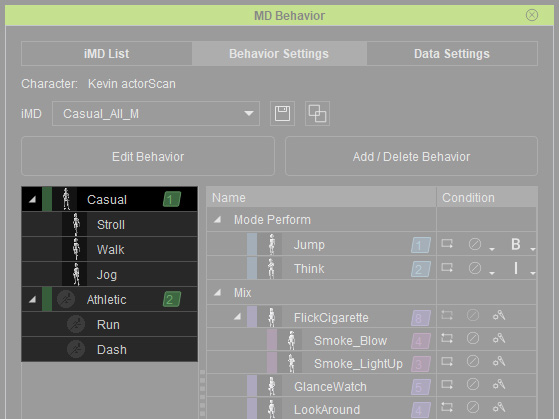
See also: How to set behaviors with Behavior Manager.
Activate Speeds and Performs - Applying Template
By applying specific Motion Director Extension templates, you can quickly activate speeds and performs. In this section, the *.iMD and the Athletic Run_M.iMDExt templates are taken as an example. The Athletic Run_M.iMDExt can only be paired to any one of the iMD files in the Male folder.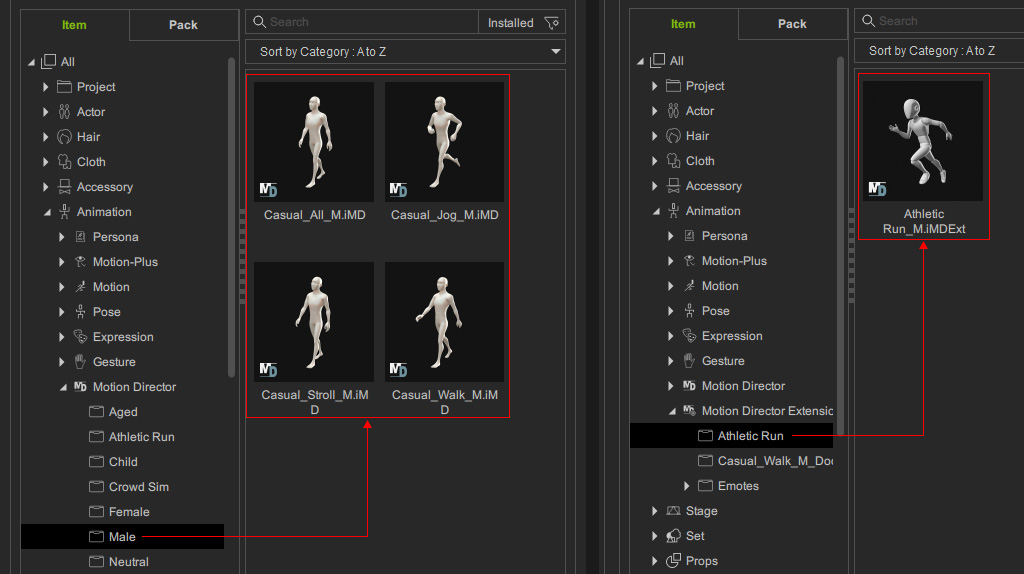
- Make sure the either one of the template in the Male sub-folder under the Motion Director category
is applied to the character.
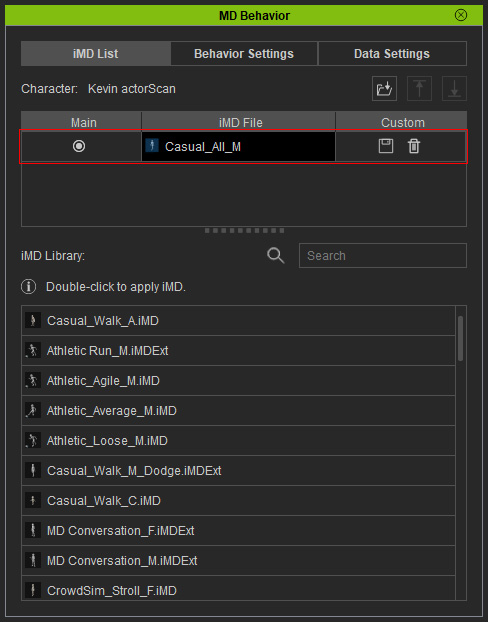
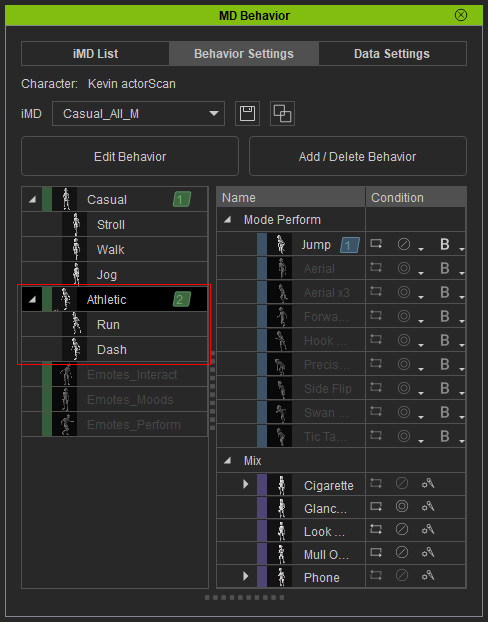
- Launch the MD Behavior panel. As you can see, in the Athletic mode, the Speed items and Perform motions in the speeds are disabled.
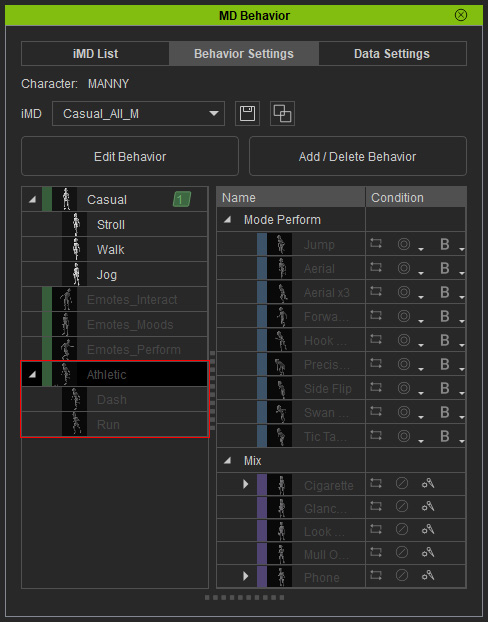
- Apply the Athletic Run_M.iMDExt template to the character.
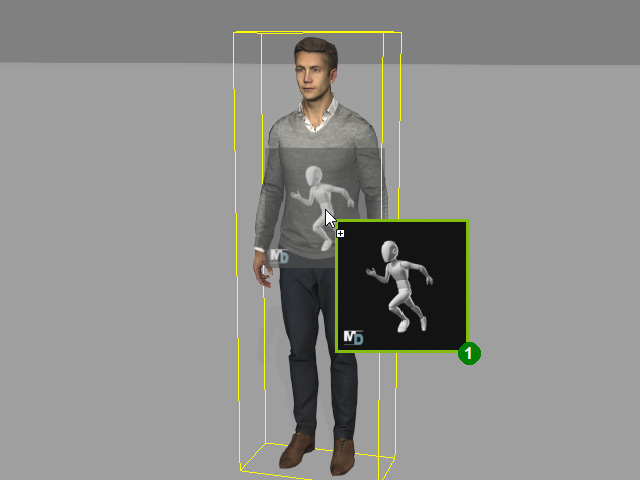
If the character has multiple iMD files applied, then this step only works for the chosen behavior in the Behavior List.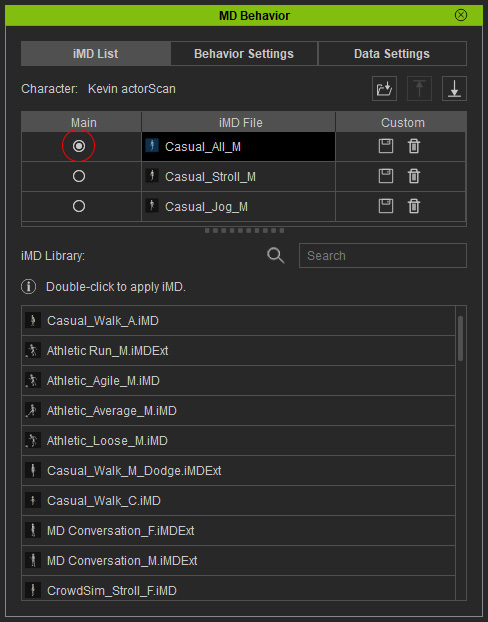
- All speed nodes and perform motions in these nodes are enabled at once, which indicate that the character is ready to animate with the motions in the
Athletic category.
Activate Performs - Applying Template
Before using this method, make
sure MD Freebie - Casual Walk Male Extend_Dodge pack is
installed.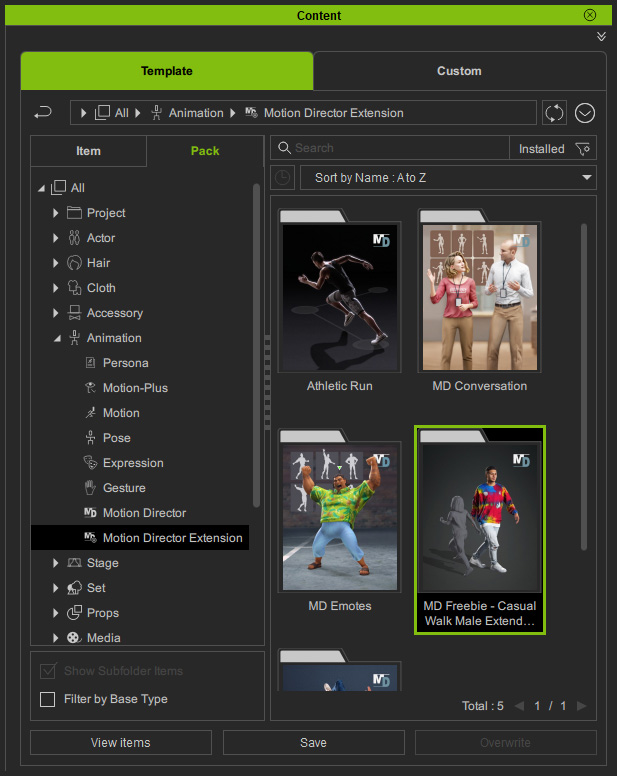
- Make sure the character has either one of the templates applied in the
Male sub-folder under the Motion Director
category.
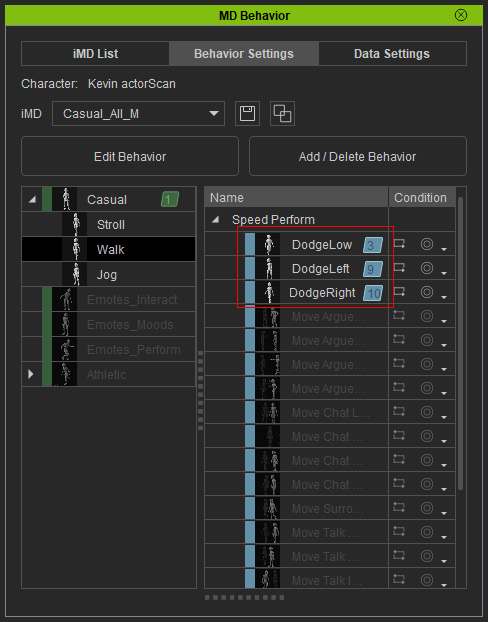
- Switch to the MD
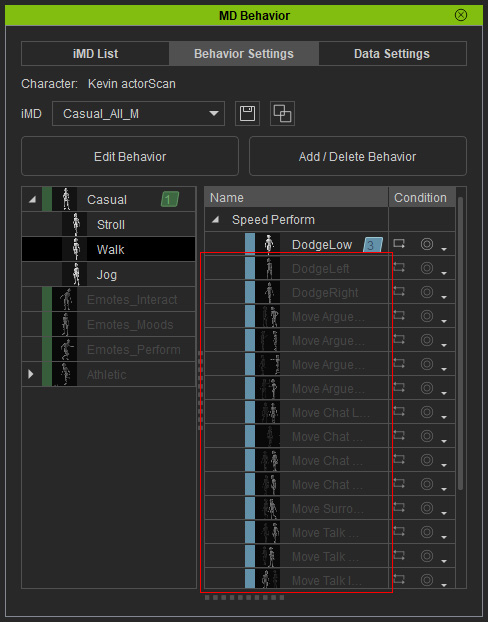
Behavior > Behavior Settings tab. As you can see, in the
Casual mode, the Walk speed item
contains numerous disabled performs.
- Apply the Casual_Walk_M_Dodge.iMDExt template in the Item view of the
Content Manager to the character.
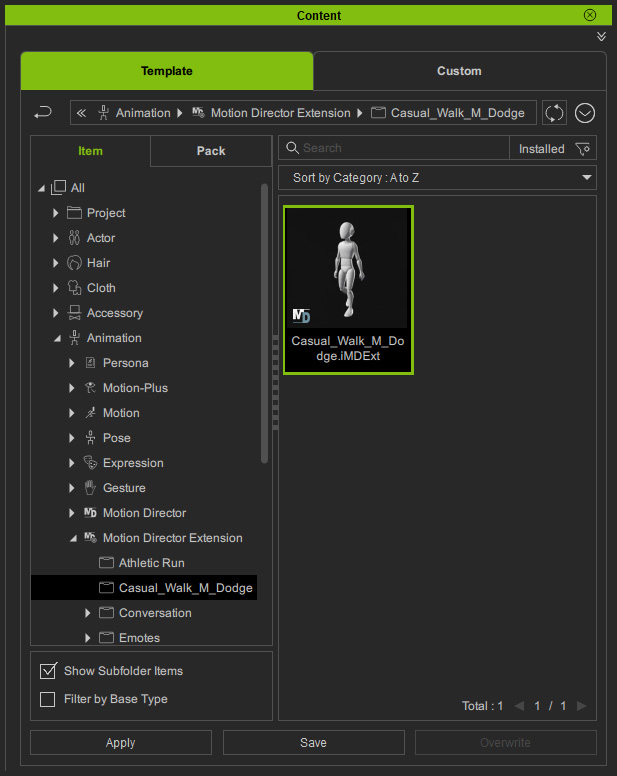
If the character has be applied with multiple iMD files, then this step only works to the one be chosen as the main behavior in the Behavior List. - The disabled performs will be enabled, and they are automatically added into the
Perform Triggers.
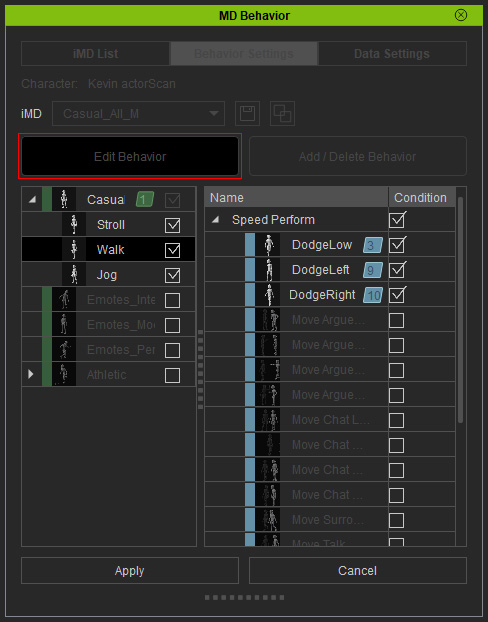
- As for the rest of the perform motions, click the Edit Behavior button to enter the editing mode.
- Activate the checkboxes of the desired perform items. Click the
Apply button.
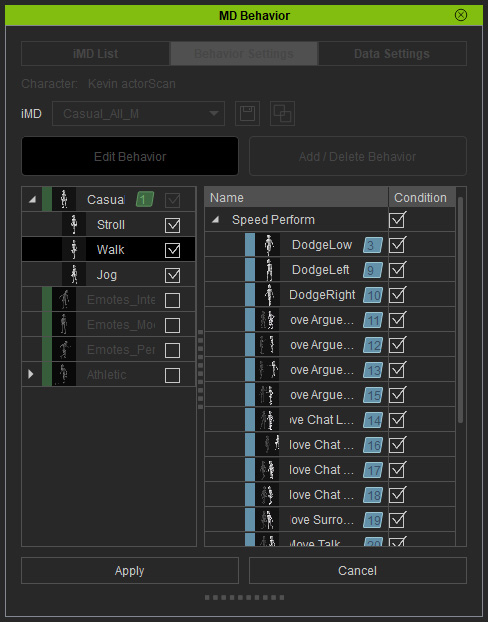
The desired perform items of the speed are now all activated.