Individual Constrained Objects with Single Target
When you need to create a physics group that has one main component, while other parts connect to it and act with individual physics behavior, then you can follow the steps below.
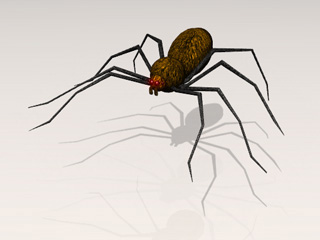
In the following example, you can create a spider with springing legs.
-
Apply a spider body and legs.
-
Set them as
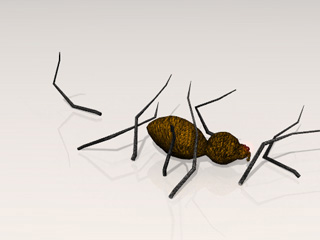
Dynamic rigid body. If you play back, then they will initially scatter on the ground. You need to
constrain the legs to the body.
- Go to the first frame.
- Select one of the legs.
-
Because the Dynamic leg will fall by default, you need to constraint it
and nail it to the body of the spider.
In the Modify panel >> Physics tab >> Constraint section, click the Add Constraint button.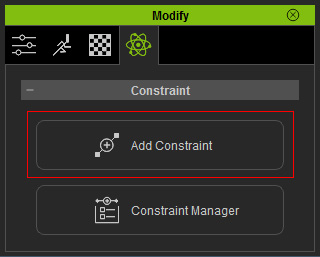
The Add Constraint panel displays.
-
Drag and drop the Spring template onto the dynamic leg.
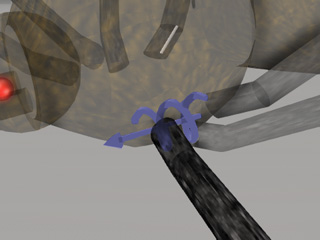
- Make sure the constraint is selected.
-
In the Modify >> Constraint section,
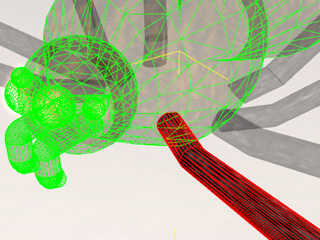
click the Pick Target button and pick the body so that the
leg is constrained to the spider's body.
Please refer to the Setting Connection Relationship
section for more information.
-
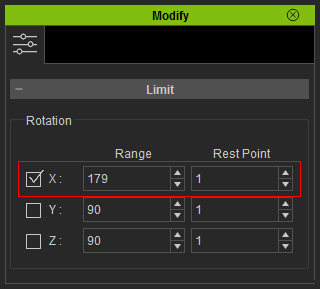
Set the (Range, Rest Point) values
to (179, 1). Please
refer to the Spring and the
Setting Constraint Limits sections for more information.
-
Select all the other legs; repeat step 6 to 9 to apply Spring constraints to them.
-
Play to simulate.
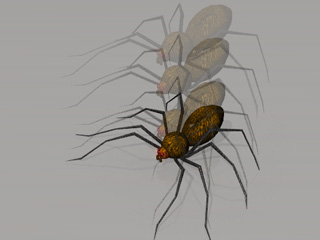
The spider bounces with spring legs.
