Masking Joints
When the loaded character does not have entire limbs or when it needs to maintain a certain pose, use the mask feature to exclude parts of the body from generating bones.
Model with Missing Limbs
- Import a model.
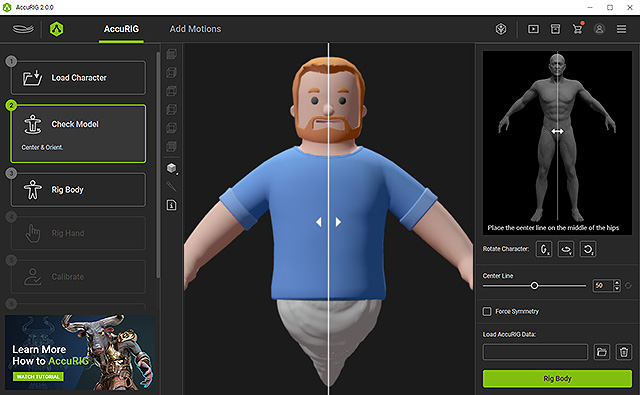
- Set the center line correctly.
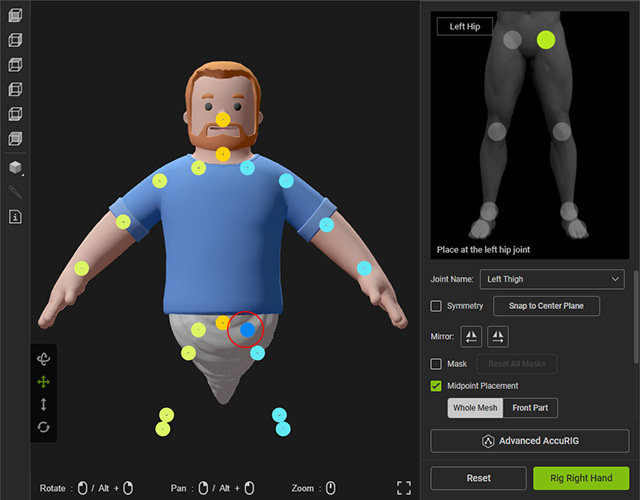
Go to the 3rd step. - Select the groin joint at the right side.
- In the right panel, deactivate the Mask checkbox; the offspring joints will be masked as well.
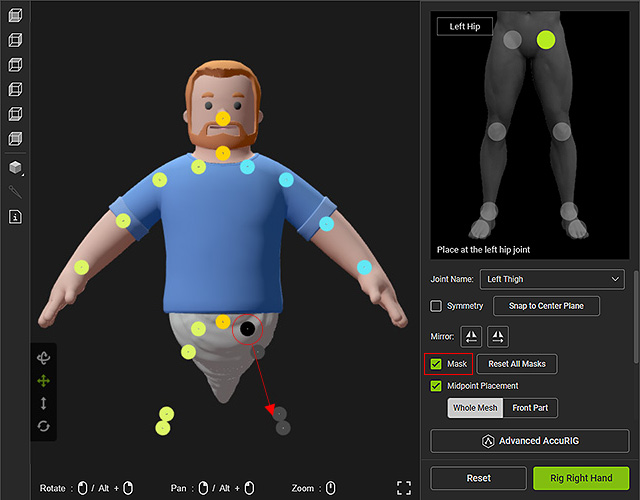
- Repeat the steps for the other groin joint.
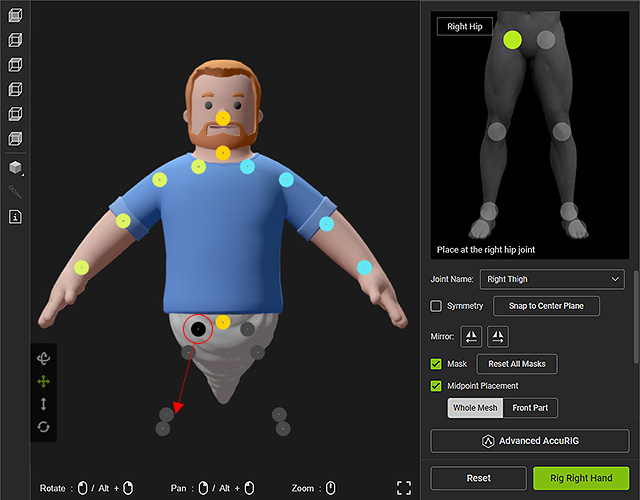
- Drag the unmasked joints to the right positions. As for the masked joints, you can drag them elsewhere or leave them untouched.
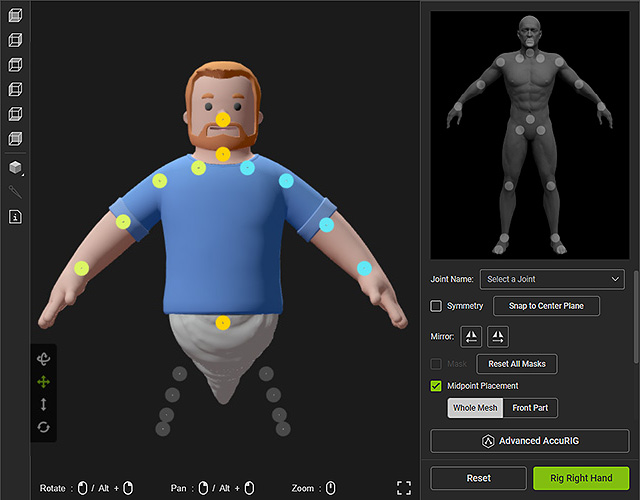
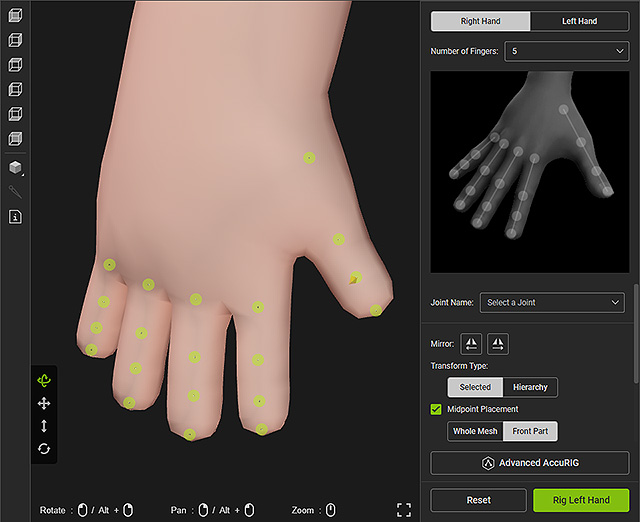
- Go to the Rig Hand step and set up the hand joints. Refer to the Rig Hand section for more information.
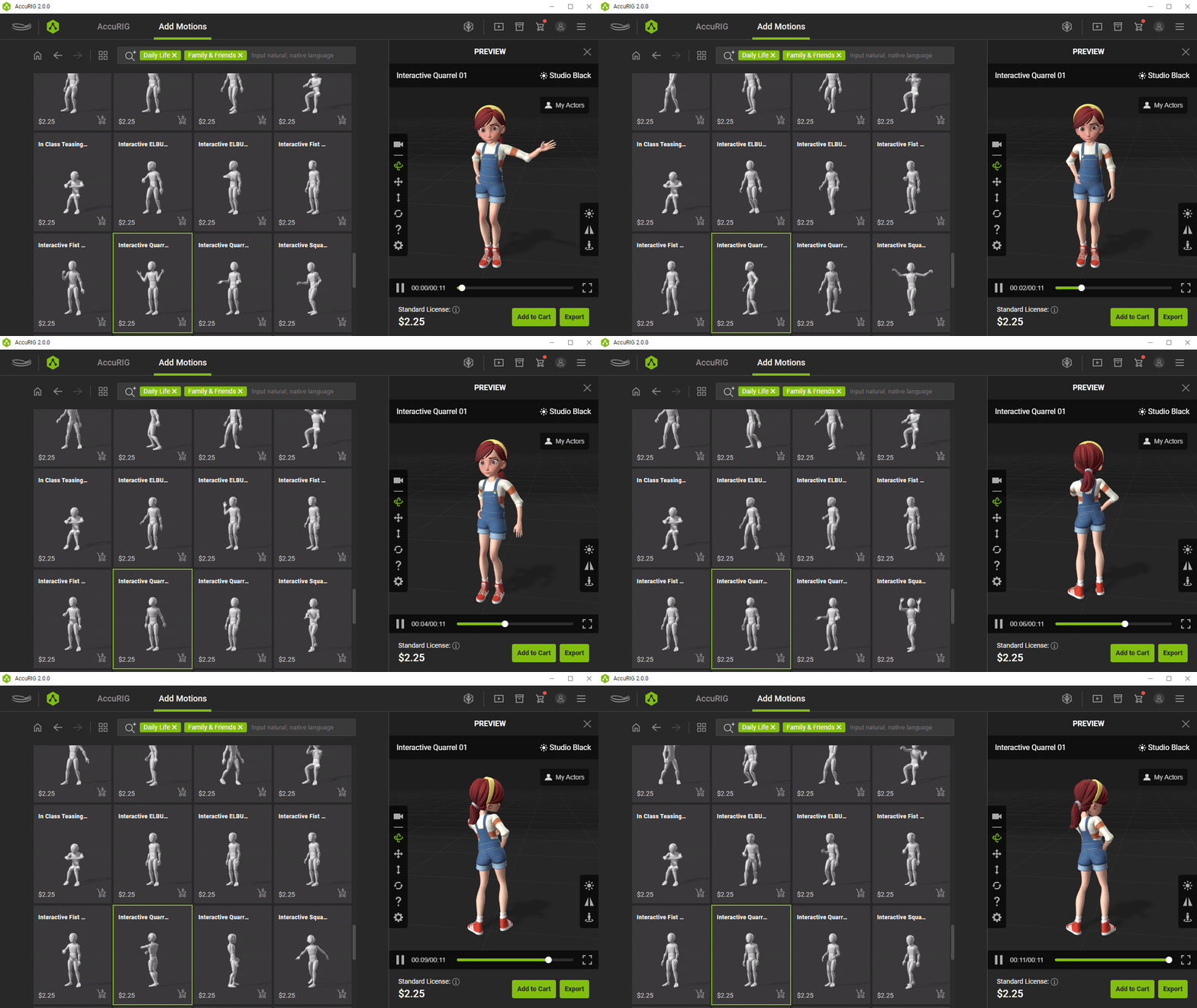
- Go to the Calibrate step to characterize the model, then apply either of the motions for testing.
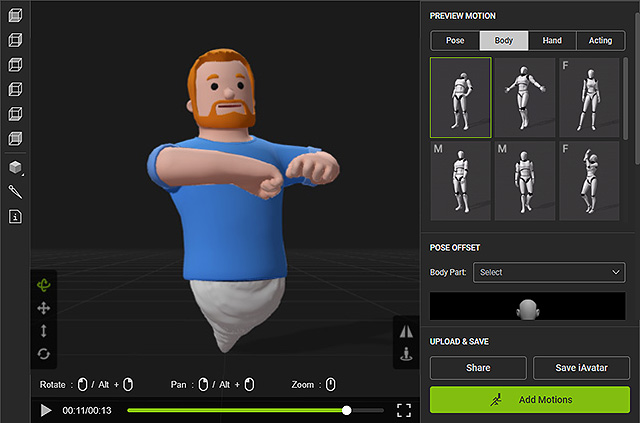
If you are satisfied with the result, you can save the character as iAvatar for use in Character Creator and iClone. - In the final Add Motions step, optionally add more animations and export the animatable character for third-party applications.
Model with Specific Pose
- Import a model with a specific pose.
- Set the center line correctly.
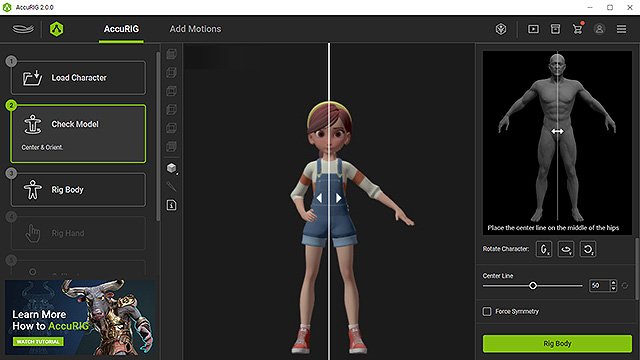
Go to the 3rd step. - Select the character's right shoulder joint.
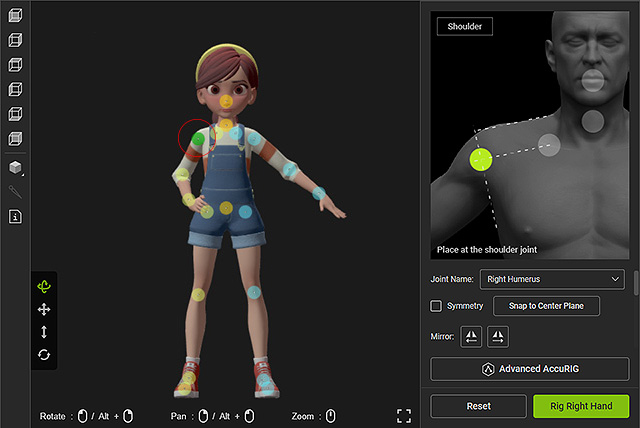
- In the right panel, deactivate the Mask checkbox. As you can see the offspring joints will be masked as well.
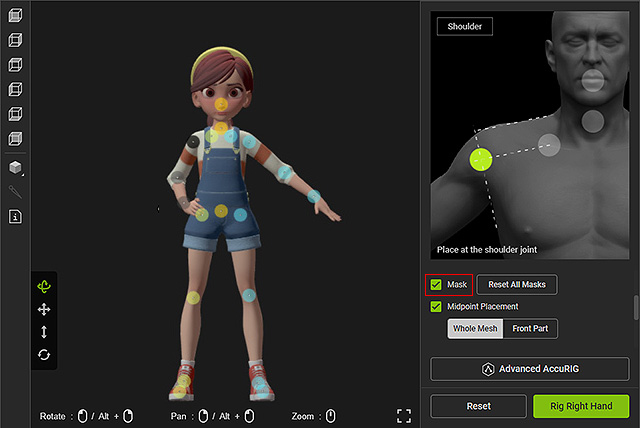
- Drag the unmasked joints to adequate positions. As for the masked joints, you can drag them elsewhere or leave them untouched.
- Go to the Rig Hand step and set up the hand joints. Refer to the Rig Hand section for more information.
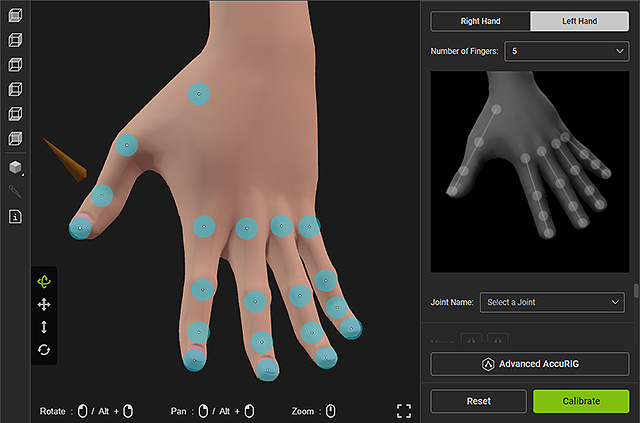
- Go to the Calibrate step to characterize the model, then apply either of the motions for testing.
Consequently, the masked limb maintains its original pose.
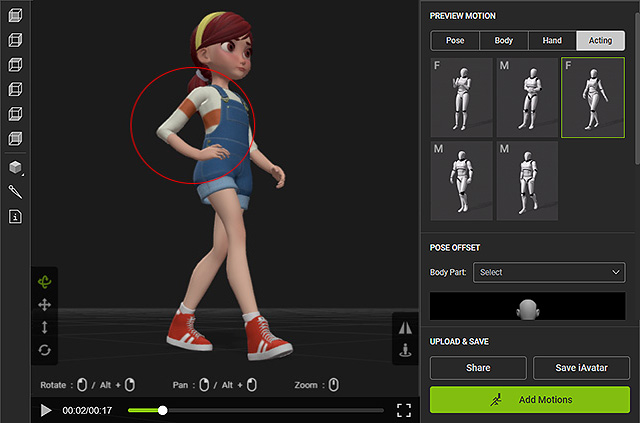
If you are satisfied with the result, you can save the character as iAvatar for use in Character Creator and iClone. - In the final Add Motions step, you have the option to add more animations and export the animatable character for use in third-party workflows.