Add Motions Step
Enter the final rigging stage of by clicking the Add Motions button on any highlighted area shown below.
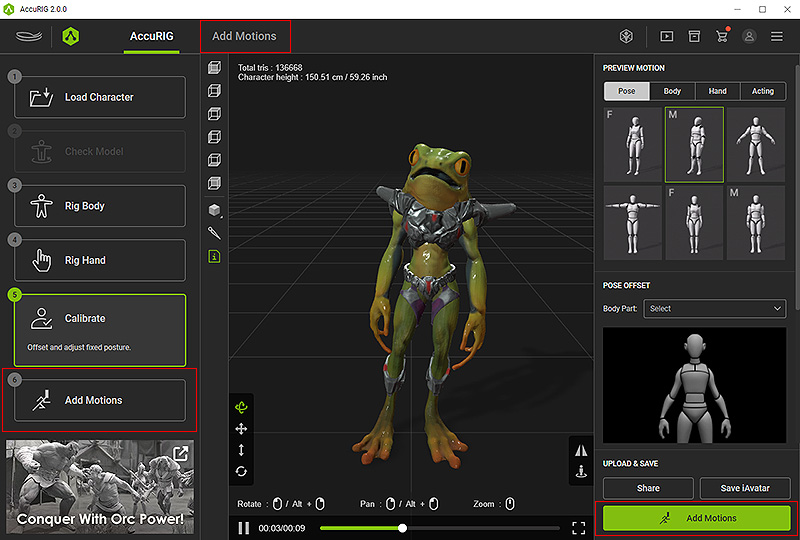
In this step, you can search ActorCore motions right in the program and export the animated character to any major 3D platform.
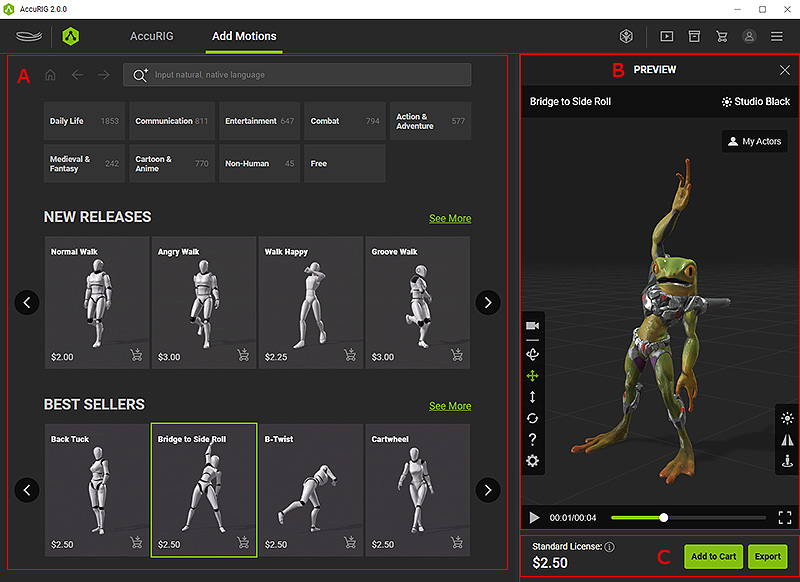
 A. Browse ActorCore Motion
- Browse from a variety of motion categories, or input natural language to Deep search online motions.
- Find similar motions or group interaction motions.
- Click on the thumbnails to apply motions to a rigged model.
B. Preview Motion
- Orbit, pan, zoom in/out the camera to view from different perspectives.
- Mirror motion to fit it in body rigs or force the character to move in place for rooted animation.
C. Add to Cart and Export
- Add to Cart: Add the preview motion to your shopping cart in your ActorCore account.
- Export: Export the rigged character and/or motion for use in third-party applications.
