Setting and Mirroring Joints
In the Rig Hand step, the most crucial task is to position the knuckle joints of the fingers and correctly set the orientation of the thumb.
- Import a model.
- Set the center line correctly.
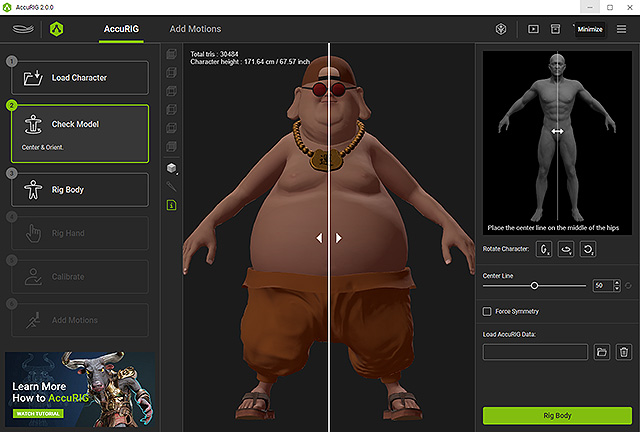
- Go to the 3rd step and set the body joints.
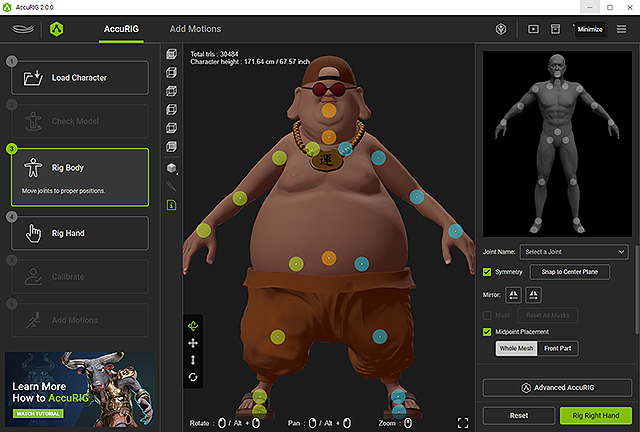
Proceed to the 4th step for Rig Hand, by clicking on the namesake button on the left or the Rig Right Hand button on the right.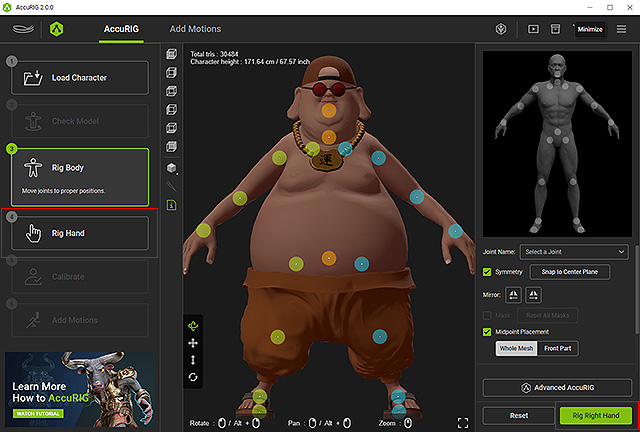
- Before proceeding to the 4th step, you will be asked to input the number of fingers for the character.
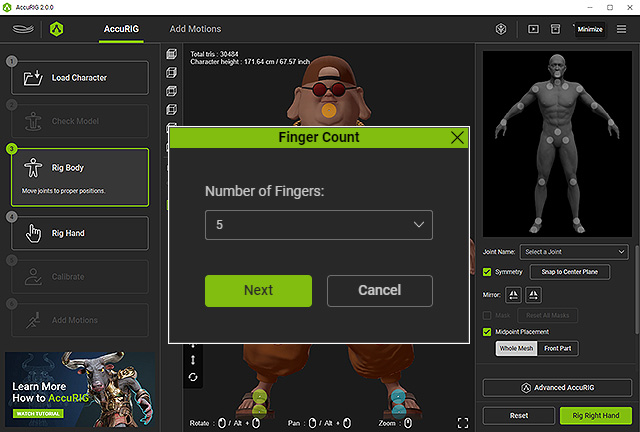
- The system will automatically place the joints into the fingers in the 4th step. You can also manually reposition them if needed.
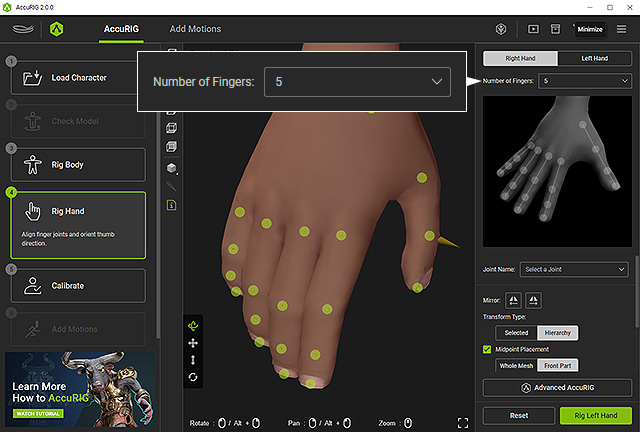
Click the Left Hand tab or Rig Left Hand button for the same adjustments to the other hand. Proceed to the next step by clicking the Calibrate button at the left side panel. - Drag the joints to properly place them on the knuckles of the fingers.
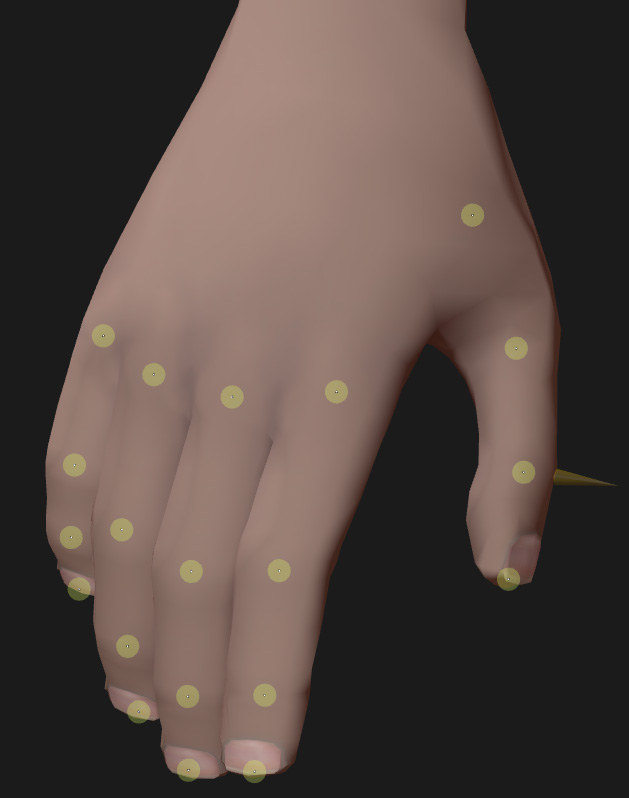
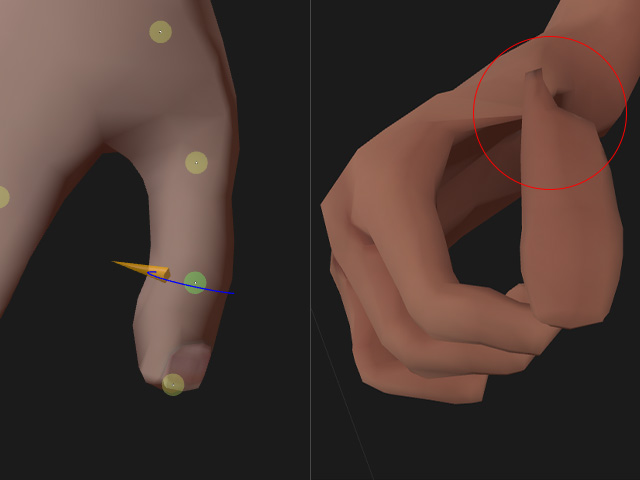
* Always orbit the camera to observe and make sure the joints are inside of the model. - Click on the joint indicator and drag on the circle gizmo to align it perpendicular to the thumbnail in order to have the joint bend in the proper direction.
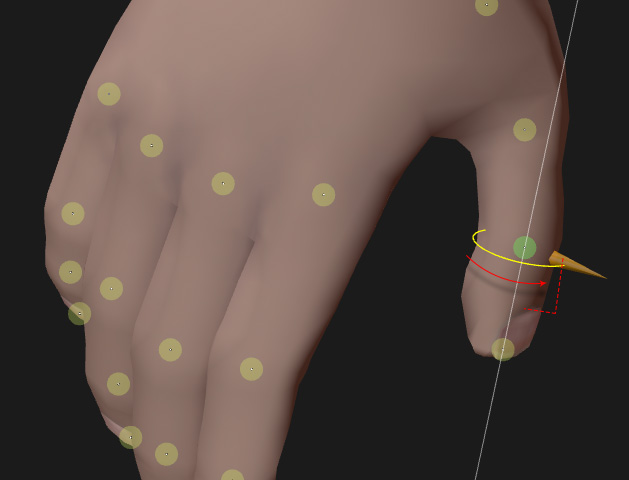
 Note: Correct and Incorrect Thumb Directions
Below is a comparison of correct and incorrect thumb orientation:
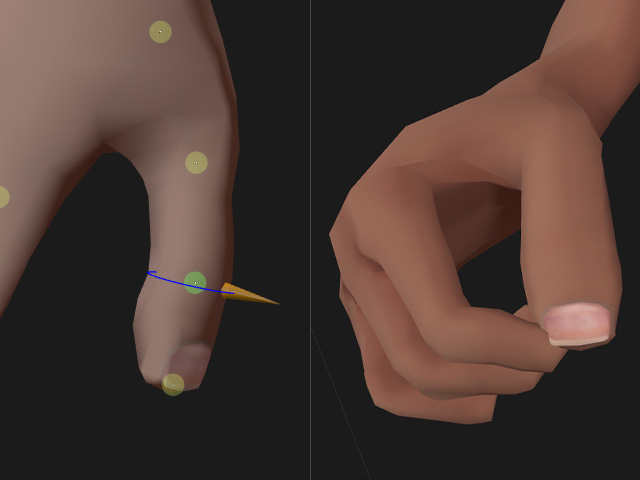
The direction is set correctly, allowing a natural bend of the thumb.
The direction is set incorrectly, causing an unsightly twist of the thumb.
- If the poses for both hands are identical and joint positioning for one side is already complete, you can save some time by clicking on the Mirror left to right or Mirror right to left button to mirror the joint positions and thumb orientation to the other hand.
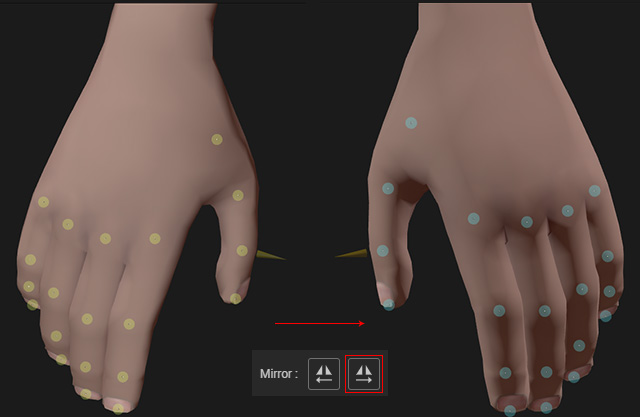
Otherwise, you will need to manually reposition the joints for the other hand. - Go to the 5th step to characterize the model, then apply either of the motions for testing.
Fine-tune the bone angles for different body types if necessary.
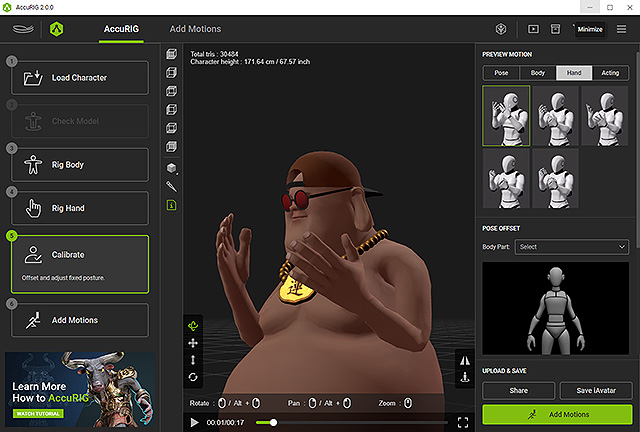
If you are satisfied with the result, you can save the character as iAvatar for use in Character Creator and iClone. - In the final Add Motions step, you have the option to add more animations and export the animatable character for use in third-party workflows.