|
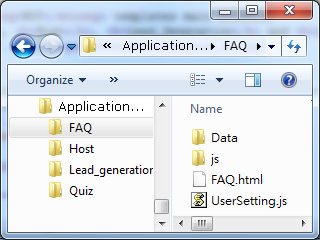
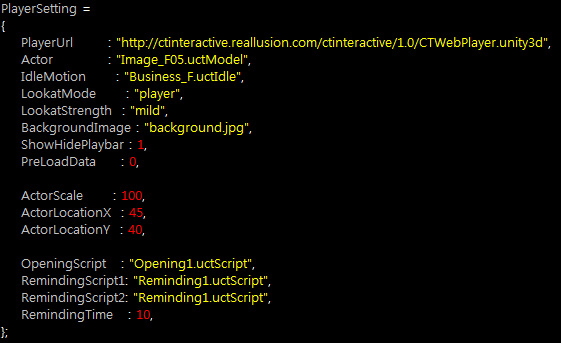
The settings in the Player Setting section of
the UserSetting.js are used for introducing desired
assets into the web player. Therefore, please make sure that each and every
asset you are about to used are already put into the path as described in the
General Setting Section.
The Player Setting section are as shown below:
PlayerURL
|
|
This path defines the location where the Unity Web Player is.
However, since there are certain policies for most web servers, then you need to
follow the regulations below:
-
The web player (CTWebPlayer.unity3d) must be put into the same directory where
the interactive assets are.
-
The default URL
(http://ctinteractive.reallusion.com/ctinteractive/1.0/CTWebPlayer.unity3d)
as shown above can only work when you preview the web pages
with web player and interactive assets on a local machine or on a
Dropbox site.
-
If you intend to upload the interactive assets to any other servers other then the local
machine or Dropbox, then you MUST
upload the web player to the same location and
then set the parameter, PlayerURL, to the
correct path (in absolute or relative) name.
|
Actor
|
|
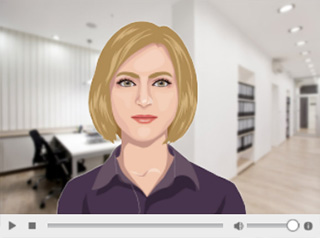
This value determines the actor you want to use.
|
|
|
|
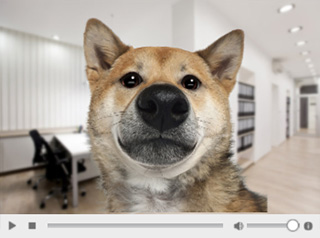
The default host is set to Image_F05.uctmodel
|
|
Change the value to use a custom actor
(Cute_Dog.uctmodel).
|
|
IdleMotion
|
|
An idle motion is a motion that simulates different actor motions and
moods while the actor is, or is not talking or listening.
With the idle motion, the actor can automatically move so that it looks
more vivid rather than having a still cardboard look on it.
It creates life-like base movements even before you start animating or
lip syncing your custom actor.
|
LookatMode
|
|
This value determines the look-at mode of the actor.
If the value is set to the the last one, then the
actor will look at the cursor as it moves.
The possible values are none,
player and screen.
|
|
|
|
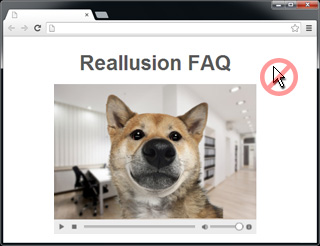
None: Stop looking at the cursor.
|
|
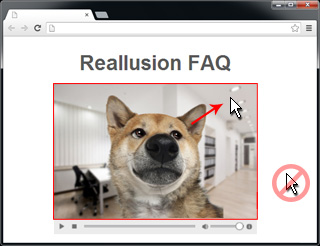
player: Tracking the cursor only when the cursor
enter the range of the web player.
|
|
|
|
|
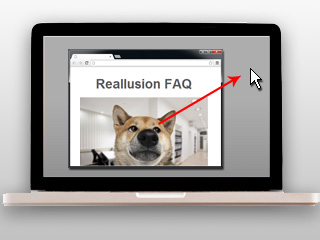
screen: Tracking the cursor all the way as it is
moving on the screen.
|
|
LookatStrength
|
|
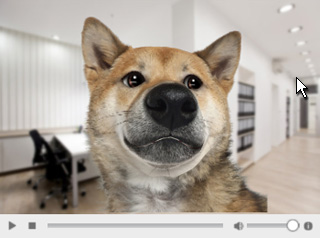
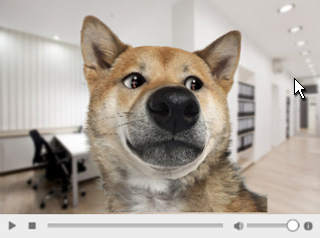
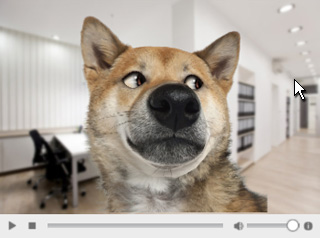
This value determines the strength for the character
to look at the cursor, which means the angle of
rotation for the eyeballs. The possible values are "mild",
"medium" and "strong".
|
|
|
|
LookatStrength = Mild
|
|
LookatStrength = Medium
|
|
|
|
|
LookatStrength = Strong
|
|
BackgroundImage
|
|
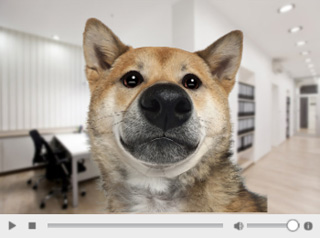
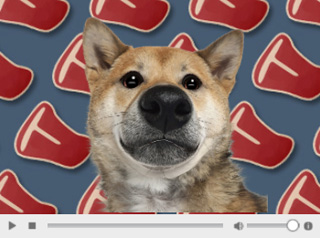
This value assists you to change the background image.
|
|
|
|
The default background image,
FAQ_BG.jpg.
|
|
The value for the parameter, BackgroundImage, is
changed to a custom image file.
|
|
Note:
|
|
In the Virtual Host template, the background image can be changed
in different slide. Therefore, this setting is missing.
|
|
ShowHidePlaybar
|
|
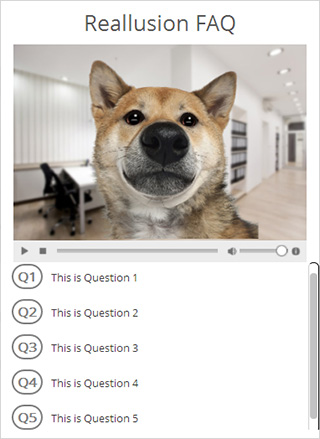
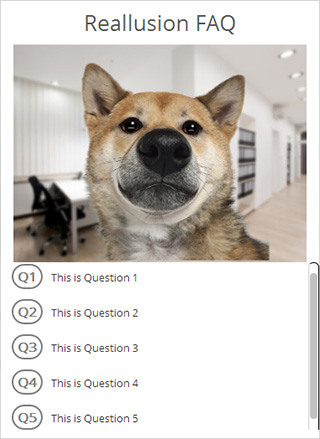
This value shows or hides the playbar. It is useful for when you do not want the
audiences to manually control the playbacks. The possible values are "1" (show)
and "0" (hide).
|
|
|
|
ShowHidePlaybar = 1
|
|
ShowHidePlaybar = 0
|
|
PreLoadData
|
|
This value commands the player to preload data before it starts to play the
prepared contents.
You may use this parameter to prevent lag issues during playbacks.
The possible values are "0" (do not preload) and "1" (preload).
|
Actor Transformation (Scale, Position X and Position Y)
|
|
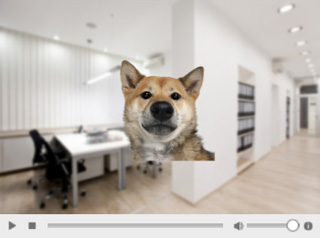
The transformation of the actor can be defined by
the parameters, ActorScale,
ActorLocationX
and ActorLocationY.
The unit is a percentage.
-
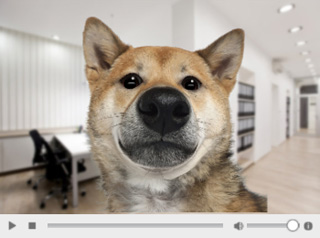
ActorScale: This value determines the size of the character.
100 means 100%, which is the original size of the actor.
|
|
|
|
ActorScale = 100
|
|
ActorScale = 50
|
-
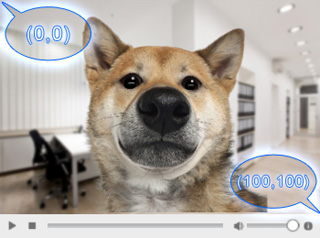
ActorLocationX and ActorLocationY: The (x, y) values
for setting the position of the actor. (0, 0) is the top-left corner,
while the (100, 100) is the bottom-right one. Please note that the
pivot of the actor is at the center of the head.
|
OpeningScript
|
|
This value determines the
first script the player plays after the web page
is opened.
|
|