Theory for Skin Settings
After refining the overall face, specific areas such as the eyes, nose, or mouth might still require more precise correction. Refining one part at a time helps maintain control over local adjustments and reduces the risk of affecting other completed areas.
Textures
The Skin Photo maps are generated straight from the source image. The textures can be enhanced with Upscaling and Excessive Lighting removal etc. in the Generate Skin Photo section.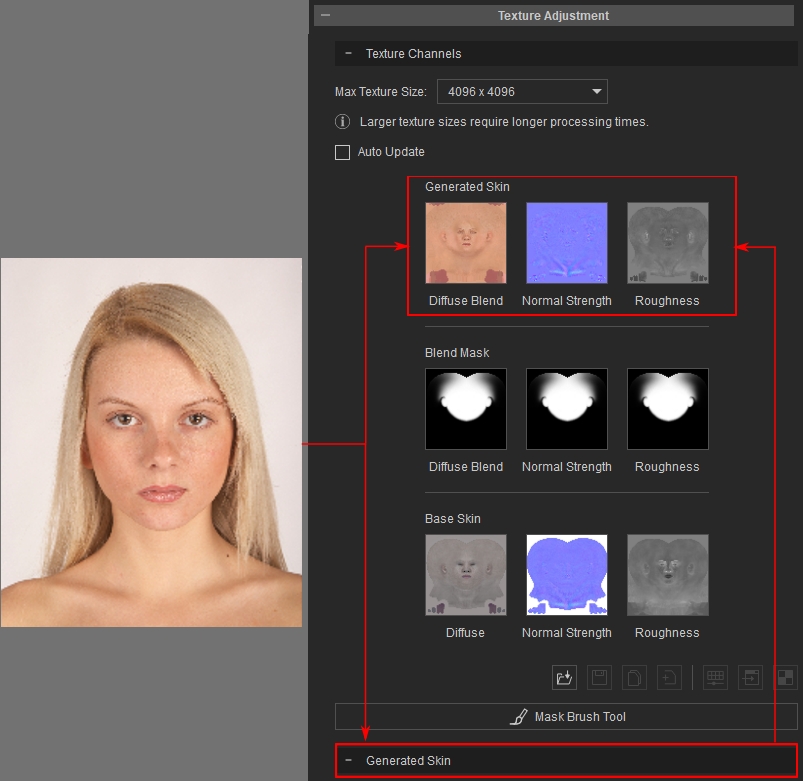
Blend Masks
The Blend Mask is used to cover unwanted flaws from the texture generated. For how to create and edit the mask please refer to page Blend Mask.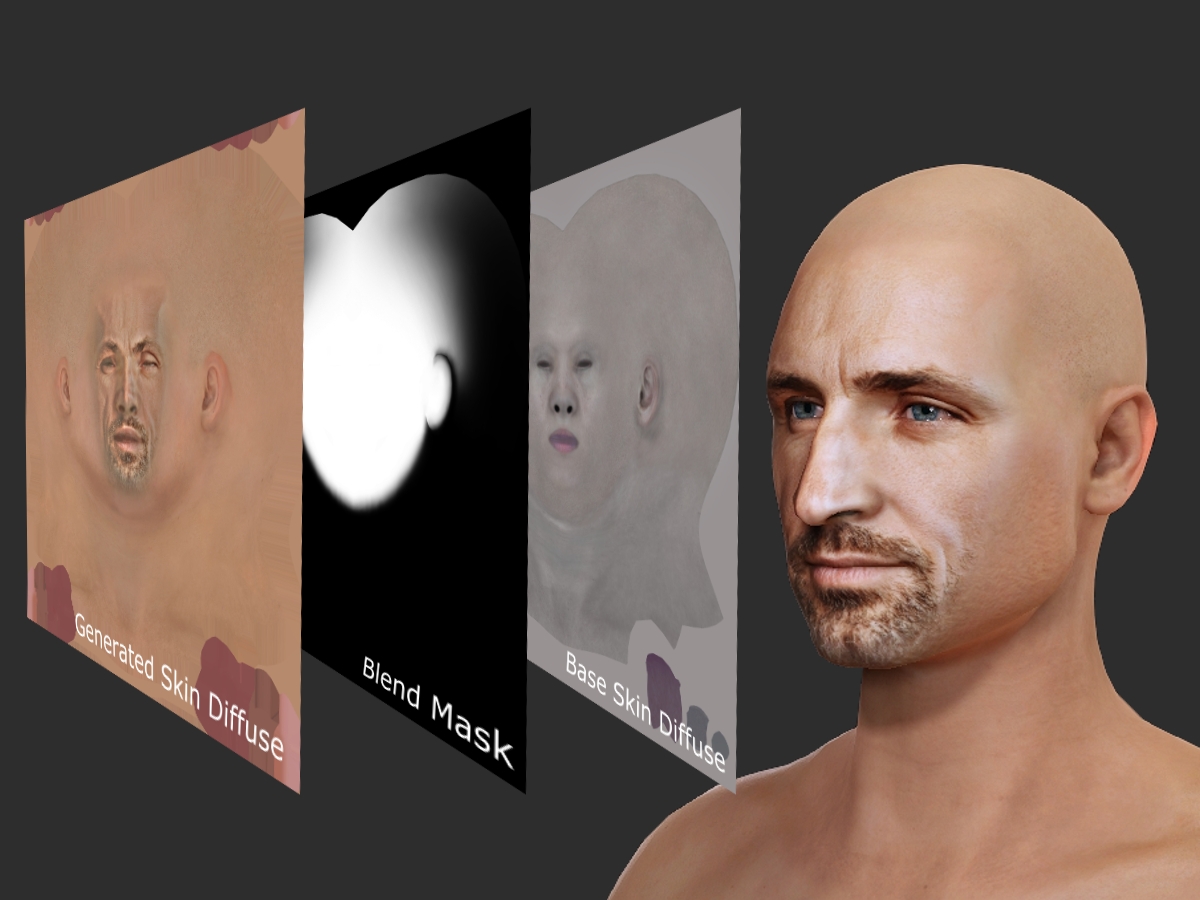
Base Skin Textures
The Base Skin Texture maps provide a neutral skin base for the Skin Photo to blend to. The Base Skin can be altered to fit different Skin types. For more information please refer to the page Base Skin.
Material Texture
- Skin Color, Base Diffuse, Skin Diffuse and Diffuse Blend Mask: The Skin Color, blending with the Base Diffuse, will be used to map onto the character's head by the Black areas defined in the Diffuse Blend Mask texture; while the Skin Diffuse texture defines the White areas. And they finally become the texture for the Base Color channel of the head material.
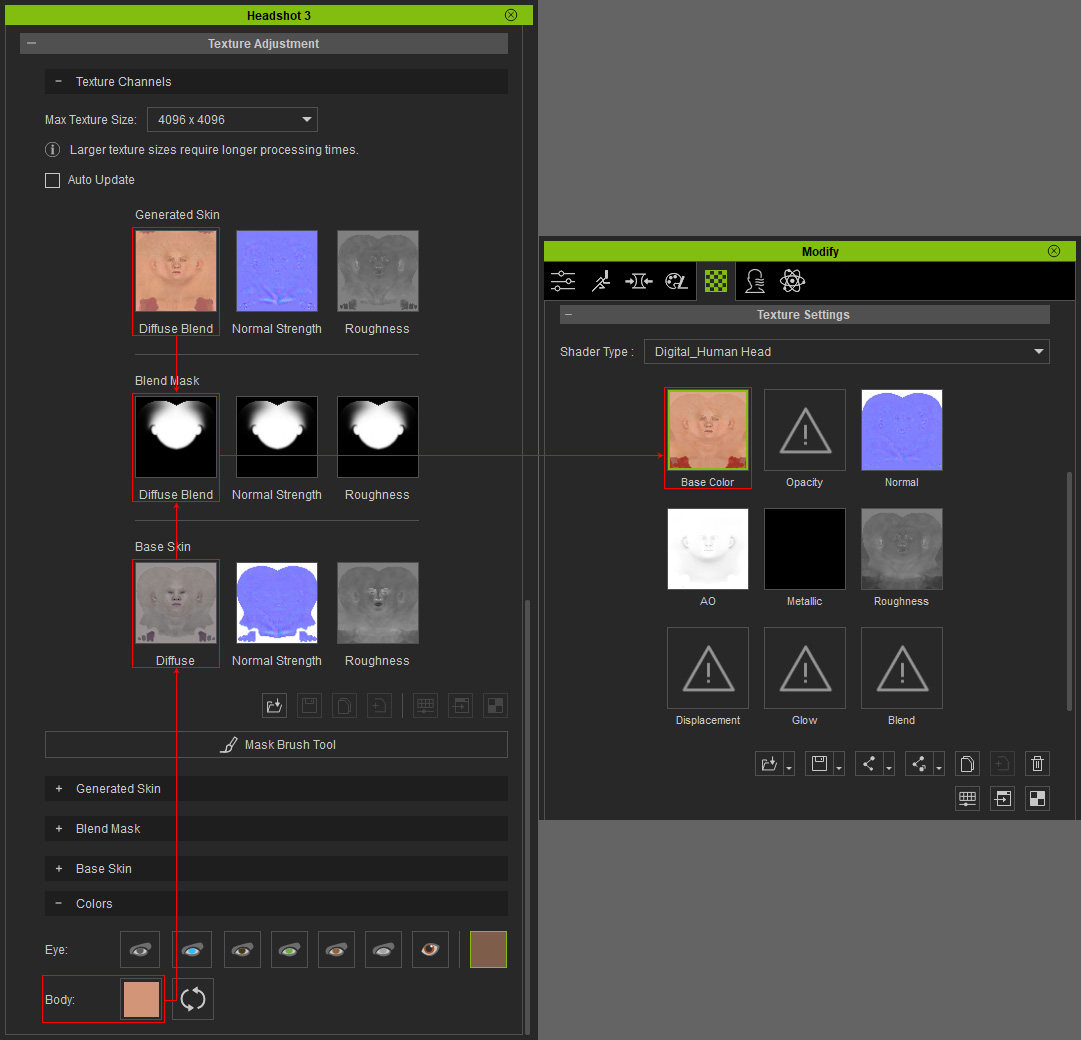
- Base Normal, Skin Normal and Normal Blend Mask: The Base Normal, will be used to map onto the character's head by the Black areas defined in the Normal Blend Mask texture; while the Skin Normal texture defines the White areas. And they finally become the texture for the Normal channel of the head material.
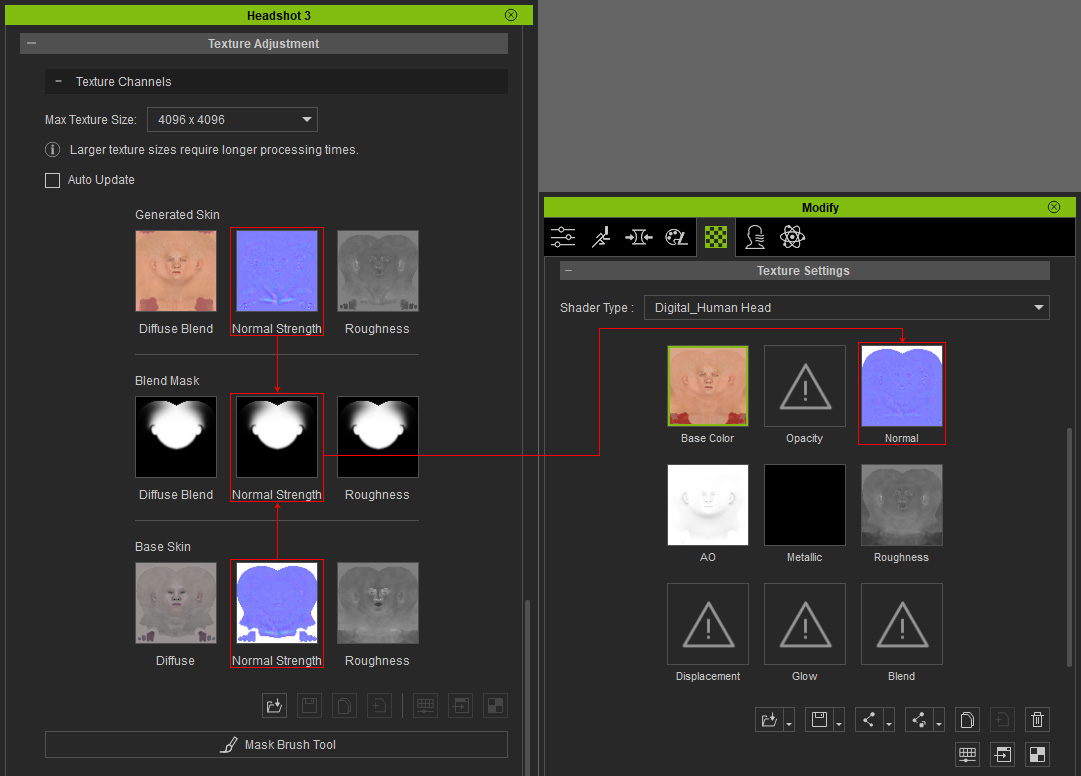
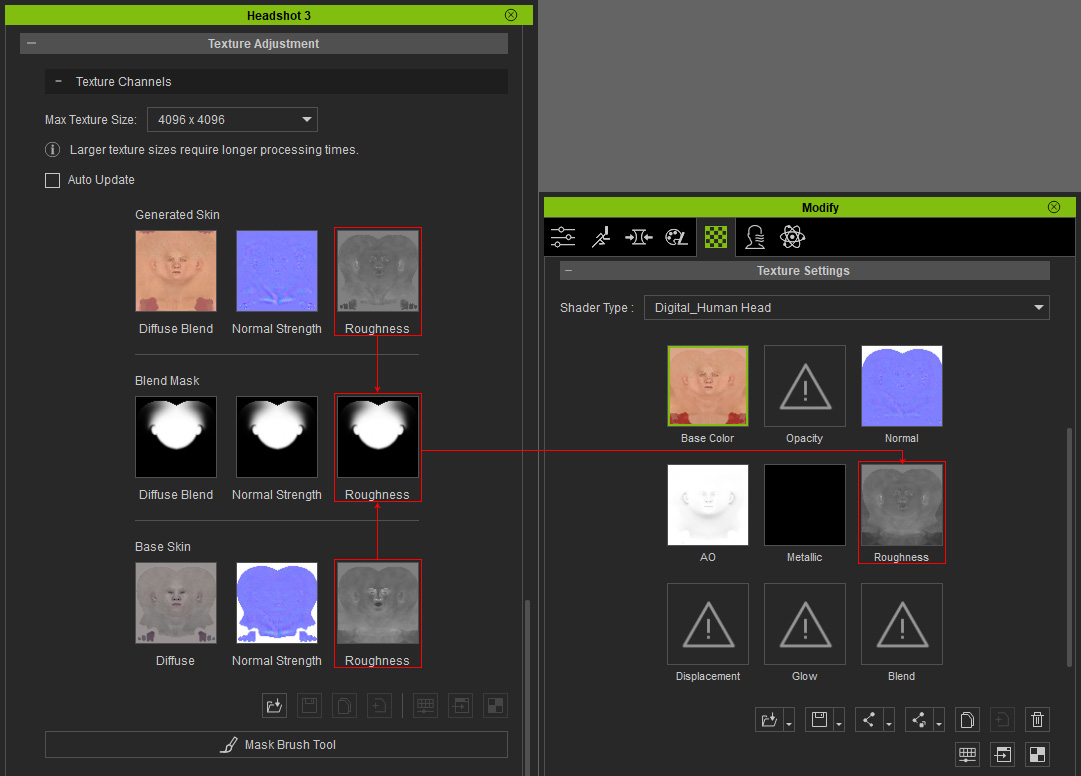
- Base Roughness, Skin Roughness and Roughness Blend Mask: The Base Roughness, will be used to map onto the character's head by the Black areas defined in the Roughness Blend Mask texture; while the Skin Roughness texture defines the White areas. And they finally become the texture for the Roughness channel of the head material.